
 Back
Back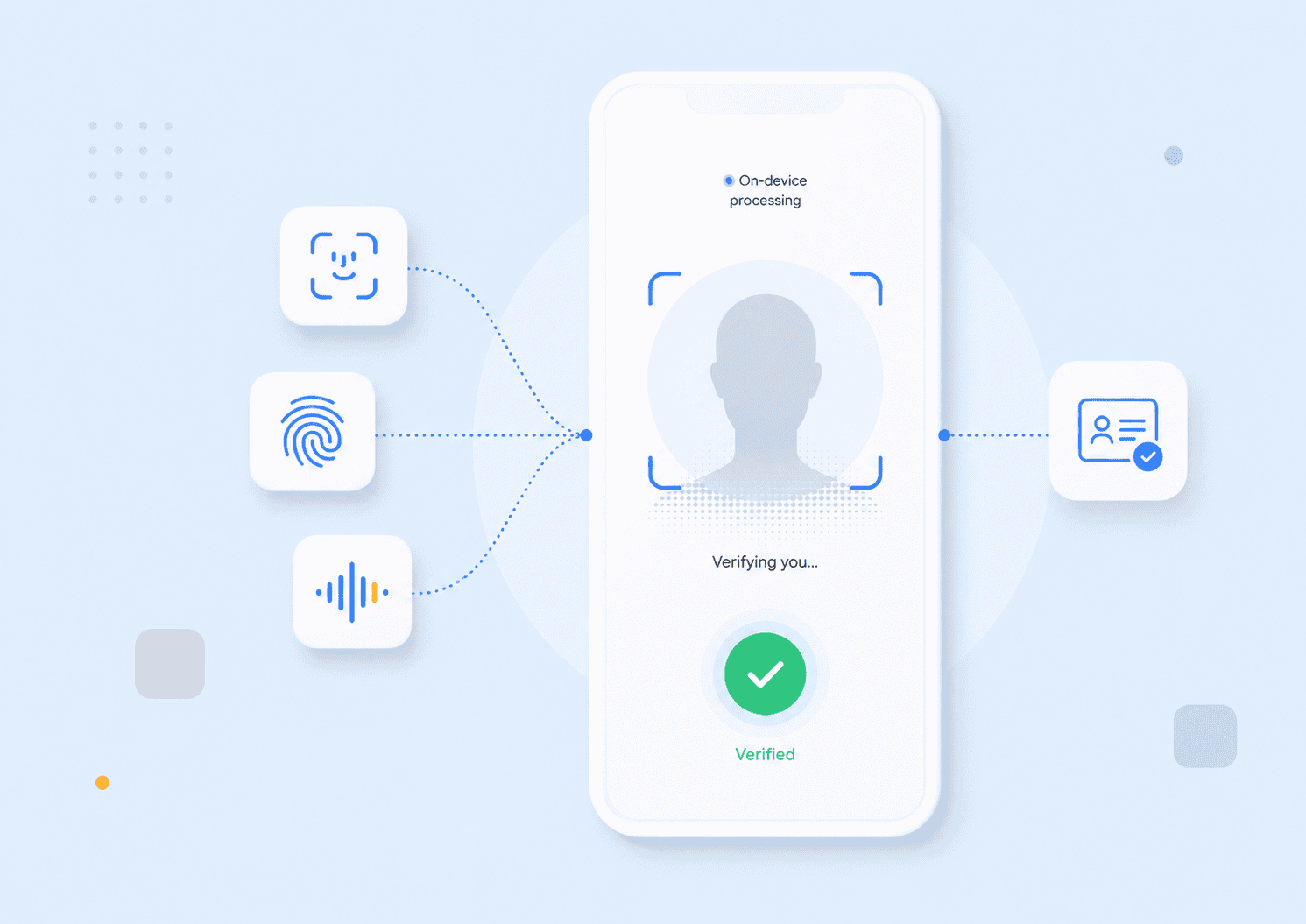
A fingerprint reader, a phone’s face unlock, and a call centre’s voice check all use biometrics, but they do not provide the same security, privacy, or user experience. Understanding the main biometric authentication types means looking beyond the body characteristic being measured. You also need to consider the sensor, matching process, liveness controls, storage model, and conditions in which people will use the system.
This guide compares the major biometric modalities available in 2026 and explains how to select one for a real authentication workflow.
Key takeaways
- Biometric systems can measure physical traits, behavioural patterns, or a combination of modalities.
- Face, fingerprint, iris, voice, palm, and behavioural biometrics suit different devices and operating conditions.
- A biometric match alone does not prove that a live, authorised person is present.
- Accuracy figures only make sense when reviewed alongside spoof resistance, failure rates, demographic performance, and environmental testing.
- Strong implementations protect biometric data and pair the biometric with a device-bound credential, passkey, or another authentication factor.
What biometric authentication measures
Biometric authentication checks whether a measured human characteristic matches a reference associated with an enrolled user. The system does not normally compare two raw images directly. It extracts measurable features, converts them into a biometric template or protected representation, and calculates a similarity score.
Authentication is usually a one-to-one verification process. A user claims an identity, and the system asks, “Does this sample match the reference for this account?” Identification is a one-to-many search that asks, “Whose biometric is this?” The distinction matters because one-to-many searches create different performance, privacy, and scaling requirements.
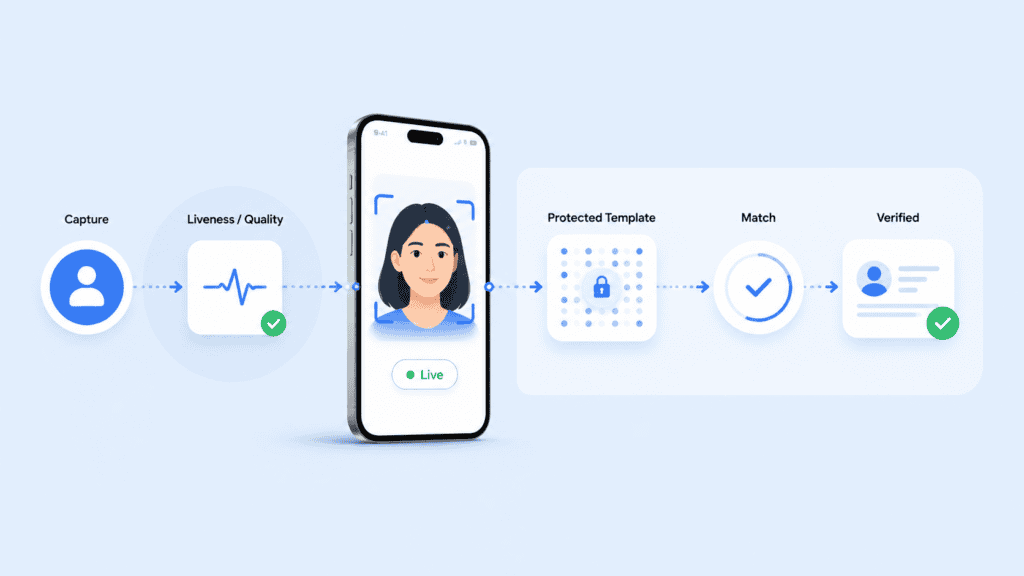
A typical authentication workflow includes:
- Capture: A camera, microphone, fingerprint reader, or other sensor collects a sample.
- Quality assessment: The system checks whether the sample is usable.
- Presentation attack detection: Liveness controls look for photographs, recordings, masks, synthetic media, or other spoofing attempts.
- Feature extraction: The software converts relevant characteristics into a mathematical representation.
- Matching: The captured representation is compared with an enrolled reference.
- Decision: The system accepts, rejects, or escalates the attempt based on its threshold and risk rules.
The reference should be protected as carefully as any high-value credential. Unlike a password, a person cannot simply replace their face, voice, or fingerprints after a breach. This is why storage architecture and template protection deserve as much attention as matching accuracy.
The latest NIST Digital Identity Guidelines treat biometrics as part of a broader authentication process rather than a complete authenticator on their own. NIST’s approach reflects an important design principle: the biometric usually activates or supports another authenticator, such as a protected cryptographic key.
Main biometric authentication types
The most common biometric authentication types fall into two groups. Physiological biometrics measure physical characteristics. Behavioural biometrics assess patterns in how a person acts.
Facial recognition
Facial authentication measures characteristics such as the relative position and shape of facial features. Depending on the implementation, it may use a standard RGB camera, infrared imaging, depth sensing, or several sensors together.
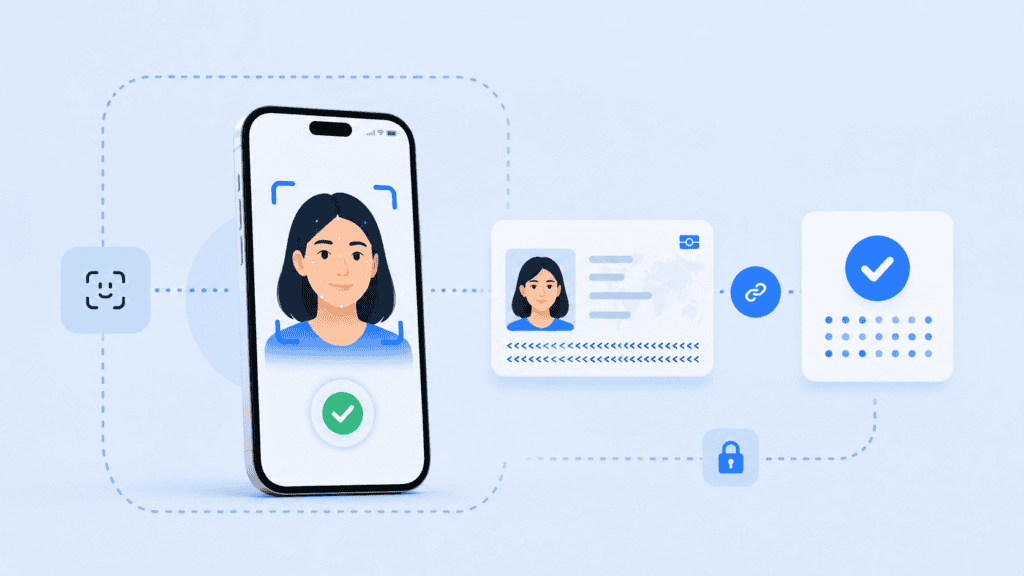
Its main advantage is accessibility. Most phones, tablets, laptops, and kiosks already have a camera, so organisations can deploy face authentication without issuing specialist hardware. It also works well in remote onboarding, account recovery, and document verification because the system can compare a live capture with the portrait on an identity document.
Face authentication can become unreliable when lighting is poor, the camera angle is extreme, part of the face is covered, or the original reference image is low quality. A system must also distinguish a real person from a printed photograph, replayed video, mask, or generated face. That makes liveness detection a core control rather than an optional feature.
The privacy model varies significantly by provider. Some systems upload facial images to a central server. Others perform facial recognition processing on the user’s device and transmit only a protected result or token. This architectural difference affects breach exposure, consent requirements, network dependence, and user trust.
Fingerprint recognition
Fingerprint systems compare ridge endings, bifurcations, pores, and other distinctive details. Capacitive sensors are common in smartphones and access devices, while optical, ultrasonic, and contactless readers serve other applications.
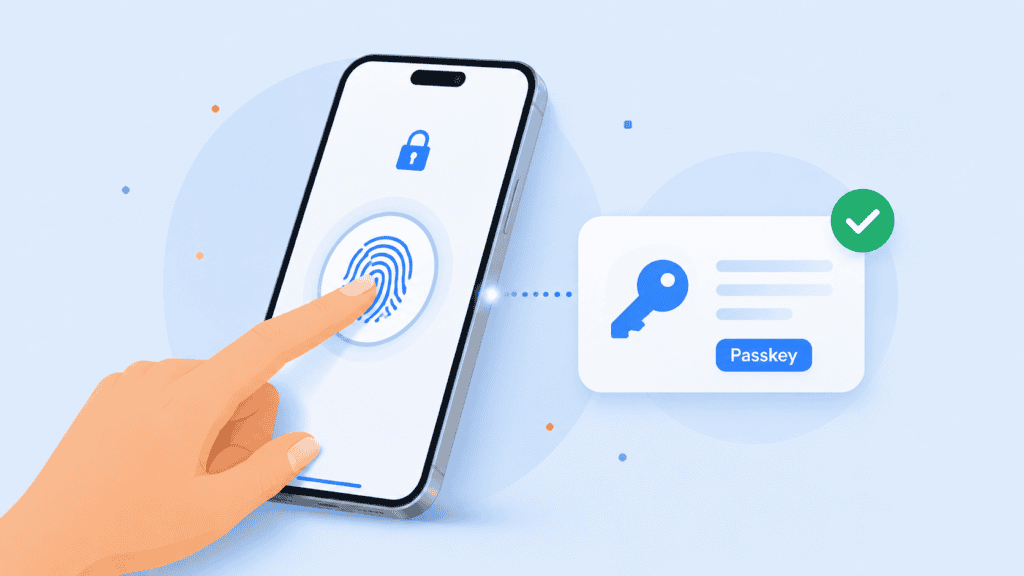
Fingerprint authentication is fast and familiar. It works particularly well when a trusted device has a built-in sensor and the fingerprint template remains inside protected hardware. A user can unlock a cryptographic credential without sending the fingerprint to the service they are accessing.
There are practical limitations. Cuts, dry skin, moisture, dirt, ageing, and manual work can reduce capture quality. A shared kiosk also raises hygiene and maintenance concerns when it requires physical contact. Basic readers may be vulnerable to lifted prints or moulded replicas unless they include effective presentation attack detection.
Fingerprint recognition is therefore strongest in device-bound authentication, controlled workplaces, and physical access systems with suitable sensors. It is less convenient for browser-based services that cannot assume every user owns compatible hardware.
Iris recognition
Iris recognition measures the detailed texture surrounding the pupil. The iris contains complex patterns that tend to remain stable, making it useful for high-assurance matching.
A well-designed iris system can provide accurate comparisons with little physical contact. It is used in some border, national identity, and controlled-access environments where operators can standardise the camera, distance, lighting, and capture procedure.
The main barrier is hardware. Reliable iris capture generally needs a suitable near-infrared camera and careful positioning. Standard laptop and mobile cameras may not produce the required image quality. Glasses, reflections, eye movement, and user discomfort can also affect capture.
Iris recognition can be a good fit when accuracy justifies dedicated equipment. It is rarely the first choice for a consumer service that needs to work from ordinary devices.
Retina scanning
Retina scanning maps the blood-vessel pattern at the back of the eye. It should not be confused with iris recognition, which examines the visible ring around the pupil.
Retinal patterns can be highly distinctive, but capture is intrusive. The user must position an eye close to a specialised scanner and look at a fixed point while the device directs light into the eye. Cost, accessibility, and user acceptance limit its practical use.
As a result, retina scanning remains a niche biometric modality. Iris recognition generally offers a more workable option when an eye-based biometric is required.
Voice recognition
Voice authentication assesses characteristics of a person’s speech rather than the words alone. Systems may analyse pitch, cadence, resonance, vocal-tract characteristics, spectral features, and timing patterns.
Voice works through microphones already present in phones, computers, vehicles, and call centre equipment. It can support hands-free authentication and provide an additional signal during customer-service interactions.
However, voice changes with illness, stress, age, background noise, microphones, and network compression. It also faces replay and synthetic-speech attacks. A secure system needs controls that can detect recordings or generated audio and should not rely on a short, predictable phrase alone.
Text-dependent systems ask the user to repeat a specific phrase. Text-independent systems analyse natural speech. Prompted phrases can make replay harder, while natural conversation can reduce friction. The appropriate model depends on whether the workflow prioritises convenience, attack resistance, or passive risk assessment.
Palmprint and palm-vein recognition
Palmprint authentication measures features on the hand’s surface, including principal lines, wrinkles, and texture. Palm-vein recognition uses near-infrared light to capture patterns beneath the skin.
Contactless palm capture can be convenient in workplaces, healthcare settings, payments, and controlled physical access. The larger surface area may provide more measurable information than a single fingertip. Subsurface vein patterns are also harder to observe casually than surface characteristics.
These methods usually need dedicated sensors or carefully controlled camera capture. Hand position, distance, motion, and environmental light can affect results. The equipment requirement makes palm biometrics less universal than face or voice authentication, but well suited to fixed locations.
Hand geometry
Hand-geometry systems measure dimensions such as finger length, width, thickness, and the shape of the hand. They do not capture the same fine detail as palmprint or vein systems.
This modality can verify users quickly in controlled settings, but it is usually less distinctive than fingerprint or iris recognition. It may work for workplace attendance or low-to-moderate-risk access where convenience matters more than fine-grained identification.
Because people can have similar hand dimensions, hand geometry is better for one-to-one verification than large one-to-many searches.
Behavioural biometrics
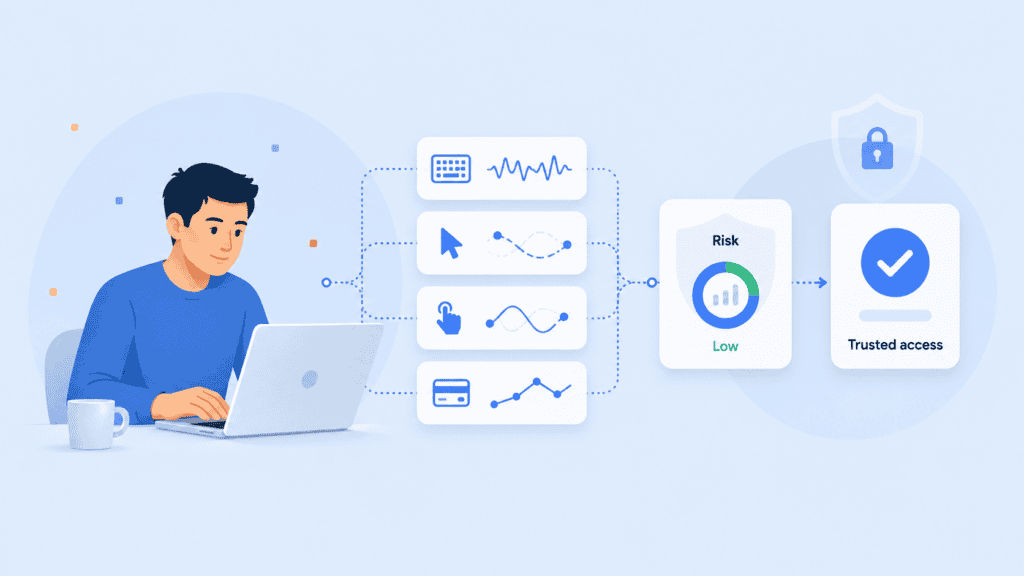
Behavioural biometrics analyse how a person interacts with a device or service. Signals may include:
- Typing rhythm and key dwell time
- Mouse movement and click patterns
- Touchscreen pressure and swipe behaviour
- Device-holding angle
- Gait and movement
- Navigation patterns
- Transaction behaviour
These systems can operate continuously after login. Instead of making a single accept-or-reject decision, they update a risk score as the session develops. For example, an account may pass initial authentication but trigger an additional check when typing speed, navigation, device signals, and transaction behaviour differ sharply from the established pattern.
Behavioural biometrics are useful for fraud detection because they add context without repeatedly interrupting the user. They are also probabilistic and can change due to injury, stress, a new device, accessibility tools, or a different working environment.
They should generally support risk-based authentication rather than act as the only identity factor. Organisations also need clear consent and data-governance rules because continuous observation can become intrusive when users do not understand what is being measured.
Multimodal biometrics
Multimodal authentication combines two or more biometric modalities, such as face and voice or fingerprint and palm. It can require both samples or use one modality as a fallback when another fails.
Combining signals can improve resilience, but it does not automatically make a system secure. Poorly implemented fusion can preserve the weaknesses of each component while increasing data collection and user friction. The decision logic must specify how scores are combined, what happens when modalities disagree, and whether every user has an accessible alternative.
The FIDO biometric requirements include procedures for evaluating multimodal systems, presentation attacks, and biometric performance. This is a useful reminder that the combined system needs testing as a system. Passing separate component tests is not enough.
How biometric modalities compare
No modality wins across every category. The right choice depends on the device, environment, population, transaction risk, and recovery process.
| Biometric modality | Common hardware | Strongest fit | Main limitations |
| Face | Standard or infrared camera | Remote authentication, onboarding, document matching | Lighting, pose, occlusion, presentation attacks |
| Fingerprint | Capacitive, optical, or ultrasonic reader | Personal devices and controlled access | Skin condition, contact, specialist sensor |
| Iris | Near-infrared eye camera | High-assurance controlled environments | Hardware cost and positioning |
| Retina | Specialised retinal scanner | Narrow, high-security applications | Intrusive capture and limited availability |
| Voice | Microphone | Call centres and hands-free access | Noise, illness, replay, and synthetic audio |
| Palmprint or palm vein | Camera or infrared hand sensor | Contactless access and fixed-location payments | Dedicated hardware and positioning |
| Hand geometry | Hand scanner | Attendance and lower-risk physical access | Lower distinctiveness |
| Behavioural | Existing device sensors and software | Continuous risk assessment | Pattern drift, privacy, and false alerts |
| Multimodal | Multiple sensors | High-risk or fallback-sensitive workflows | Cost, complexity, and greater data collection |
Accuracy should not be reduced to one percentage. Evaluation normally considers several measures:
- False match rate: How often the system accepts the wrong person.
- False non-match rate: How often it rejects the correct person.
- Failure to acquire: How often the sensor cannot capture a usable sample.
- Presentation attack detection: How effectively the system detects spoofing attempts.
- Throughput and latency: Whether the process works quickly enough for the intended workflow.
- Differential performance: Whether error rates vary materially across demographic groups or operating conditions.
Thresholds change the balance. Tightening the threshold may reduce false matches but reject more legitimate users. Loosening it may improve convenience while increasing impersonation risk. The correct setting depends on the consequences of an incorrect acceptance and the availability of step-up checks.
How to choose a biometric authentication method
Start with the transaction rather than the technology. A face scan may be convenient, but that does not make it the right choice for every access request.
Define what the system must prove
Authentication, identification, identity proofing, and fraud screening are related but different functions.
A banking app confirming a returning customer is performing one-to-one authentication. An onboarding flow comparing a selfie with an ID portrait is verifying a relationship between two samples. An access-control system searching a watchlist is performing one-to-many identification.
Document the claim before selecting a modality. Otherwise, teams often buy a recognition feature and later discover that it does not address the actual risk.
Examine the user environment
Ask what sensors users already have and what conditions affect capture. A warehouse employee wearing gloves may struggle with fingerprints. A call centre customer may be in a noisy public place. A field worker may have poor connectivity. A person with a facial difference, speech impairment, limited hand mobility, or low vision may need another route.
An inclusive design provides at least one practical alternative. The fallback cannot be so difficult that users feel forced to surrender biometric data or abandon the service.
Model realistic attacks
Threat modelling should cover more than stolen credentials. Depending on the modality, attacks may use high-resolution photographs, silicone fingerprints, replayed recordings, masks, injection tools, generated video, or compromised capture devices.
The workflow should state where liveness runs, what it detects, and what happens when confidence is low. Passive checks can reduce friction, while active challenges may provide extra evidence in selected high-risk events. Neither approach should be treated as infallible.
Review the data path
Map what happens from capture to deletion:
- What raw data does the sensor collect?
- Is processing local or remote?
- Does a raw image or recording leave the device?
- What representation is stored?
- Can it be reversed, linked, or reused?
- Who controls the reference?
- How long is it retained?
- How can a user withdraw consent or request deletion?
- What happens after a device is lost or compromised?
This review often reveals more risk than the modality itself. Centralising reusable biometric templates creates a different exposure profile from performing a local comparison within protected device hardware.
Test the whole population and workflow
Laboratory performance is not the same as production performance. Test the exact sensors, browsers, device classes, lighting, network conditions, and user journeys expected in deployment.
Record failure reasons rather than measuring acceptance alone. A system that authenticates 98% of test attempts may still be unsuitable if most failures affect the same user group or if recovery requires manual support that the organisation cannot provide.
Building a safer biometric workflow
A strong design treats the biometric as one control inside a larger authentication system.
Consider an account-recovery request from a new phone. The user claims an account, completes a face capture, and passes a one-to-one match. That result alone should not immediately transfer control of a high-value account.
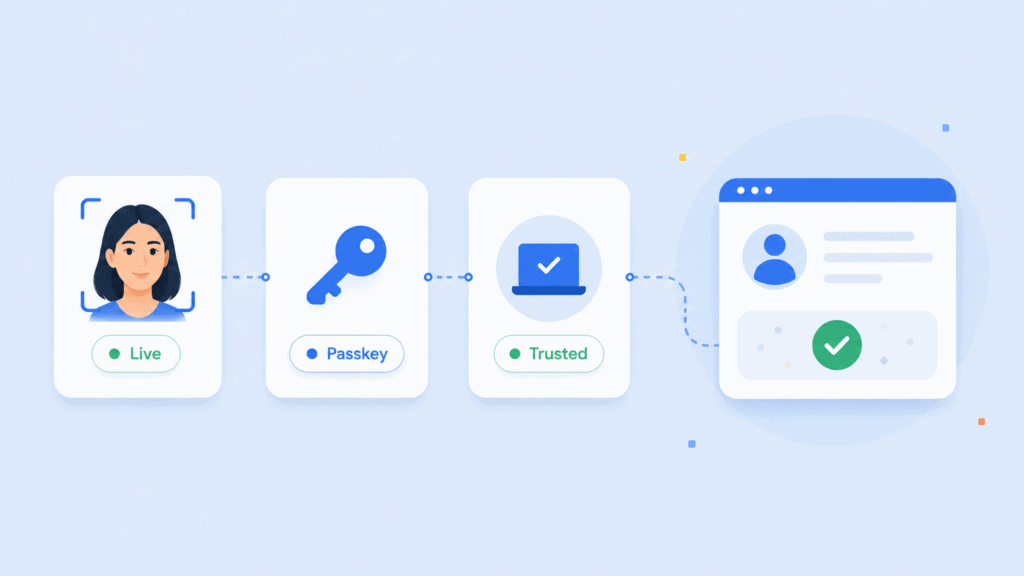
A better workflow can combine:
- A liveness result tied to the current capture
- A device-bound passkey or cryptographic challenge
- A check against the enrolled account reference
- Transaction and device-risk signals
- A delay or manual review for unusual recovery events
- A non-biometric recovery route for legitimate users who cannot complete the capture
Under FIDO2, a biometric can unlock a private key held by an authenticator while the online service receives a cryptographic assertion rather than the biometric itself. The FIDO authentication specifications explain that, when biometrics are used in this model, biometric information stays on the user’s device.
This separation limits what the relying service needs to collect. It also supports phishing-resistant authentication because the credential is bound to the service domain. A biometric authentication system can extend this model with additional matching, liveness, and identity checks where the use case requires stronger assurance.
Recovery still needs careful design. Biometrics are probabilistic, sensors fail, and people’s circumstances change. A secure recovery process should not quietly fall back to a weak knowledge question or SMS code that defeats the stronger primary method.
Conclusion
The best biometric modality is not the one with the most impressive demonstration. It is the one that performs reliably for the intended users, resists the relevant attacks, protects biometric data throughout its lifecycle, and provides a secure alternative when matching fails.
Compare the complete workflow, not just the body characteristic. Capture quality, liveness, template protection, thresholds, device binding, accessibility, and recovery determine whether biometric authentication strengthens an identity system or introduces a new point of failure.
FAQs
What are the main types of biometric authentication?
The main types include facial recognition, fingerprint recognition, iris recognition, retina scanning, voice recognition, palm biometrics, hand geometry, and behavioural biometrics. Multimodal systems combine two or more of these methods.
Which biometric authentication method is most accurate?
There is no universally most accurate method. Iris and fingerprint systems can perform well under controlled conditions, while face authentication may be more practical on ordinary devices. Accuracy depends on sensor quality, matching thresholds, user population, environment, and spoof-detection controls.
Is facial recognition the same as facial authentication?
Not always. Facial recognition is the broader technology used to compare or search faces. Facial authentication usually refers to one-to-one verification in which a captured face is checked against the enrolled reference for a claimed account.
Can biometric authentication be hacked?
Yes. Attackers may target the sensor, capture process, stored template, matching software, recovery route, or surrounding device. Presentation attack detection, protected processing, cryptographic binding, and secure fallback procedures reduce risk but cannot eliminate it.
What is the difference between physiological and behavioural biometrics?
Physiological biometrics measure physical characteristics such as a face, fingerprint, iris, or palm. Behavioural biometrics assess patterns such as typing rhythm, swiping, gait, or navigation behaviour. Behavioural signals often work best as part of continuous risk assessment.
Does biometric authentication replace passwords?
It can support passwordless authentication, but the biometric commonly unlocks another credential rather than replacing every part of the authentication system. For example, a fingerprint or face check may activate a device-held passkey that completes the cryptographic login.
Why does biometric authentication need liveness detection?
A matcher may find that a photograph, recording, replica, or generated sample resembles the enrolled user. Liveness detection, also called presentation attack detection, checks whether the sample appears to come from a live person present during the transaction.