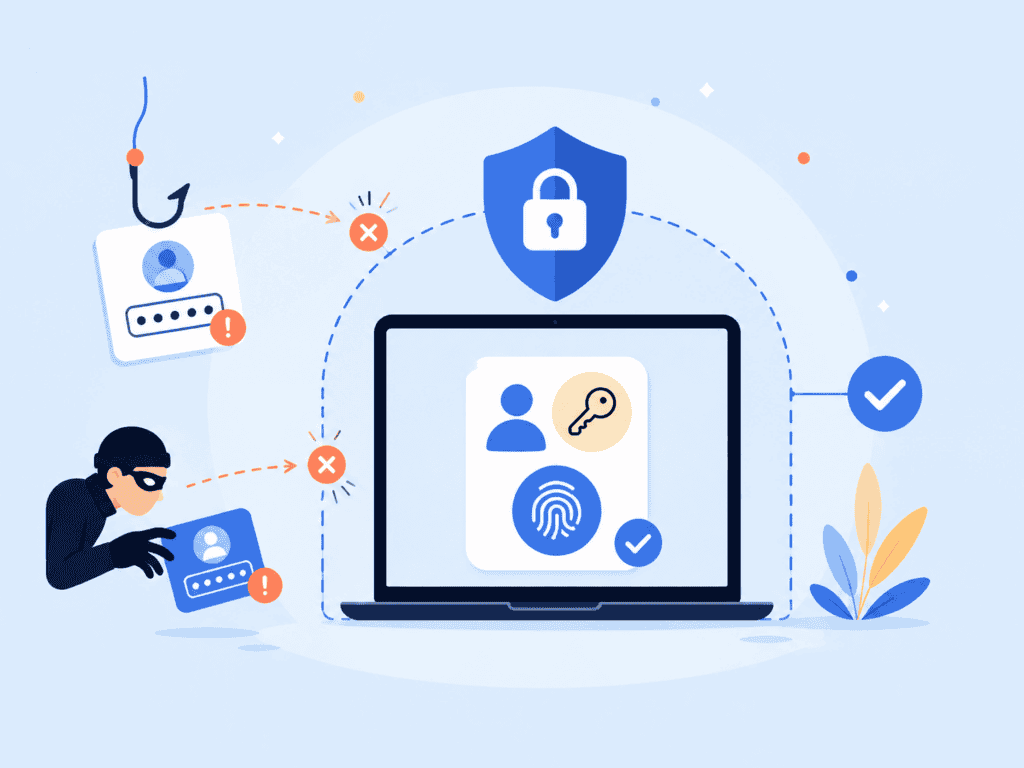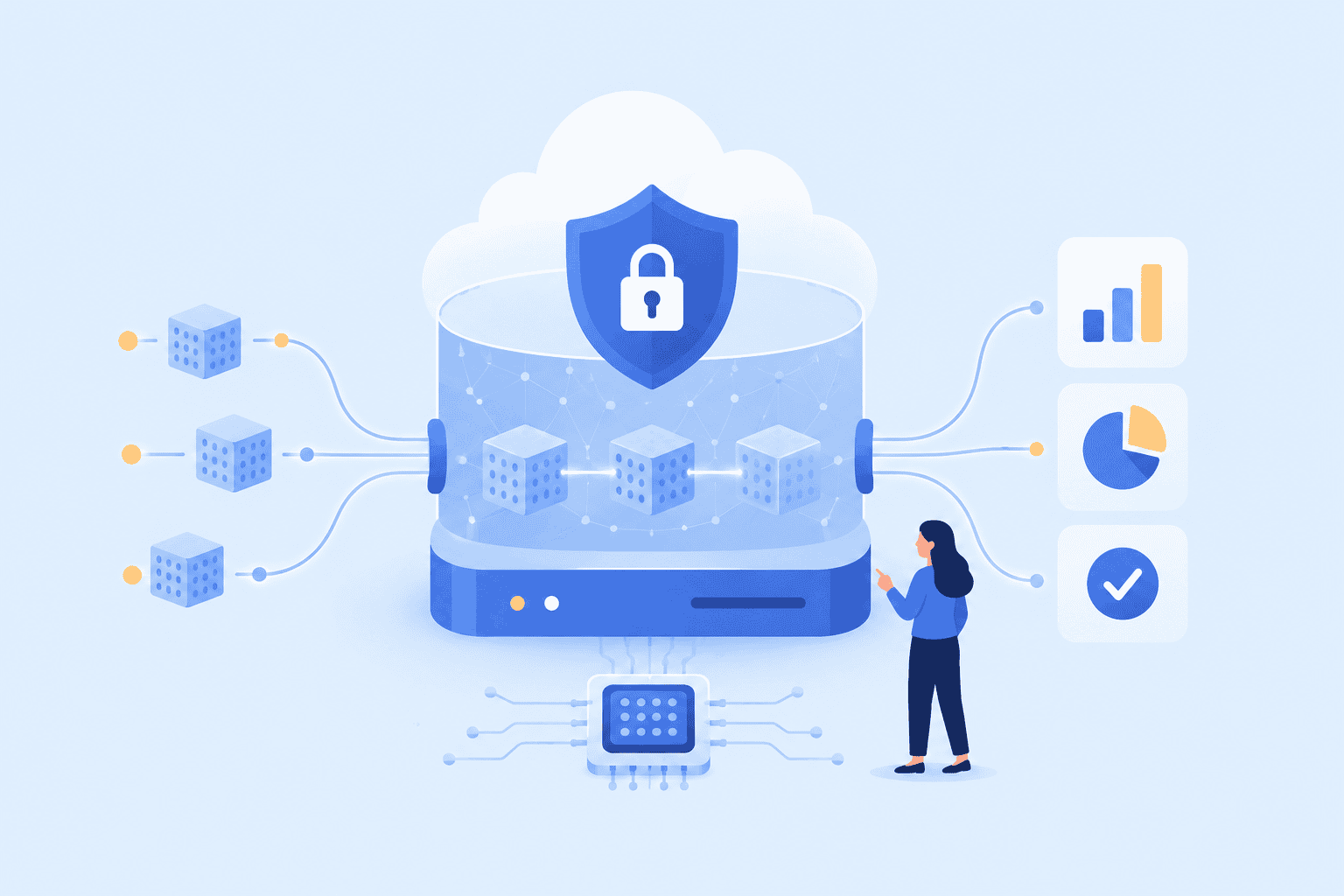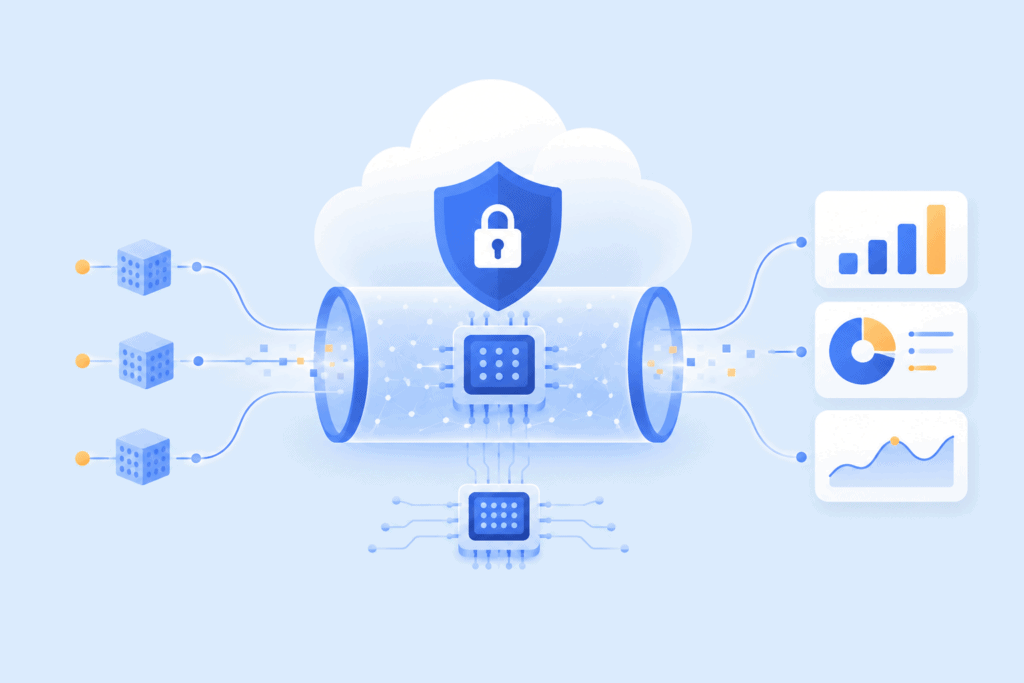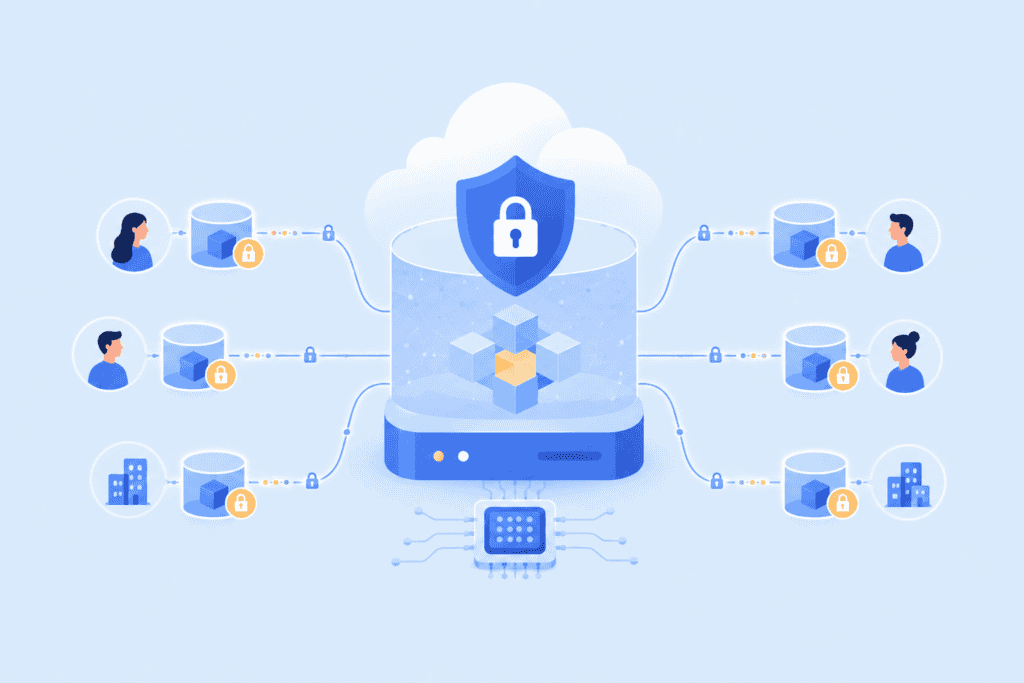

Category: CATEGORY

  • Amazon Rekognition: Comprehensive Guide to AWS Image and Video Analysis

    Amazon Rekognition: Comprehensive Guide to AWS Image and Video Analysis

    If you’ve ever marveled at how modern applications can instantly recognize faces, objects, or even text within a single click, chances are you’re glimpsing the work of powerful artificial intelligence beneath the surface. Amazon Rekognition is one of the most advanced, accessible tools for adding highly accurate image and video analysis to your business, no AI or machine learning expertise required. As part of Amazon Web Services (AWS), Rekognition offers a flexible, scalable way to infuse your applications with facial recognition, scene detection, content moderation, and much more.

    In this guide, we dive deep into how Amazon Rekognition works, its most compelling features, popular use cases across industries, and practical advice for integrating it with your AWS architecture. If you’re ready to bring cutting-edge visual intelligence to your applications, or simply want to understand what sets AWS Rekognition apart, let’s get started.

    Key Takeaways

    • Amazon Rekognition enables businesses to add advanced image and video analysis, including facial recognition and object detection, without AI expertise.
    • The service is fully managed and scalable, integrating seamlessly with AWS tools like Lambda, S3, and CloudWatch for automated and secure workflows.
    • Rekognition offers features such as content moderation, text extraction, and custom model training, making it adaptable across diverse industries.
    • With a pay-as-you-go pricing model, Amazon Rekognition is cost-effective for both experimentation and enterprise-scale deployment.
    • Following best practices like optimizing input quality, managing data privacy, and monitoring performance ensures reliable and actionable results from Amazon Rekognition.

    What Is Amazon Rekognition?

    Amazon Rekognition is a fully managed, cloud-based image and video analysis service from AWS. At its core, Rekognition leverages deep learning and highly advanced computer vision algorithms to extract actionable insights from visual content. The service enables us to instantly analyze images and videos, identify objects, people, text, and even inappropriate content, all via powerful APIs that are easy to integrate into existing applications.

    Rekognition isn’t just facial recognition software. It’s a comprehensive toolkit that allows organizations to automate visual tasks, enhance user experiences, monitor for safety, and streamline operations without having to develop custom machine learning models from scratch. Whether we want to compare faces for user verification, moderate user-generated content, or pull text from video streams, Rekognition provides out-of-the-box solutions tailored to a wide range of industries.

    What Is Amazon Rekognition?

    How Amazon Rekognition Works

    Amazon Rekognition utilizes deep neural networks trained on vast datasets to deliver highly accurate facial analysis and image recognition capabilities. When we send an image or video to the Rekognition API, it processes the content in AWS’s secure cloud, applying its machine learning models to detect, classify, and analyze visual elements.

    A typical workflow involves:

    • Uploading an image or video – Input can come directly from apps, AWS S3 buckets, or video streams.
    • Calling the Rekognition API – We select functions like DetectFaces, DetectLabels, or RecognizeCelebrities as relevant.
    • Receiving structured results – The API returns JSON responses with all detected attributes, such as objects, text, faces, or unsafe content regions.

    Because Rekognition is fully managed, there’s no need for us to handle training infrastructure, updates, or scaling. The service learns from new data over time, ensuring its deep learning models remain current and effective. With AWS integration, we can trigger automated workflows, send notifications, or analyze thousands of images and videos concurrently.

    Key Features of Amazon Rekognition

    Amazon Rekognition offers a suite of powerful capabilities that combine both pre-trained and customizable machine learning models. Here’s an in-depth look at its standout features.

    Facial Analysis and Recognition

    Rekognition provides highly accurate facial analysis, leveraging deep learning to identify and compare faces in images and videos. We can detect facial attributes such as age range, gender, and emotions, as well as compare faces for verification (critical for secure logins or user onboarding). The facial recognition technology also supports large-scale face search, allowing us to match faces in images or videos against collections, and even spot celebrities.

    Object and Scene Detection

    The service can automatically identify thousands of objects, scenes, and activities. From vehicles to animals or complex environments, Rekognition’s image analysis can classify elements, tag them, and provide confidence scores. This makes it invaluable for automating tagging, cataloging, and content discovery processes.

    Content Moderation

    Protecting users from unsafe or inappropriate content is easier with Rekognition’s content moderation APIs. These models detect nudity, violence, weapons, and other potentially unsafe elements in images and videos, helping us automate moderation at scale and comply with regulatory standards.

    Text Detection in Images and Videos

    Extracting text from visual content is a breeze. Rekognition can recognize printed and handwritten text in images, including street signs, documents, and subtitles within video frames. This functionality is often used for automating data entry, indexing media, or enhancing accessibility features in our apps.

    Custom Labels and Model Training

    While Rekognition’s core is built on pretrained models, its Custom Labels feature empowers us to train our own models for specialized use cases, no deep learning knowledge required. By supplying a small, labeled dataset, businesses can teach Rekognition to detect domain-specific logos, products, or any unique object not covered by the default models. This blend of scalability and customization is a true game changer for industries with niche needs.

    Popular Use Cases for Amazon Rekognition

    The versatility of Amazon Rekognition means it plays a pivotal role across countless industries. Here are some of the most impactful applications:

    • Security and Surveillance: Automated people counting, facial verification, and threat detection enhance physical and digital security systems.
    • Media and Entertainment: Broadcasters use Rekognition for celebrity recognition, scene indexing, and real-time video analysis, making it easier to manage massive video libraries.
    • Retail and E-commerce: Businesses leverage facial analysis and object detection to personalize shopping experiences, monitor customer demographics, and automate product tagging.
    • User Verification: Fintech and social platforms can compare faces for instant identity verification and fraud prevention.
    • Healthcare: Hospitals deploy image analysis for patient monitoring, ensuring compliance and safety in restricted areas.
    • Content Moderation: Social networking sites rely on Rekognition to automatically detect and filter inappropriate content, keeping their communities safe.

    The possibilities extend far beyond these domains. From automating insurance claim assessments to generating insights from traffic cameras, Rekognition can help our business unlock the true value of visual data.

    Security and Access Control

    Security is a cornerstone of AWS Rekognition’s design. Every request to the Rekognition API is handled over encrypted channels, protecting sensitive visual content throughout processing and storage. AWS Identity and Access Management (IAM) controls let us define granular permissions for users, applications, and devices accessing Rekognition APIs.

    For organizations handling sensitive or regulated data, additional features such as VPC endpoints, AWS Key Management Service (KMS) encryption, and audit logging through AWS CloudTrail provide further safeguards. By integrating Rekognition with our access management systems, we can carry out biometric-based authentication and tight access control, ensuring only authorized users interact with critical resources.

    AWS Rekognition Pricing and Cost Structure

    Amazon Rekognition’s pricing is structured as pay-as-you-go, meaning we only pay for the resources and API calls we actually use. Here’s what we should know:

    • Image Analysis: Billed per image processed. Basic label detection, facial analysis, and content moderation each have separate per-image rates.
    • Video Analysis: Charged per minute of video processed, whether for facial detection, object recognition, or content moderation.
    • Custom Labels: Training and deploying custom models incurs charges based on data size, hours trained, and inference requests.
    • Storage and Data Transfer: Any images or videos stored in Amazon S3 or moved across AWS regions may trigger additional AWS charges.

    AWS provides a free tier for new accounts, perfect for experimentation and prototyping. Exact rates may vary by region and service version, so it’s wise to consult the AWS Rekognition pricing page for up-to-date details. Because Rekognition is scalable, startups and enterprises alike benefit from predictable costs and no long-term contracts.

    How to Get Started With Amazon Rekognition

    Getting up and running with Amazon Rekognition is straightforward, even if we’re new to AWS or machine learning. Here’s a step-by-step overview:

    1. Set Up an AWS Account: Sign up or log into the AWS Management Console.
    2. Create an IAM User and Assign Permissions: Grant access to Rekognition and any necessary S3 buckets for storing images or videos.
    3. Choose an Integration Approach: Whether we prefer using AWS SDKs (for Python, Java, JavaScript, etc.) or direct API calls, Rekognition supports a range of languages.
    4. Upload Visual Content: Store images or video segments in Amazon S3 for batch analysis, or use direct streaming for real-time applications.
    5. Call Rekognition APIs: Use features like DetectLabels, DetectFace, or StartContentModeration via the SDK or REST API.
    6. Interpret Results and Take Action: The API’s JSON responses are easy to parse and integrate into our app’s logic or automate downstream workflows.

    AWS’s extensive documentation, example code, and training resources make the initial lift smooth for teams of all sizes.

    Integrating Amazon Rekognition With Other AWS Services

    Integrating Amazon Rekognition With Other AWS Services

    The real magic of Rekognition often comes when we connect it to other core AWS services. With AWS Lambda, for instance, we can automatically trigger analysis of new images as soon as they’re uploaded to an S3 bucket. Use Amazon SQS or SNS to orchestrate notifications and downstream processes when Rekognition flags unsafe or relevant content.

    Coupled with Amazon CloudWatch, we gain detailed visibility and alerting across our media pipelines. Storing metadata in Amazon DynamoDB lets us quickly query and correlate image analysis outputs at scale. If we’re building multimedia websites or mobile apps, combining Rekognition with AWS Amplify or AWS Elastic Transcoder can streamline everything from user uploads to video rendering and search.

    This tight integration within the AWS ecosystem lets us create flexible, highly automated, and reliable workflows while keeping all data secure within the cloud.

    Best Practices and Considerations for Deployment

    To maximize the value and impact of Amazon Rekognition in production, it pays to follow established best practices:

    • Define Clear Use Cases: Outline what you want to achieve with Rekognition, user verification, content moderation, business intelligence, etc. This focuses feature adoption and code simplicity.
    • Optimize Image and Video Quality: Higher quality input generates better results. Preprocess images (cropping, resizing) to match the API’s expectations for improved accuracy.
    • Manage Data Privacy: For images and videos containing personal or sensitive data, ensure compliance with privacy laws and internal policies. Use AWS encryption and limit access with IAM.
    • Monitor and Tune Performance: Leverage CloudWatch metrics to track usage and error rates. Adjust resource allocation and retrain custom models as needed.
    • Iterate and Test Frequently: Experiment with different API parameters, model thresholds, and input scenarios to find the best results for your domain.
    • Consider Human-in-the-Loop Review: While Rekognition is powerful, supplementing it with manual review for high-value decisions can further reduce false positives or negatives.

    Addressing these points ensures our image and video analysis is both actionable and reliable, offering real business value rather than just technical novelty.

    Conclusion

    Amazon Rekognition has redefined what’s possible with image and video analysis, democratizing access to advanced AI capabilities for startups and enterprises alike. By combining out-of-the-box functionality, robust security, and seamless AWS integration, it delivers actionable insights from our visual content in minutes, not months.

    As more organizations embrace visual intelligence to automate, secure, and personalize digital experiences, Rekognition remains a leading choice for those seeking powerful yet easy-to-use recognition software. Whether we’re moderating user uploads, verifying identities, or uncovering patterns in massive video archives, Rekognition makes it easy to add image and video analysis without deep learning expertise. The future of AI-driven applications is visual, and Amazon Rekognition puts those tools at our fingertips.

    Frequently Asked Questions about Amazon Rekognition

    What is Amazon Rekognition and how does it work?

    Amazon Rekognition is a fully managed AWS service that uses deep learning to analyze images and videos. It can detect faces, objects, text, and inappropriate content. You upload visual data and the Rekognition API returns structured, actionable results, making it easy to integrate advanced analysis into applications.

    How can businesses use Amazon Rekognition for security and surveillance?

    Amazon Rekognition enhances security by enabling automated people counting, facial verification, and threat detection. It integrates with surveillance systems to identify individuals, analyze crowd movements, and monitor for unsafe or restricted behavior, helping organizations maintain safety and compliance.

    What are the main features of Amazon Rekognition?

    Amazon Rekognition offers facial analysis and recognition, object and scene detection, content moderation, text extraction from images and videos, and the ability to create custom labels for domain-specific needs. It integrates seamlessly with other AWS services for scalable automation and data management.

    How is Amazon Rekognition priced?

    Amazon Rekognition uses a pay-as-you-go pricing model. Charges are based on the number of images or minutes of video processed, as well as for custom model training and inference. Storage and data transfer through AWS services may incur additional costs. A free tier is available for new accounts.

    Can I train custom models with Amazon Rekognition?

    Yes, Amazon Rekognition allows you to create custom labels by training models with your own labeled dataset. This feature enables detection of unique objects or features not covered by the default models, and is accessible even without deep learning expertise.

    Is Amazon Rekognition suitable for small businesses or only large enterprises?

    Amazon Rekognition is suitable for both small businesses and large enterprises. Its flexible, pay-as-you-go pricing and fully managed infrastructure make it accessible for startups needing to experiment, as well as for established companies requiring scalable, reliable image and video analysis solutions.

  • User Account Management Best Practices for Secure Access

    User Account Management Best Practices for Secure Access

    Getting user account management right is pivotal for both security and productivity. When we effectively manage user accounts, we not only safeguard sensitive data but also enable seamless access for everyone who needs it. Whether you’re running a small business or overseeing enterprise-level operations, having solid user management practices in place can make all the difference, from preventing unauthorized access to improving user experience across the board.

    In this guide, we’ll break down best practices in user account management, dig into the essentials of access control and account permissions, and provide actionable strategies to enhance security for any modern organization.

    Key Takeaways

    • Effective user account management enhances both organizational security and productivity.
    • Assigning appropriate user roles and permissions, following the principle of least privilege, minimizes risk of unauthorized access.
    • Regularly reviewing and auditing user accounts and permissions helps identify security gaps and maintain compliance.
    • Implementing robust authentication methods, like multi-factor authentication, is essential for secure user account management.
    • Promptly deleting or disabling inactive user accounts reduces vulnerabilities to cyber threats.
    • Automating account management tasks streamlines workflows while supporting consistent security policies.

    Understanding User Accounts and Their Types

    We’ve all encountered user accounts, those digital identities that let us log in, carry out tasks, and access different resources within a system. But not all user accounts are the same. Understanding the types we might manage is foundational for building effective access management strategies.

    Core Types of User Accounts

    • Standard User Accounts: These are the most common and are provided to typical users. Standard accounts have restricted access rights and can only perform everyday tasks, like using software and customizing settings.
    • Administrator Accounts: Administrators hold more privileges, allowing them to install software, change permissions, and manage other accounts. Because of this elevated access, administrator accounts must be managed with extra caution.
    • Service Accounts: These are specialized accounts used by applications or services, not people. They’re necessary for running background processes like database maintenance or scheduled tasks. Managing service accounts effectively is essential for system security.
    • Guest Accounts: Used for short-term or temporary access, often with highly limited permissions. These can pose security risks if left unchecked.
    • Local vs. Network (Domain) Accounts: A local user account exists on a single computer, while network/domain accounts are managed centrally (for example, through Active Directory) and allow access to resources across a network.

    Knowing the role and expected behavior of each account type lets us assign the right permissions, prevent privilege escalation, and reduce the risk of unauthorized access to sensitive information.

    Understanding User Accounts and Their Types

    User Roles and Permissions: Access Control Essentials

    Assigning user roles and determining permissions is at the core of access control. When we talk about ‘who can do what’ within a system, it’s all about defining and enforcing these parameters.

    Defining Roles

    • Role-Based Access Control (RBAC): Roles let us group users by job function and assign relevant permissions. For instance, a finance team member can access payroll data, but not product source code.
    • Principle of Least Privilege: This means each user only gets the minimum access necessary to perform required tasks. It’s a crucial best practice to reduce the attack surface and prevent accidental (or deliberate) misuse.

    Setting Permissions

    Permissions specify the level of access a user has:

    • Read: View resources
    • Write: Create or modify resources
    • Execute: Run certain programs or scripts
    • Delete: Remove resources or files

    By mapping permissions to well-designed roles, we make the ongoing management of user accounts much more manageable and secure. This structure aids in reviewing user accounts and permissions efficiently, particularly during regular account audits.

    Authentication and Authorization in User Management

    Authentication and authorization, though often mentioned together, serve different but complementary purposes. Both are critical for secure user account management systems.

    Authenticating Identities

    Authentication is the process that verifies user identity. It answers the question: ‘Are you who you say you are?’

    • Password-Based Authentication: The most traditional form. Strong, unique passwords are a must, multifactor authentication (MFA) is becoming standard to enhance security.
    • Biometric Authentication: Fingerprints, face recognition, or iris scans are becoming more common in today’s devices, adding another layer of security.
    • Token-Based Authentication: Temporary codes sent to a user’s device for one-time access.

    Giving Permissions: Authorization

    Authorization determines what a verified user can actually do once they’re inside the system. For example, a user might authenticate successfully but isn’t authorized to access sensitive HR records.

    By separating authentication and authorization, we can tightly control user access and minimize the risk of unauthorized access to sensitive company data. Regularly updating authentication methods and periodically reviewing account permissions keeps the entire access control system robust.

    Creating, Managing, and Deleting User Accounts

    Effective user account management covers the entire account lifecycle, from the moment a new user joins the organization to long after someone leaves.

    Account Creation

    The process starts with collecting accurate user information and deciding which system resources the new account will access. For local user accounts or network-managed ones, we need standardized onboarding procedures:

    • Validate the identity of new users.
    • Assign the right role and account permissions from day one.
    • Ensure initial credentials (temporary passwords, for example) are delivered securely.

    Managing User Accounts

    Administrators must regularly review user accounts and adjust roles as employees change departments or responsibilities. Failing to update access privileges can quickly become a security gap. Automating parts of this workflow through management systems (like Active Directory or similar user directories) can help maintain security and compliance.

    Deleting (or Disabling) Accounts

    Promptly deleting or disabling accounts when someone leaves is just as vital as setting them up. Orphaned accounts are a favorite target for cyber threats. We also need regular account audits to catch any inactive or forgotten accounts lingering in the system.

    A defined process for creating, managing, and deleting user accounts helps us stay organized and reduce the risk of unauthorized access.

    User Account Management in Windows 10 and Windows 11

    Managing user accounts in Windows 10 and Windows 11 brings its own set of tools and challenges. Microsoft’s operating systems are ubiquitous in business environments, so understanding their specific functionality is crucial.

    Types of Accounts in Windows

    • Local User Account: Managed directly on a device. Suitable for single users or stand-alone systems.
    • Microsoft Account: Connects the device to Microsoft services and allows for settings sync, OneDrive, and the Microsoft Store.
    • Domain Account: Managed via Windows Server and Active Directory, best for businesses needing centralized management.

    User Account Operations

    • Creating Accounts: Administrators can add users through the Settings app, Control Panel, or with PowerShell for bulk operations. Both standard user accounts and administrators can be set up, each with different permissions.
    • Managing User Accounts: Adjusting account types, changing permissions, enforcing password policies, or enabling account lockout policies, all natively supported in Windows 10 and 11.
    • Deleting or Disabling Accounts: Essential when an employee leaves or a device is repurposed. We should always remove or disable user accounts using administrative tools to maintain security.

    Useful Tools

    • Local Users and Groups MMC: For fine-tuned control over accounts and permissions on professional or enterprise editions.
    • Active Directory Users and Computers: Key for managing large numbers of users across multiple machines and locations.

    These capabilities help organizations effectively manage user accounts, maintain security, and support compliance, especially when paired with strong account management policies.

    Securing User Accounts: Policies and Best Practices

    Securing user accounts is more than enforcing password changes. It’s about adopting a holistic set of account management policies and best practices that reinforce overall system security.

    Essential Policies

    • Password Policies: Strong, unique passwords, regular changes, and preventing password reuse are baseline requirements. Consider requiring passphrases for added strength.
    • Account Lockout Policies: After repeated failed login attempts, automatic lockout helps prevent brute-force attacks.
    • Regular Account Audits: Reviewing user accounts and account permissions at set intervals keeps the user directory current and secure.
    • Principle of Least Privilege: Grant access based strictly on necessity, reviewing as roles or projects change.

    Best Practice Recommendations

    • Multi-factor Authentication (MFA): These days, MFA isn’t optional. Adding a second authentication factor (such as a text message, authenticator app, or biometric scan) greatly strengthens user authentication and authorization.
    • Timely Deprovisioning: Disable or delete user accounts immediately when the user’s role changes or they leave the organization.
    • User Training: Even the best technical controls can be undermined by poor user choices. Training users to recognize phishing attacks and use best password practices helps prevent unauthorized access.
    • Automation and Monitoring: Automate repetitive management tasks where possible, and keep logs so unusual activity is flagged early.

    When we consistently apply these practices, we’re far better positioned to prevent unauthorized access, manage risk, and ensure the integrity of our systems.

    Monitoring and Auditing User Activities

    Monitoring and Auditing User Activities

    Regular monitoring and auditing of user activities are crucial to maintaining an effective access management system. By keeping a close eye on user actions, we can quickly identify unusual activity and take steps to prevent damage before it escalates.

    Monitoring Tools and Techniques

    • Audit Logs: Enabling and reviewing audit logs gives us insight into who accessed which resources and when. This transparency is invaluable during incidents.
    • Active Directory Auditing: In Windows environments, this makes tracking account changes, password resets, and permissions adjustments straightforward.
    • Automated Alerts: Set up systems to automatically flag suspicious behavior, such as repeated failed logins, attempts to access restricted data, or out-of-hours activity.

    Conducting Regular Audits

    • Scheduled Account Reviews: Examine all user accounts (especially those with elevated privileges) on a routine basis.
    • Policy Compliance Checks: Ensure management practices match internal policies and external regulations.

    By making monitoring and auditing part of our routine, rather than afterthoughts, we maintain security, accountability, and regulatory compliance. This proactive approach allows us to spot issues and act before they become major problems.

    Conclusion

    Exceptional user account management isn’t just an IT concern, it’s a cornerstone of organizational security and productivity. By understanding the different account types, implementing robust authentication methods, enforcing strict access control, and maintaining disciplined account life cycles, we reduce risk and foster a safer, more efficient environment for everyone.

    We encourage every organization to treat user management as an ongoing process, reviewing policies, updating technologies, educating users, and never letting their guard down. When we prioritize smart management of user accounts, we equip ourselves to prevent unauthorized access and respond swiftly to any threat that comes our way.

    User Account Management FAQs

    What is user account management and why is it important?

    User account management refers to the processes for creating, controlling, and deleting user identities within a system. It is crucial because it safeguards sensitive data, ensures only authorized users have access, and supports seamless operations, directly impacting organizational security and productivity.

    What are the main types of user accounts in a business environment?

    The main types of user accounts include standard user accounts, administrator accounts, service accounts used by applications, guest accounts for temporary access, and local versus domain accounts—each serving different purposes and requiring specific management practices.

    How does role-based access control (RBAC) improve user account management?

    Role-based access control (RBAC) groups users by job functions and assigns permissions accordingly. This structure simplifies account management, ensures users only access necessary resources, and helps enforce the security principle of least privilege throughout the organization.

    What are best practices for securing user accounts in Windows 10 and Windows 11?

    Best practices for user account management in Windows 10 and 11 include enforcing strong password and account lockout policies, implementing multi-factor authentication, promptly disabling unused accounts, and regularly auditing user activity using built-in administration tools.

    How often should user account audits be performed?

    User account audits should be conducted regularly—at least quarterly or after significant personnel changes. These reviews help detect inactive accounts, ensure permissions are accurate, and maintain compliance with security policies.

    What is the difference between authentication and authorization in user account management?

    Authentication verifies a user’s identity, ensuring they are who they claim to be, typically via passwords or biometrics. Authorization, on the other hand, defines what resources and actions authenticated users are permitted, enforcing access control after identity confirmation.

  • How to Automate User Verification with KYC API

    How to Automate User Verification with KYC API

    Verifying who’s really signing up for your service can feel like a daunting hurdle, but it’s also a crucial step in safeguarding both your business and your customers. As regulations tighten and digital fraud grows more sophisticated, relying on manual checks simply isn’t enough. This is why next-generation automation with KYC APIs has become invaluable. Automating user verification isn’t just about compliance: it’s a way to unlock faster onboarding, smoother customer experiences, and robust security, giving us a serious competitive edge. In this comprehensive, step-by-step guide, we’ll demystify KYC APIs so we can make smarter decisions that benefit both our workflow and our users.

    Key Takeaways

    • KYC APIs automate customer identity verification, ensuring compliance while improving onboarding speed and user experience.
    • Selecting a reliable KYC API provider involves evaluating regulatory compliance, verification coverage, and security standards.
    • Integrating a KYC API streamlines customer due diligence, reduces manual errors, and helps prevent fraud and money laundering.
    • Real-time verification and access to multiple trusted data sources make KYC APIs essential for building trust and managing regulatory risks.
    • Continuous monitoring, clear user communication, and ongoing optimization are critical to maximize the benefits of automated KYC solutions.

    Understanding Know Your Customer (KYC) and Its Importance

    KYC, or Know Your Customer, forms the backbone of trust in any regulated industry, from banking and fintech to insurance and online marketplaces. In short, it’s about confirming that a customer truly is who they say they are, protecting both us and them from fraud, money laundering, and identity theft.

    Why KYC Matters

    Regulators worldwide require firms to carry out effective customer due diligence and anti-money laundering (AML) measures. Skipping or mishandling these checks can result in steep fines, reputational risk, and even criminal liability. Robust KYC practices help us:

    • Detect suspicious activity by monitoring identities in real time
    • Prevent financial crimes including money laundering, terrorist financing, and fraud
    • Build trust with our legitimate customers
    • Ensure compliance with AML and other regulatory requirements

    By investing in streamlined KYC processes, we demonstrate that we value security and transparency, qualities that matter to our customers, partners, and regulators alike.

    Understanding Know Your Customer (KYC) and Its Importance

    What Is a KYC API?

    A KYC API is a purpose-built application programming interface that enables us to automate the collection, verification, and validation of customer identities. Instead of manually reviewing ID documents or tracking down customer information from disparate sources, a KYC API acts as a bridge, connecting our applications to powerful verification databases and tools.

    Key Characteristics of KYC APIs

    • Automation: Instantly processes identity data, streamlining onboarding workflows.
    • Integration: Connects with our existing tech stack via RESTful API endpoints and modern programming standards.
    • Versatile Verification: Supports a range of processes, from document and biometric checks to database lookups and politically exposed person (PEP) screenings.

    Bringing a KYC API into our system means we can verify customer identity faster, at scale, and without compromising accuracy.

    Core Capabilities of KYC APIs

    The real value of KYC APIs lies in their ability to handle complex verification requirements seamlessly. Here are the core functions they typically provide:

    • Identity Validation: Confirms names, addresses, dates of birth, and other personal data against trusted sources.
    • Document Verification: Analyzes photographs or scans of passports, driver’s licenses, and ID cards for authenticity and integrity.
    • Biometric Authentication: Uses facial recognition or liveness detection to ensure the actual person is present and matches the submitted document.
    • PEP and Sanctions Checks: Screens customers against watchlists including politically exposed persons and global sanctions lists.
    • Address and Contact Verification: Validates contact details through reliable channels, enhancing the integrity of our user database.
    • Risk Scoring and Monitoring: Assigns risk ratings based on verification results and triggers alerts for suspicious activity.
    • Multi-Language and Multi-Region Support: Handles identities from various countries, critical for international operations.

    Selecting a KYC API that excels in these areas ensures we’re equipped to meet both regulatory demands and user expectations.

    How KYC APIs Function: Real-Time Verification and Data Sources

    KYC APIs are designed to transform cumbersome, manual identity verification into a streamlined, real-time experience. Here’s how they pull it off under the hood.

    Real-Time Verification Explained

    When a user submits their data during onboarding, our system sends it (via encrypted API calls) to the KYC provider. The API then orchestrates a series of rapid checks:

    • Matches personal data against government databases, credit bureaus, and other reputable sources
    • Analyzes uploaded documents using AI-driven image recognition and fraud detection
    • Runs user credentials against AML watchlists and adverse media
    • Conducts liveness detection if biometrics are involved

    All of this is completed in seconds, with the API returning a clear verification result to our application, be it approved, denied, or flagged for manual review.

    Trusted Data Sources

    KYC APIs leverage a wide array of databases and technologies, including:

    • National ID registries and passport authorities
    • Global sanctions and politically exposed persons lists
    • Credit reference agencies
    • Utility and telecom bill databases
    • Secure biometric authentication platforms

    By tapping into these sources, KYC APIs make identity verification more reliable and help us build trust with our users right from the start.

    Integrating a KYC API: Step-by-Step Implementation Guide

    Seamless integration is at the heart of a successful KYC automation project. Here’s how we can carry out a KYC API into our digital workflow, ensuring efficiency and compliance every step of the way.

    1. Define Verification Requirements

    Start by clarifying the depth of KYC necessary for our use case. Are we operating in a highly regulated industry? Do we need to verify just basic details, or conduct advanced document and biometric checks?

    2. Select a KYC API Provider

    Research potential vendors based on coverage, accuracy, compliance certifications, and ease of integration. Pay attention to their API documentation, service-level agreements, and security protocols.

    3. Set Up a Testing Environment

    Before rolling out live, integrate the KYC API into a sandbox or staging environment. Use test data to review various verification scenarios, success, failure, manual oversight, and edge cases.

    4. Connect via API Endpoints

    Follow the provider’s documentation to:

    • Authenticate API calls (using secure tokens or API keys)
    • Integrate endpoints for submitting user data for verification
    • Receive and interpret verification results in our application

    5. Carry out User-Facing Workflows

    Ensure the onboarding process in our product is clear, transparent, and compliant. Clearly explain data collection, consent, and next steps to users. The goal is a frictionless experience.

    6. Monitor, Optimize, and Support

    Track verification completion rates, errors, and drop-off points. Engage with customer feedback to refine onboarding. Maintain regular contact with our API provider for compliance updates and new features.

    By following these steps, integrating KYC APIs becomes both straightforward and scalable.

    Key Compliance Requirements: Meeting KYC and AML Regulations

    Solid KYC API integration is about more than technical prowess, it’s about demonstrating compliance with international regulations. Here’s what we must address:

    Regulatory Standards and Expectations

    Regulators like the Financial Action Task Force (FATF), the European Union’s AML Directives, and the USA PATRIOT Act impose strict requirements for verifying customer identities and flagging suspicious behaviors.

    Essential Compliance Elements

    • Customer Due Diligence (CDD): Always know who our customers are, collect and verify identity information up front.
    • Ongoing Monitoring: Use our KYC API to monitor transactions, flag anomalies, and re-verify identity when needed.
    • Record-Keeping: Securely store verification data and audit trails to demonstrate compliance if audited.
    • Data Protection: KYC APIs should offer encrypted storage, minimize data exposure, and comply with GDPR or relevant privacy frameworks.
    • Reporting Suspicious Activity: If the API surfaces risk indicators, our workflows must include processes for mandatory reporting to regulators.

    By meeting these requirements, we ensure our business can expand confidently without fear of regulatory pitfalls.

    Key Compliance Requirements Meeting KYC and AML Regulations

    Improving Customer Onboarding and User Experience with Digital Identity Verification

    The true promise of KYC APIs goes beyond compliance, it unlocks a seamless onboarding journey that can set us apart from competitors. Let’s consider why automated customer identity verification leads to better business outcomes.

    Speed and Convenience

    Automated verification means our customers aren’t left waiting days or weeks for manual checks. We can approve new signups in seconds, driving faster conversions and happier users.

    Accuracy without Friction

    Top KYC APIs combine machine learning, biometric checks, and multiple data sources to deliver more accurate verification. This reduces false negatives and eliminates the hassle of back-and-forth documentation requests.

    Trust and Security

    Digital KYC signals that we value user privacy and security. Customers are more likely to complete onboarding when they see a professional, secure process in place.

    Enhanced Conversion and Retention

    A smooth onboarding flow often means lower abandonment and higher lifetime value. Improved customer experiences, from onboarding to ongoing account verification, make us the preferred choice in our market.

    By embracing digital identity verification, we’re investing in business growth as well as compliance.

    Choosing the Right KYC API Provider

    The range of providers offering KYC APIs is growing fast, but not all are created equal. Here’s how we can select a partner who fits our needs both technically and strategically.

    Evaluation Criteria

    • Regulatory Compliance: Ensure the API platform offers up-to-date compliance with KYC and AML standards relevant to our operating regions.
    • Verification Coverage: Does the API cover the document types and countries where we operate?
    • Accuracy and Uptime: Look for concrete data on verification rates, speed, and reliability.
    • API Documentation and Developer Resources: Well-documented APIs make integration smoother, and faster.
    • Customization and Flexibility: We may need custom verification workflows, branding, or support for specific user journeys.
    • Security and Privacy: Top providers offer robust encryption, data minimization, and compliance with GDPR and other frameworks.
    • Customer Support and SLAs: Check for responsive support and clear service-level guarantees in case of downtime or incidents.

    Final Considerations

    Be sure to request demos, test the API either through trial accounts or sandbox environments, and seek feedback from other customers in similar industries. Upon selection, monitor your provider’s regulatory standing, compliance is a moving target, and we want a partner who evolves with the law.

    Conclusion

    KYC APIs are revolutionizing how we approach user verification, turning a critical regulatory requirement into a source of business value. By automating processes once plagued by friction and delay, we can safeguard our operation while creating positive, rapid onboarding experiences. The right KYC API not only ensures compliance with KYC and AML regulations but positions us as industry leaders in digital identity verification. If we integrate carefully, monitor compliance, and keep optimizing the user experience, KYC automation will help us build trust and grow confidently into the future.

    Frequently Asked Questions About KYC APIs

    What is a KYC API and how does it work?

    A KYC API is an application programming interface that automates customer identity verification. It works by connecting your system with various databases and verification tools to instantly check submitted identification documents, biometrics, and user information for authenticity, ensuring compliance and reducing fraud.

    Why is integrating a KYC API important for business compliance?

    Integrating a KYC API is critical because it helps businesses meet strict regulatory requirements like anti-money laundering (AML) laws. Automated KYC processes reduce the risk of fines, reputation damage, and non-compliance by ensuring every user is properly verified and suspicious activities are flagged early.

    How does a KYC API improve customer onboarding?

    A KYC API speeds up onboarding by instantly processing and verifying customer details. This automation reduces manual checks, minimizes friction, and creates a smoother, more secure user experience. Users benefit from faster account approvals and greater trust in your platform.

    What are the main features to look for in a KYC API provider?

    Look for a KYC API provider that offers comprehensive regulatory compliance, verification coverage across relevant countries and document types, high accuracy rates, strong security measures, customizable workflows, and responsive technical support to ensure seamless integration and ongoing reliability.

    Can KYC APIs help prevent identity theft and fraud?

    Yes, KYC APIs help prevent identity theft and fraud by combining document verification, biometric authentication, and real-time database checks. These layers of security identify suspicious activity quickly and ensure only legitimate users gain access to your services.

    What are the best practices for integrating a KYC API into existing systems?

    Best practices include defining your verification requirements, selecting a reputable API provider, testing thoroughly in a sandbox environment, ensuring clear user consent processes, and continuously monitoring verification success rates. Regular updates and feedback loops help optimize security and compliance.

  • Understanding Hash Encryption and How Cryptography Safeguards Data

    Understanding Hash Encryption and How Cryptography Safeguards Data

    Picture a world where our most vital information, bank details, medical records, private conversations, moves freely across invisible channels. The guarantee that this data remains unseen by prying eyes relies on cryptography. But within that broad umbrella, hash encryption stands out as a cornerstone of digital security. When we talk about safeguarding data, it isn’t just about making information unreadable to outsiders. It’s often about ensuring even small tampering attempts are immediately obvious, or that secrets remain secret, even from those holding the key. That’s precisely where hash functions and cryptographic hashes come into play.

    Let’s demystify how hash encryption works, why it’s essential for everything from passwords to digital signatures, and what it really takes to keep our data secure in a high-stakes digital landscape.

    Key Takeaways

    • Hash encryption, more accurately known as cryptographic hashing, transforms data into fixed-length values for digital security and is a one-way process.
    • Hashing verifies data integrity and authenticity, while encryption protects confidentiality and can be reversed with a secret key.
    • Modern cryptographic hash functions like SHA-256 and SHA-3 offer strong resistance to collisions and pre-image attacks, making them ideal for current security needs.
    • Salting passwords before hashing is essential to prevent rainbow table attacks and ensure unique hash encryption for every user credential.
    • Best practices include using up-to-date hash algorithms, employing dedicated password hashing functions, and regularly auditing security protocols.

    What Is Hash Encryption?

    Hash encryption, more accurately called cryptographic hashing, refers to a process that transforms input data (like a password or document) into a fixed-length string of characters, called a hash value or digest. The key aspect? This transformation is math-driven, consistent, and, crucially, one-way, meaning we can’t reconstruct the original data from its hash.

    Equating hashing and encryption is a common misconception. While both are pillars of cryptography, their roles are distinct. Encryption scrambles data to protect its confidentiality and can be reversed with a secret key. Hashing, on the other hand, verifies integrity and authenticity, in other words, it answers: “Has this data changed?” or “Does this password match?” without ever revealing the original information.

    We rely on hash encryption whenever we log in to websites, transfer funds, or authenticate digital documents. Cryptographic hash functions deliver a singular, fixed output regardless of input size. And thanks to their mathematical properties, even the smallest tweak to the input (say, changing one letter in a document) leads to a dramatically different hash value. Eventually, hash encryption helps keep our digital lives safe from both malicious actors and accidental mistakes.

    What Is Hash Encryption?

    The Basics of Hash Functions and Cryptographic Hashes

    Hash functions are mathematical algorithms with a consistent output for any given input data. But cryptographic hash functions, used in digital security, are engineered for far higher stakes. Here’s the breakdown of their crucial properties:

    Key Properties of Cryptographic Hash Functions

    • Deterministic Output: The same input always produces the same hash value, no matter how often you hash it.
    • Fixed Length: No matter whether you hash one word or an entire book, cryptographic hash functions always return an output of a fixed length (e.g., a 256-bit string for SHA-256).
    • Efficiency: Hashing algorithms are designed for speed, computing hashes fast, even for large files.
    • Pre-Image Resistance: Given a hash, it’s computationally infeasible to work backward and reconstruct the original input.
    • Second Pre-Image Resistance: It’s very hard to find two different inputs that produce the same hash.
    • Collision Resistance: Finding two distinct pieces of data with the same hash output should be practically impossible.

    One-Way Function and Pre-Image Resistance

    A vital aspect is that cryptographic hashes are one-way functions: easy to compute in one direction, but nearly impossible to invert. With pre-image resistance, even if an attacker has the hash value, reversing it (to get the input) isn’t feasible with current technology.

    Avalanche Effect and Collision Resistance

    Ever heard the phrase “butterfly effect”? In hash cryptography, it’s the avalanche effect: a tiny change in input alters the hash output so drastically you’d never guess they’re related. Collision resistance, meanwhile, keeps us safe from attacks that try to fool systems by producing duplicate hashes. The stronger the hash function, the less likely a collision, and the more secure our digital treasures.

    Hashing vs. Encryption: What’s the Difference?

    Hashing and encryption are often lumped together when people discuss data protection, but they serve different roles in cryptography.

    • Hashing: This process is one-way. We convert data into a fixed-length hash value using a hash function. Common uses include password storage and digital signatures. There’s no secret key to reverse the operation: the original data isn’t recoverable from the hash.
    • Encryption: This is two-way. With encryption, data is scrambled using an encryption algorithm and a secret key. Only someone with the corresponding decryption key can restore the original information. Encryption is all about confidentiality.

    The confusion often arises because both processes use complex algorithms, and both output an unreadable string of characters. But while encrypted data can be turned back into its original form, hash values are designed to be final. That way, when we hash passwords or documents, we aren’t just hiding them, we’re locking them away for good.

    How Hash Algorithms Work

    At the heart of cryptographic security is the hash algorithm, a mathematical procedure that turns any input data into a unique, fixed-length output (the hash or digest).

    When we input data (say, a file or password) into a hash function, the following occurs:

    1. Data Handling: The raw data is divided into blocks of a certain size (depending on the specific algorithm).
    2. Processing: The algorithm applies a series of mathematical operations (bitwise operations, modular arithmetic, shifting, and mixing steps) to each data block. These operations make it virtually impossible to reverse-engineer the input from the output.
    3. Compression & Finalization: After all blocks are processed, a final transformation compresses the result into the hash value, typically a string that looks like a jumble of letters and numbers (e.g., SHA-256 produces a 64-character hexadecimal string).

    This process is deterministic, given the same input, the same hash will always result. But due to the avalanche effect, even a tiny change in input will cause a radically different hash, making it perfect for catching accidental or malicious tampering.

    Common Hashing Algorithms in Cryptography

    The world of cryptographic hashes is filled with different algorithms, each evolving over time to counter new threats. Let’s look at the major players and what makes each unique.

    MD5 and SHA-1

    MD5 (Message Digest Algorithm 5) and SHA-1 (Secure Hash Algorithm 1) were once the gold standard for hash encryption. They produce 128-bit and 160-bit hash values, respectively. While fast and efficient, their age has made them vulnerable to collision attacks, with attackers able to produce two different inputs that yield the same hash value. Because of this, MD5 and SHA-1 hashes are considered unsuitable for new security applications but still show up in legacy systems.

    SHA-2, SHA-256, and SHA-3

    SHA-2 is a widely-adopted family that includes SHA-224, SHA-256, SHA-384, and SHA-512. SHA-256 is particularly noteworthy, churning out a 256-bit hash and currently trusted for everything from SSL certificates to cryptocurrency. SHA-3, the most recent family member, uses a new design to address future threats and offers even more robust collision resistance and flexibility than its predecessors.

    Keccak Algorithm and Modern Advances

    Keccak is the basis of SHA-3 and represents a shift in hash algorithm design. It utilizes a “sponge construction” method, soaking up input bits and squeezing out the output, enabling adjustable hash lengths and better security margins. Keccak and other modern hash algorithms focus on thwarting ever-more-sophisticated attacks and keeping pace as computing power grows.

    Applications of Hashing in Security

    Applications of Hashing in Security

    Let’s turn theory into practical impact: Where does hashing shine in cybersecurity?

    Password Hashing and Storage

    When users create passwords, we don’t store them in plain text. Instead, a hash function converts the password into a hash value. When users log in, the entered password is hashed again and compared with the stored hash, ensuring the real password never sits on disk. This approach prevents attackers, even if they breach a system, from instantly reading all user passwords.

    To make things safer, it’s common practice to use dedicated password hashing algorithms like bcrypt, scrypt, or Argon2. Unlike faster general hash functions (such as MD5 or SHA-256), these are deliberately slow, making brute-force and rainbow table attacks much harder.

    Digital Signatures and Data Integrity

    Hash functions also underpin digital signatures. Instead of signing an entire document (which could be huge), systems hash the document and then apply a signature to that compact hash value. This guarantees data integrity: if even a single byte of the document changes, the hash changes as well and the signature fails verification.

    Also, hashes are used in file and software verification downloads, blockchain transactions, and countless other systems where we need rock-solid assurance that information hasn’t been tampered with.

    Salting: Strengthening Secure Hashes

    No discussion of secure hash functions would be complete without addressing salting. Salting means adding a unique, random value (the “salt”) to the input, usually a password, before hashing. The salt ensures that identical passwords produce different hash values. This makes it dramatically harder for attackers to use precomputed hash lists (rainbow tables) to compromise user credentials.

    Let’s say two users pick the same password. Without salting, both hash values look the same, making them a clear target. By adding a different salt for every user, the resulting hash is unique, even if the passwords aren’t. In modern security, strong, unique salts are a non-negotiable part of password management best practices.

    Rainbow Tables and Attacks on Hashes

    A rainbow table is a precomputed database containing common inputs (like passwords) and their respective hash values for a given hash algorithm. Attackers use these tables to quickly reverse hashes back into plain-text passwords, if salts aren’t properly used.

    Rainbow table attacks are particularly devastating against systems that store unsalted hash passwords. But, modern systems counter these attacks by salting and using hash algorithms designed to slow down brute-force attempts (like bcrypt or Argon2). The more time it takes to generate each hash, the more costly and time-consuming it becomes to build a successful rainbow table.

    This is why it’s crucial never to hash passwords without a salt, and to stay away from fast, outdated hash algorithms like MD5 and SHA-1 for password storage.

    Best Practices for Using Hash Functions Securely

    Strong hash encryption is foundational to data security, but only if we follow best practices:

    • Use Modern, Trusted Hash Algorithms: Favor SHA-2, SHA-3, or Argon2 over legacy algorithms like MD5 or SHA-1.
    • Always Salt Passwords: Don’t just hash, salt first. Unique, random salts for every password boost security dramatically.
    • Leverage Specialized Password Hashing Algorithms: For storing credentials, rely on bcrypt, scrypt, or Argon2 which are purpose-built for resisting brute-force and rainbow table attacks.
    • Regularly Update and Audit Hashing Practices: The world changes fast: what’s secure today can be obsolete tomorrow. Periodically review your cryptographic tools and protocols.
    • Don’t Reuse Hashes for Different Data: Each use case (passwords, file integrity, digital signatures) may need slightly different hashing or salting approaches. Tailor accordingly.

    Above all, understand that security is a moving target, ongoing vigilance and adaptation are what keep businesses and individuals safe from evolving threats.

    Conclusion

    Hash encryption, or more specifically, cryptographic hashing, is the quiet powerhouse behind countless aspects of modern cybersecurity. From storing passwords and safeguarding digital signatures to verifying file integrity and powering blockchain, hash functions help us trust the digital world. But the key to lasting security isn’t just picking the right algorithm, it’s about using modern practices, adapting to new threats, and understanding the nuances between hashing and encryption.

    In our fast-paced digital lives, the details matter. By recognizing the strengths, and the limits, of hash algorithms, we’re not just defending data. We’re securing trust, confidence, and the foundations upon which digital innovation stands.

    Frequently Asked Questions about Hash Encryption

    What is hash encryption and how does it differ from traditional encryption?

    Hash encryption, more accurately called cryptographic hashing, transforms data into a fixed-length string called a hash value. Unlike traditional encryption, which can be reversed with a key, hashing is one-way—meaning you can’t reconstruct the original data from the hash.

    Why are cryptographic hash functions important for password security?

    Cryptographic hash functions are vital for password security because they store only hashed versions of passwords. When you log in, your password is hashed and compared. This method ensures that actual passwords are never stored, protecting them even if systems are compromised.

    What is the avalanche effect in hash encryption?

    The avalanche effect means that even a small change in the input data—like altering a single letter—produces a dramatically different hash output. This property is crucial for detecting accidental or malicious data tampering and maintaining data integrity.

    Which hash algorithms are most secure to use today?

    Modern systems should use algorithms like SHA-2, SHA-3, or Argon2 for security. Older algorithms, such as MD5 and SHA-1, are now vulnerable to collision attacks and should be avoided for new applications.

    What is salting and how does it enhance hash encryption?

    Salting involves adding a unique, random value to a password before hashing it. This ensures that identical passwords will have different hashes, making it much harder for attackers to use precomputed tables (like rainbow tables) to reverse hashes.

    Can hash encryption be used for data confidentiality?

    No, hash encryption (hashing) is not designed for data confidentiality. It is used to ensure data integrity, authenticity, and to verify whether information has changed, but it does not allow the original data to be recovered or hidden like encryption does.

  • IdP Identity Provider Explained: Key Features, Benefits & Trends

    IdP Identity Provider Explained: Key Features, Benefits & Trends

    Picture this: you’re signing in to a favorite application, and with just a single click, you’re in, no forgotten passwords, no repeated forms. That seamless experience is possible thanks to identity providers, or IdPs, working quietly behind the scenes. In an era where our digital identities spread across dozens of platforms, the systems that verify and manage who we are have become mission critical, not just for convenience but for security and compliance, too.

    In this text, we’ll guide you through the essentials of identity providers, how they work, their standout features, the types suited for different organizations, and what’s on the horizon for modern identity management. Whether you’re considering streamlining user authentication or implementing robust access controls, understanding IdPs is fundamental to building secure, user-friendly systems.

    Key Takeaways

    • An identity provider (IdP) authenticates and manages user identities, streamlining secure access to multiple apps and services.
    • Implementing an IdP enables Single Sign-On (SSO) and Multi-Factor Authentication (MFA), reducing password fatigue and improving security.
    • IdPs centralize identity management, support industry protocols like SAML and OpenID Connect, and simplify compliance and audit requirements.
    • Choosing the right IdP depends on integration flexibility, scalability, security features, and user experience tailored to your organization.
    • Emerging trends for identity providers include zero trust security, passwordless authentication, and cloud-based Identity as a Service (IDaaS).

    What Is an Identity Provider (IdP)?

    An identity provider, or IdP, is a service or system dedicated to authenticating and managing user identities. Think of it as the gatekeeper that confirms users are who they claim to be, before granting access to systems, services, or applications.

    At its core, an IdP simplifies and secures authentication by storing identity data, such as usernames, passwords, biometric info, and other credentials. When users attempt to log in, the IdP verifies their identity. If the credentials match and any additional factors (like an OTP) pass muster, the IdP sends an assurance, often a digital token or assertion, to the requested service. This process helps organizations move away from scattered, siloed identity management toward a more centralized and secure approach.

    IdPs are not just about letting people in: they’re about ensuring access is only given to those who have the proper rights, managing the lifecycle of digital identities from creation to deactivation.

    What Is an Identity Provider (IdP)?

    How Identity Providers Work

    The heart of an identity provider’s functionality is user authentication and the secure exchange of identity information between services. Here’s how it typically works:

    1. User Initiates Login: A user asks to access an app or service, like their company’s cloud dashboard.
    2. Authentication Request: Instead of handling credentials itself, the app (service provider) redirects the user to the IdP.
    3. Credential Verification: The IdP prompts the user for credentials, these might be passwords, biometrics, or multi-factor authentication codes.
    4. Token Issuance: After successful verification, the IdP generates a token or assertion (using standards like SAML, OpenID Connect, or OAuth 2.0) confirming the user’s identity.
    5. Access Granted: The service provider receives this token and, if valid, grants the user access.

    This process streamlines user authentication, reinforces security, and greatly reduces points of failure associated with managing identities separately on every platform. Federated identity systems allow users to access multiple resources using a single digital identity, while robust audit trails ensure every authentication event is recorded.

    Key Features of Identity Providers

    Effective IdPs come packed with features designed to simplify identity and access management while bolstering security. Some of the most critical features include:

    Single Sign-On (SSO)

    SSO allows users to authenticate once and access multiple services without repeated logins. This tackles password fatigue and improves user productivity.

    Multi-Factor Authentication (MFA)

    Modern IdPs support MFA, requiring users to present more than one proof of identity (like a password and a mobile code). This greatly increases security, especially for sensitive data and systems.

    Centralized Identity Management

    An IdP provides a single console to manage digital identities, password policies, group membership, and lifecycle events like onboarding or deprovisioning. This helps enforce consistent security policies across the organization.

    Federation Support

    Federated identity management lets organizations rely on external IdPs, such as Google, Microsoft, or enterprise partners, to authenticate users securely while maintaining control over access.

    Audit and Compliance Tools

    Detailed tracking of authentication attempts, changes to identity data, and access events help organizations meet regulatory requirements and audit standards.

    Types of Identity Providers

    Identity providers aren’t one-size-fits-all. They come in several flavors, each with its own use cases, technologies, and integration approaches:

    • On-Premises IdPs: Traditional solutions managed entirely within an organization’s infrastructure. Often chosen by sectors with strict compliance needs, these include systems like Microsoft Active Directory Federation Services (ADFS).
    • Cloud-Based IdPs: Modern, scalable options hosted in the cloud. Examples include Azure Active Directory, Okta, and Ping Identity. These providers offer rapid deployment and effortless integration with cloud-based applications.
    • Social IdPs: Services like Google, Facebook, and Apple act as identity providers for external authentication, think logging in with your Google account. These are frequently used for B2C websites and apps.
    • Federated Identity Providers: These IdPs support standards that allow multiple organizations to trust each other’s authentication. They’re foundational to single sign-on across organizational boundaries, as seen in higher education consortia or healthcare networks.

    Choosing the right type depends on your organization’s scale, compliance needs, existing infrastructure, and desired user experience.

    Identity Providers vs. Service Providers

    Understanding the distinction between an identity provider and a service provider is crucial in identity and access management.

    • Identity Provider (IdP): This system confirms a user’s identity and provides authentication tokens. Its core role is to manage user identities, enforce security policies, and validate credentials.
    • Service Provider (SP): The SP is the resource, application, or service that users want to access. It relies on the IdP to authenticate the user, authorizing access based on the assertion or token provided by the IdP.

    Without an IdP, every service would have to manage its own user store, login process, and password management, increasing complexity and security risks. The partnership between IdPs and SPs streamlines user authentication, enhances both user experience and security, and centralizes the management of digital identities.

    For example, using SSO at a university might allow students to log in once through the campus IdP, then access library resources, class portals, or campus Wi-Fi (the service providers) without repeated authentications.

    Identity Provider Integration: SSO, SAML, and OpenID Connect

    Integrating an identity provider into your environment hinges on industry-standard protocols and architectures that enable secure, robust identity management.

    Single Sign-On (SSO)

    SSO isn’t just a convenience feature: it dramatically lowers password-related help desk tickets and bolsters security by reducing the number of passwords in circulation. An IdP supporting SSO streamlines access across your ecosystem.

    SAML (Security Assertion Markup Language)

    SAML is an XML-based standard used especially in enterprise environments. When a user wants access to a service, the IdP authenticates them and issues a SAML assertion to the service provider, verifying identity without exposing actual credentials. SAML IdPs remain a backbone for B2B and internal enterprise integrations.

    OpenID Connect (OIDC)

    OIDC, built on OAuth 2.0, supports modern web and mobile applications. It’s lighter, more flexible, and often used for consumer apps or cloud services. OpenID Connect allows the IdP to issue an ID token (typically a JSON Web Token) after successful authentication, providing a seamless login experience across platforms.

    The right protocol depends on your applications, user base, and integration needs. Many identity providers support both SAML and OIDC, allowing organizations to cover legacy and cloud-native use cases.

    Benefits of Using Identity Providers

    Benefits of Using Identity Providers

    The adoption of a robust identity provider brings measurable advantages to organizations striving for efficient, secure, and user-centric environments.

    • Reduced Password Fatigue: SSO means users remember fewer passwords, leading to better security and happier users.
    • Improved Security Posture: Centralized policies and strong authentication mechanisms (like MFA) lower the risk of account compromise and unauthorized access.
    • Simplified User Lifecycle Management: From onboarding to offboarding, IdPs automate identity creation, updates, and removal, ensuring only the right people have access at the right time.
    • Auditability and Compliance: Logging every authentication and authorization event simplifies audits and strengthens compliance with standards like GDPR, HIPAA, or SOC 2.
    • Flexible Integration: IdPs work across cloud, on-premises, and hybrid environments, supporting a multitude of enterprise and consumer applications.
    • Cost Savings: Organizations report fewer help desk calls related to password resets and a reduction in identity-related security incidents.

    These benefits, combined with increased scalability and centralized control, make IdPs the foundation of modern digital identity management.

    Choosing the Right IdP Solution for Your Organization

    Selecting an IdP isn’t a decision to make lightly, scalability, security, integration capability, and user experience are all at stake.

    Key considerations when choosing an identity provider:

    • Integration Flexibility: Can the IdP integrate with your existing applications and support standards like SAML, OIDC, or LDAP?
    • Scalability: Will the provider support growth, both in user headcount and application variety?
    • Security Features: Is there strong support for MFA, dynamic risk-based authentication, and compliance reporting?
    • User Experience: Does the solution streamline access for both internal users and external partners or customers?
    • Management and Automation: Are administrative tasks simplified? Does it offer automated user provisioning, group management, and self-service options?
    • Support and Ecosystem: Does the vendor provide robust documentation and integration with popular platforms like Office 365, Salesforce, or AWS?

    Weighing these considerations helps ensure you choose an IdP that delivers both security and operational efficiency, with enough agility to evolve alongside your business.

    Modern Identity Management: Trends and Future Directions

    The field of identity and access management continues to evolve, shaped by new technologies and shifting organizational needs. Here’s where identity providers are heading:

    • Zero Trust Security: IdPs are central to implementing zero trust architectures, where every access request is evaluated and validated dynamically, regardless of origin or user status.
    • Passwordless Authentication: Increasingly, identity providers support passwordless login mechanisms using biometrics, hardware tokens, or single-use codes, improving user experience and heightening security.
    • Identity as a Service (IDaaS): Cloud-based identity management platforms, sometimes called IDaaS, give organizations the agility to manage identities globally, updating features and policies centrally with minimal local IT overhead.
    • Cross-Domain and Federated Identity: As enterprises collaborate, federated identity management (FIM) and cross-domain authentication will only grow in importance, allowing secure, seamless access across partner organizations and platforms.
    • Enhanced Privacy and Decentralized Identity: Expect to see more privacy-focused innovations, such as decentralized identity standards (like self-sovereign identity) that shift control of identity data to the user.

    Staying ahead of these trends empowers us to create a secure, user-friendly, and future-proof identity infrastructure.

    Conclusion

    Digital identities are at the heart of everything we do in our connected world, and identity providers are the trusted stewards safeguarding this landscape. By integrating a strong IdP, organizations strengthen security, improve user experience, and position themselves for growth and innovation.

    As organizations become more agile and boundaryless, investing in the right identity provider isn’t just a security measure, it’s a competitive advantage. If you’re ready to future-proof your operations and empower users with frictionless, secure access, it’s time to unleash the full power of modern identity management.

    Frequently Asked Questions About Identity Providers (IdP)

    What is an IdP (Identity Provider) and how does it work?

    An IdP, or Identity Provider, is a system that authenticates users and manages their digital identities. It verifies credentials and issues authentication tokens, allowing secure access to applications or services without needing separate logins for each platform.

    What are the key benefits of using an identity provider (IdP)?

    Using an IdP streamlines user authentication, reduces password fatigue with single sign-on (SSO), strengthens security through centralized policies and multi-factor authentication, simplifies user lifecycle management, and supports audit and compliance needs.

    How does single sign-on (SSO) work with identity providers?

    Single sign-on (SSO) lets users log in once with their IdP credentials to access multiple applications or services without needing to re-enter their password, improving both convenience and security for users and organizations.

    What are the differences between on-premises, cloud-based, and social IdPs?

    On-premises they are managed within your infrastructure for high compliance; cloud-based IdPs offer scalability and easy integration with cloud apps; like Google or Facebook, are ideal for B2C authentication, allowing users to sign in using external accounts.

  • SMS Authentication: How It Works, Security Risks & Best Practices

    SMS Authentication: How It Works, Security Risks & Best Practices

    We’re constantly searching for strong ways to protect both our customers and our information, from sensitive transactions to personal conversations. SMS authentication often sits at the heart of these efforts, delivering simple yet effective identity verification for millions worldwide. But how secure and reliable is this method, really?

    Let’s explore SMS authentication: how it functions, why so many organizations use it, and what you should know before relying on those tiny six-digit codes that land in our inboxes.

    Key Takeaways

    • SMS authentication enhances account security by requiring a one-time code sent to a user’s phone as a second verification factor.
    • This method is valued for its universal accessibility, allowing organizations to reach users without the need for special hardware or apps.
    • While SMS authentication provides a strong improvement over password-only logins, it remains vulnerable to risks such as SIM swapping and SMS interception.
    • Best practices include generating unique, short-lived codes, monitoring suspicious activity, and educating users about potential phishing threats.
    • For higher-risk or sensitive scenarios, SMS authentication should be paired with additional security measures like app-based authenticators or biometrics.
    • SMS authentication continues to serve as a crucial security layer, especially for businesses prioritizing inclusivity and quick deployment.

    What Is SMS Authentication?

    SMS authentication is a user verification process that leverages text messages as a second layer of security during login or sensitive transactions. After entering a username and password, users receive a one-time passcode via SMS. This code must be provided to gain access, confirming that the person logging in has access to the registered phone number.

    In essence, SMS authentication belongs to the category of two-factor authentication (2FA), where something you know (your password) combines with something you have (your phone) to verify identity. The simplicity of this approach is its biggest appeal, almost everyone has a mobile device, and nearly every phone supports SMS. This widespread compatibility makes SMS authentication a popular solution for businesses aiming to boost user account security with minimal technical hurdles.

    What Is SMS Authentication?

    How SMS Authentication Works

    The process behind SMS authentication is straightforward but effective. Here’s a breakdown of the typical workflow:

    1. Login Attempt: A user signs in to a website or app with their credentials.
    2. Trigger SMS: The system sends a one-time code (OTP), usually a six-digit number, to the user’s registered mobile phone.
    3. User Inputs Code: The user enters the code received via SMS into the provided field on the site or app.
    4. Verification: The service verifies if the code matches the one sent. If it does, access is granted.

    Behind the Scenes

    On the backend, the server generates a time-sensitive OTP, which is delivered over a secure gateway using the user’s mobile number. The validity window for these codes is typically short, often just five minutes, to reduce risk of interception. Regulations such as GDPR and CCPA also require platforms to protect the delivery and storage of such personal information, adding more layers of compliance to the process.

    User Experience

    For end users, SMS authentication is quick and requires no additional hardware or software on their devices. Most people are already comfortable receiving and reading text messages, which removes friction and encourages adoption.

    Common Use Cases for SMS Authentication

    SMS authentication has established itself in countless industries thanks to its blend of accessibility and ease of deployment. Let’s look at some of the most prevalent scenarios:

    • Online Banking and Financial Accounts: Banks and fintech apps prioritize SMS authentication for logins or transfers, especially when high-value transactions or sensitive changes take place.
    • E-commerce Platforms: Retailers verify both new users and transactions with SMS codes to prevent fraud and boost consumer trust.
    • Healthcare Portals: Clinics and hospitals use SMS verification to ensure only authorized patients or guardians access medical records.
    • Enterprise Systems: Corporate email, HR portals, and remote access tools commonly apply SMS-based 2FA as a straightforward barrier against unauthorized entry.
    • Password Recovery and Account Changes: When users reset passwords or update account details, SMS codes provide an extra layer of proof to confirm their identity.

    The core theme across these scenarios is risk mitigation. Wherever data sensitivity spikes, or regulations demand user identity checks, SMS authentication becomes an obvious (and quick) first line of defense.

    Benefits of SMS Authentication

    Why do so many businesses stick with SMS authentication, even with new technologies around? It’s all about balance, a trade-off between convenience, cost, and improved security. Here are the most compelling advantages:

    Universal Reach

    SMS works on any mobile device, smart or not. No internet connection required. This means organizations can validate nearly every user, regardless of location or tech savvy.

    Simplicity for Users

    Most people don’t want to download new apps or purchase special keys. SMS authentication requires only a phone number, something most of us already have and use daily.

    Fast Deployment

    Rolling out SMS-based verification is usually much faster and cheaper than more complex solutions. Developers can plug SMS APIs into websites and apps with minimal disruption.

    Lower Up-Front Costs

    Compared to hardware tokens or biometric devices, SMS authentication leverages existing telecom infrastructure. No additional gadgets to distribute, and no training required either.

    Regulatory Acceptance

    While not the most robust solution, SMS 2FA is widely recognized as a compliance-friendly step toward securing user accounts. It’s accepted by many global standards and industry guidelines as an improvement over password-only logins.

    These benefits are why so many organizations adopt SMS authentication, even as part of larger, layered security strategies.

    Drawbacks and Security Risks of SMS Authentication

    SMS authentication, while far better than relying solely on passwords, isn’t without serious limitations. Here are the key weaknesses every organization should weigh carefully:

    Susceptibility to SIM Swapping

    Attackers can trick phone carriers into transferring a victim’s phone number to a new SIM card under their control. Suddenly, they receive all the target’s verification codes and can hijack accounts.

    SMS Interception and Malware

    Sophisticated threats can intercept SMS messages through insecure wireless protocols (such as SS7 vulnerabilities) or malicious apps that access text messages on compromised devices.

    Social Engineering Tactics

    Fraudsters often impersonate customer support or technical staff, convincing users to hand over their SMS codes via email, phone, or phishing websites.

    Delivery Issues

    SMS messages don’t always arrive promptly, especially in remote areas or during carrier outages. Delays can frustrate users and block legitimate access at crucial moments.

    Compliance Limitations in High-Security Environments

    Some regulations (such as updated NIST guidelines) discourage using SMS for highly sensitive or regulated applications due to its vulnerabilities.

    Put simply: while SMS authentication hardens defenses against basic threats, it’s not impenetrable. For high-value targets, it’s best used with additional safeguards or as just one piece in a larger authentication puzzle.

    How SMS Authentication Compares to Other Methods

    With new authentication technologies emerging, it’s important to weigh SMS authentication against other popular multi-factor methods:

    App-Based Authenticators (e.g., Google Authenticator, Authy)

    • Pros: More secure against interception, since codes are generated on-device and not transmitted over wireless networks.
    • Cons: Require users to download and manage an app, which can be a hurdle for less tech-savvy segments.

    Push Notifications

    • Pros: Offer a smoother user experience, users just tap to confirm.
    • Cons: Depend on internet connectivity and smartphone apps, potentially excluding feature phone users.

    Hardware Tokens (YubiKey, RSA SecurID)

    • Pros: Extremely secure: not susceptible to remote hacking or SIM swaps.
    • Cons: Can be lost or forgotten, and costly to distribute and maintain at scale.

    Biometrics (Fingerprint, Face Recognition)

    • Pros: Very user-friendly and difficult to fake.
    • Cons: Raise privacy concerns and demand advanced hardware.

    SMS Authentication’s Place

    Even though the rise of advanced authentication methods, SMS remains popular for scenarios where universal accessibility and quick deployment matter most. But, for businesses that need to secure highly sensitive systems, or serve a tech-forward user base, layering with app-based authenticators or biometrics is increasingly the norm.

    Best Practices for Implementing SMS Authentication

    Best Practices for Implementing SMS Authentication

    To maximize both security and user satisfaction, it’s essential to approach SMS authentication with care. Here’s what we’ve learned from industry leaders and our own experiences:

    1. Require Unique, Time-Limited Codes

    Ensure all SMS codes are generated uniquely and expire quickly (typically within five minutes) to reduce the window for misuse.

    2. Monitor for Suspicious Activity

    Look for signs of repeated failed attempts, unusual locations, or rapid-fire requests for new codes, these can indicate fraud attempts or automated attacks.

    3. Educate Your Users

    Clear communication is key. Let users know why extra verification is needed, how to spot phishing, and what steps to take if they receive codes they didn’t request.

    4. Limit SMS Use for High-Risk Actions

    For ultra-sensitive activities (like financial transfers or password changes), consider requiring stronger authentication methods or combining SMS with another factor.

    5. Comply with Privacy Regulations

    Make it clear how phone numbers are stored and safeguarded, and offer users guidance for managing their data according to GDPR, CCPA, or other relevant data protection standards.

    6. Regularly Update and Test Your Systems

    SMS infrastructure and security standards evolve. Frequently audit your process for vulnerabilities and stay alert to changing best practices in SMS delivery and fraud protection.

    The Future of SMS Authentication

    As digital threats become more sophisticated, the future of SMS authentication is evolving rapidly. Major organizations are already layering SMS with stronger methods, or phasing it out for high-security environments.

    Regulatory bodies are urging caution, and newer alternatives, app-based authentication, U2F hardware keys, and passwordless solutions, are gaining momentum. Yet, SMS’s universal accessibility gives it staying power. For many global users and smaller businesses, it still represents a much-needed improvement over password-only setups.

    Over the next decade, we expect to see SMS authentication increasingly positioned as part of multi-factor security portfolios, especially in regions with limited mobile data or less smartphone penetration. The next generation will likely blend SMS with innovations like context-aware risk scoring, AI-driven anomaly detection, and seamless user experiences.

    Staying adaptive will be key, so it’s wise to review your authentication choices as your business and customer needs evolve.

    Conclusion

    SMS authentication has earned its role as a pivotal security feature, bridging the gap between basic passwords and the complex demands of modern identity protection. While not flawless, it remains a smart, pragmatic option for many businesses, especially where inclusivity and cost-efficiency matter.

    By understanding its strengths and weaknesses, and following best practices, we can offer our users a smoother, safer digital experience. The trick is not to view SMS authentication as a cure-all, but as an essential layer in the evolving fight to keep our systems, and our users, secure.

    Frequently Asked Questions About SMS Authentication

    What is SMS authentication and how does it work?

    SMS authentication is a type of two-factor authentication where users receive a one-time code via text message after entering their password. To gain access, they must enter this code, confirming they have the registered phone number, which helps verify their identity.

    Why do businesses use SMS authentication for security?

    Businesses use SMS authentication because it is simple, widely accessible, and easy to deploy. Most people own mobile phones and can receive text messages, making it a practical way to add an extra layer of security to account logins or sensitive transactions.

    What are the main security risks of SMS authentication?

    Major risks of SMS authentication include SIM swapping, SMS interception through network vulnerabilities or malware, social engineering attacks, and message delivery issues. While SMS authentication improves security over passwords alone, it is not immune to these sophisticated threats.

    How does SMS authentication compare to app-based authenticators and biometrics?

    Compared to app-based authenticators, SMS authentication is more accessible but less secure because codes are transmitted over wireless networks. Biometric methods are even more secure and user-friendly but require specialized hardware and may raise privacy concerns. SMS is preferred when universal access and low cost are priorities.

    Can I use SMS authentication for all types of online accounts?

    While SMS authentication can add security to most accounts, it’s not recommended for highly sensitive or regulated applications due to its vulnerabilities. For critical environments, using SMS in combination with another authentication factor, such as an app-based code or biometric scan, is advisable.

    What are best practices for setting up SMS authentication?

    Best practices include generating unique, time-limited codes, monitoring for suspicious activity, educating users about phishing, limiting SMS use for high-risk actions, and complying with privacy standards like GDPR and CCPA. Regularly updating your SMS infrastructure is also crucial to maintaining security.

  • Fraud Monitoring Strategies: Expert Guide to Proactive Threat Defense

    Fraud Monitoring Strategies: Expert Guide to Proactive Threat Defense

    Fraud may constantly evolve, but so do our defenses. Organizations today face a fast-moving landscape where both digital innovation and deception move at breakneck speed. With assets, reputation, and customer trust on the line, building a robust fraud monitoring strategy isn’t just smart business, it’s essential for survival and success. In this comprehensive guide, we’ll arm ourselves with expert insights into modern fraud threats, the innovative technologies countering them, and practical steps for building future-ready defenses. Whether we’re a finance leader, an IT professional, or a business owner, understanding and mastering fraud monitoring empowers us to stay several steps ahead of would-be criminals.

    Key Takeaways

    • Fraud monitoring is essential for safeguarding assets, reputation, and customer trust in today’s rapidly evolving threat landscape.
    • Modern fraud threats require a holistic approach that combines advanced technologies like AI, real-time monitoring, and behavioral analytics with robust policies and employee training.
    • Investing in intelligent fraud monitoring solutions proactively reduces fraud losses and supports regulatory compliance.
    • Effective fraud monitoring programs integrate automation with human oversight to minimize false positives and adapt to new attack methods.
    • Continuous improvement and adaptation are critical, ensuring fraud monitoring strategies remain effective against emerging threats.

    Understanding Fraud in the Modern Era

    Fraud has transformed dramatically over the past decade, adapting to the rise of online transactions, mobile payments, and digital business models. Gone are the days when simple forged checks or impersonation were the primary threats: today, we’re confronted by sophisticated cyber scams, synthetic identities, and coordinated attacks that exploit weaknesses across both technology and human processes.

    The volume and velocity of data moving through our organizations make detecting fraud more challenging, and more vital, than ever. Cybercriminals leverage automation, artificial intelligence, and social engineering to probe for vulnerabilities, often launching large-scale attacks that can bypass outdated defenses. As fraudsters iterate, so must we, combining vigilance, knowledge, and adaptability to protect our organizations and customers.

    Understanding Fraud in the Modern Era

    Common Types of Fraud Targeting Businesses and Consumers

    To effectively monitor for fraud, we need to understand the many faces it can take. Fraudsters target both businesses and consumers, often blurring the lines between external and internal threats. Some of the most prevalent types include:

    • Payment Fraud: Ranging from stolen card numbers to unauthorized wire transfers, payment fraud represents a persistent risk for retailers, financial institutions, and online service providers.
    • Account Takeover (ATO): When criminals gain unauthorized access to customer or employee accounts, they can siphon funds, steal data, or exploit privileged systems.
    • Phishing and Social Engineering: Deceptive communication channels, emails, SMS, phone calls, are used to trick individuals into divulging sensitive information or credentials.
    • Identity Theft and Synthetic Identity Fraud: Fraudsters use real or fake data to create new false identities, which they use for credit applications, account openings, or loan fraud.
    • Insider Fraud: Employees or partners may abuse legitimate access for personal gain, whether through embezzlement, data theft, or unauthorized transactions.

    Recognizing these patterns helps us tailor our fraud monitoring efforts, ensuring coverage across all critical threat vectors.

    The Importance of Effective Fraud Monitoring Solutions

    For every dollar lost to fraud, studies show we often spend nearly three dollars on response and remediation. That’s a steep price for reactive thinking. It’s why investing in proactive, intelligent fraud monitoring solutions directly benefits our bottom line, and protects the trust we work so hard to build with our customers.

    Effective fraud monitoring not only minimizes losses but also safeguards business operations, enhances customer loyalty, and ensures compliance with evolving regulations. As threat vectors multiply and fraud schemes become more complex, a robust monitoring solution isn’t just a competitive advantage, it’s a cornerstone of operational resilience. By continuously observing, analyzing, and reacting to suspicious activity, our organizations can thwart emerging schemes before they inflict lasting damage.

    Key Technologies Used in Fraud Monitoring

    The best fraud monitoring programs balance speed with precision, largely thanks to the arsenal of advanced technologies now available. Let’s break down the core tech pillars transforming fraud prevention.

    Machine Learning and Artificial Intelligence in Fraud Detection

    Machine learning (ML) and artificial intelligence (AI) have revolutionized how we detect fraud. These technologies can evaluate massive datasets in real time, spotting subtle anomalies or suspicious behaviors that slip through traditional rule-based filters. AI models adapt and learn from new fraud patterns, which means our systems stay ahead of the latest scams without relying solely on manual intervention. Leading banks and fintechs attribute significant fraud-loss reductions to these adaptive models.

    Real-Time Transaction Monitoring Systems

    Modern fraud monitoring solutions operate at lightning speed. Real-time transaction monitoring enables us to analyze each payment or event as it occurs, flagging and sometimes halting suspicious activity before any damage is done. These systems apply a blend of predetermined rules and dynamic risk scoring to ensure both security and uninterrupted user experience.

    Data Analytics and Behavioral Analysis

    Fraud doesn’t always leave obvious forensic traces, but data analytics helps us uncover hidden patterns. Behavioral analytics, in particular, goes beyond static rules. By understanding typical user behavior, whether it’s login times, purchase sizes, or device fingerprints, our monitoring can flag deviations that warrant investigation. Robust data analytics not only improves detection: it constantly refines our strategies by learning from every attempted attack.

    Building a Comprehensive Fraud Monitoring Program

    An effective fraud monitoring program requires a holistic approach, technology alone won’t save us. Instead, we layer policies, training, and technology to form a resilient defense.

    Establishing Policies and Procedures

    Clear, up-to-date anti-fraud policies lay the foundation for consistency and accountability. We should define roles, escalation processes, acceptable risk thresholds, and detailed response protocols for different types of fraud incidents. Regular policy reviews ensure our defenses evolve with new threats.

    Employee Training and Awareness

    Front-line staff and leadership can be our greatest assets, or liabilities, depending on their awareness. Ongoing training familiarizes teams with recent fraud trends, red flags to watch for, and proper incident response steps. Encouraging a culture of transparency and vigilance reduces the risk of human error or insider fraud.

    Integrating Technology With Human Oversight

    While automation detects countless risks, human analysts play a vital role in interpreting nuanced situations and investigating edge cases. By marrying advanced technology with skilled oversight, we minimize false positives and deepen our defenses, even against creative adversaries. Regular collaboration between IT, risk, compliance, and business teams keeps our program tightly aligned with company goals.

    Building a Comprehensive Fraud Monitoring Program

    Regulatory Compliance and Industry Standards

    Compliance is more than a checkbox, it’s a vital aspect of robust fraud monitoring. From the General Data Protection Regulation (GDPR) in Europe to the Payment Card Industry Data Security Standard (PCI DSS) and a growing patchwork of state, federal, and international regulations, we must navigate a demanding landscape.

    Adhering to industry standards doesn’t just mitigate legal risk. It often raises the bar for internal practices, compelling us to document controls, conduct audits, and demonstrate accountability. Building fraud monitoring solutions with compliance in mind, from encryption to recordkeeping, gives us both peace of mind and a strong foundation for sustainable growth.

    Adapting to Emerging Fraud Trends

    The only guarantee in fraud prevention is change. New scams appear daily, fueled by technological advances. Phishing techniques have become hyper-personalized, deepfake technology is used to spoof identities, and ransomware tactics now leverage sophisticated extortion models. Meanwhile, organized crime outfits collaborate across borders, making attribution and prevention more challenging.

    To stay ahead, our fraud monitoring strategies must be both adaptive and forward-looking. This means setting up feedback loops, participating in industry intelligence sharing, and maintaining strong relationships with law enforcement. It also means being open to adopting new tools and methods the moment a shift in the threat landscape is detected.

    Continuous Improvement and Future Directions in Fraud Monitoring

    Fraud monitoring isn’t a project with an end date, it’s an evolving discipline that rewards diligence and innovation. Continuous improvement rests on gathering performance data, reviewing incidents, and refining systems over time. We should regularly test detection models, review response times, and solicit honest feedback from customers and staff alike.

    Looking to the future, we’ll see even greater integration of AI and automation, more behavioral analytics, and closer collaboration between public and private sectors. Blockchain solutions, biometric authentication, and decentralized identity management are all on the horizon, further expanding our fraud-prevention toolkit.

    Conclusion

    Fraud monitoring is the backbone of safe, trustworthy business operations. As the threats facing us grow more elaborate, so too must our strategies and tools. By embracing technology, fostering a vigilant culture, and committing to ongoing improvement, we empower ourselves to meet the fraud challenge directly, and come out stronger for it. We owe our customers, partners, and teams nothing less.

    Frequently Asked Questions about Fraud Monitoring

    What is fraud monitoring and why is it important for businesses?

    Fraud monitoring involves using technology and people to detect, analyze, and prevent suspicious activities that may indicate fraud. It is crucial for businesses to protect assets, maintain customer trust, and ensure compliance with regulations.

    Which technologies are commonly used in fraud monitoring solutions?

    Modern fraud monitoring solutions utilize machine learning, artificial intelligence, real-time transaction monitoring, and behavioral analytics to detect unusual patterns and prevent fraud before it causes harm.

    How can companies build an effective fraud monitoring strategy?

    To build an effective fraud monitoring strategy, companies should combine advanced technologies with clear policies, employee training, regular reviews, and collaboration between IT, compliance, and business teams.

    What are the most common types of fraud that organizations face today?

    Organizations commonly face payment fraud, account takeover, phishing and social engineering scams, identity theft, and insider fraud. Recognizing these helps tailor fraud monitoring efforts to key threat areas.

    How does behavioral analytics improve fraud monitoring?

    Behavioral analytics improves fraud monitoring by establishing baseline user behaviors and detecting deviations that may signal fraud, allowing for more accurate and timely identification of suspicious activity.

    Can small businesses benefit from automated fraud monitoring systems?

    Yes, small businesses can benefit from automated fraud monitoring systems. These tools enhance detection capabilities, reduce manual effort, and help small organizations stay ahead of increasingly sophisticated fraud schemes.

  • Identity Lifecycle Management: A Comprehensive Guide for Modern Organizations

    Identity Lifecycle Management: A Comprehensive Guide for Modern Organizations

    Managing digital identities isn’t just a technical challenge, it’s at the heart of protecting our people, data, and business continuity. With the surge of cloud adoption, remote work, and ever-increasing compliance requirements, organizations like ours face mounting pressure to control who has access to what and when. This is where effective identity lifecycle management stands out, empowering us to streamline access, minimize risks, and ensure every user’s journey, from joining to departure, is handled with confidence.

    In this definitive guide, we’ll demystify identity lifecycle management, break down its stages, explore both the rewards and pitfalls, and share actionable best practices and strategies for future-proofing your organization. Let’s jump into the fundamentals and discover how to turn identity management from a headache into a competitive advantage.

    Key Takeaways

    • Identity lifecycle management is vital for controlling user access, reducing risks, and ensuring regulatory compliance in modern organizations.
    • Automating identity lifecycle processes, from onboarding to deprovisioning, boosts security and operational efficiency while minimizing manual errors.
    • Regular access reviews and adoption of the principle of least privilege help prevent privilege creep and keep identity management systems compliant.
    • Emerging trends like Identity as a Service, AI-driven analytics, and Zero Trust architectures are shaping the future of identity lifecycle management.
    • A holistic identity lifecycle management strategy requires technology alignment, stakeholder collaboration, and continuous process optimization.

    Understanding Identity Lifecycle Management

    Identity lifecycle management refers to the framework and tools we use to oversee the entire course of a digital identity, from creation, through updates and role changes, to eventual deactivation and deletion. It’s more than just provisioning accounts or resetting passwords: it’s about orchestrating processes so the right people have the right access at the right times, every step of the way.

    For modern organizations, identity lifecycle management means automating, securing, and tracking every identity transaction within the business. The scope covers employees, contractors, partners, and sometimes even customers, anyone requiring access to our systems. By placing lifecycle controls at the center of our security posture, we prevent over-privileged accounts, reduce manual errors, and respond swiftly to changing user statuses.

    This approach ensures regulatory compliance, enhances operational efficiency, and eventually helps foster trust within and outside the organization. In short, identity lifecycle management has become foundational in the digital era.

    Understanding Identity Lifecycle Management

    Key Stages of the Identity Lifecycle

    Identity lifecycle management unfolds in several interconnected phases. Each stage serves a critical purpose in controlling access and mitigating risks.

    Identity Creation and Onboarding

    At the start, we create a digital identity for every new user. This includes capturing their credentials, verifying their identity, and assigning unique attributes such as department, job function, or role. Streamlined onboarding is essential not only for user productivity but also for security. Automated workflows can dramatically cut delays and errors in this phase.

    User Provisioning and Access Assignment

    Provisioning refers to the allocation of necessary resources and permissions. Whether it’s assigning email, providing access to HR systems, or granting rights to sensitive databases, every step should align with our security policies. Automated provisioning tools can ensure access is neither excessive nor insufficient, and that it evolves in lockstep with organizational needs.

    Role Changes and Access Modification

    Job roles aren’t static. Promotions, lateral moves, temporary assignments, or even departmental shifts happen all the time. Effective identity lifecycle management tracks these changes in real-time, updating access rights to reflect new responsibilities. This principle of least privilege is critical: users get exactly what they need, nothing more, nothing less.

    Deprovisioning and Identity Termination

    Arguably one of the most overlooked (but crucial) steps, deprovisioning involves revoking access and deactivating accounts when a user leaves the organization or no longer requires certain resources. Without timely deprovisioning, dormant accounts become a security liability, making organizations vulnerable to both cyber threats and compliance violations.

    Core Benefits of Effective Identity Lifecycle Management

    Organizations that master identity lifecycle management experience a meaningful boost in both security and efficiency. Here’s why this discipline is worth our focus:

    • Enhanced Security: By strictly controlling user access and minimizing the risk of privilege creep, we drastically reduce our attack surface.
    • Regulatory Compliance: Efficient identity management helps ensure we meet industry regulations like GDPR, HIPAA, and SOX by keeping audit trails clean and auditable.
    • Improved Productivity: With automated onboarding and self-service tools, users gain access faster, while IT spends less time on repetitive provisioning tasks.
    • Risk Mitigation: Timely deprovisioning ensures that departing employees or third parties don’t retain access to sensitive assets.
    • Cost Savings: Streamlined identity processes lower administrative overhead and cut inefficiencies related to manual provisioning, help desk queries, or account misuse.

    In essence, getting identity lifecycle management right means empowering our people while staying agile, secure, and compliant.

    Challenges and Risks in Identity Lifecycle Management

    Even though the clear benefits, implementing robust identity lifecycle management isn’t without its challenges:

    • Complex Environments: Today’s hybrid IT landscapes, with on-prem, cloud, and SaaS systems, multiply the difficulty of maintaining consistent controls.
    • Shadow IT: Unsanctioned apps or services can result in unmanaged access points, undermining our security posture.
    • Manual Processes: Relying on spreadsheets or manual workflows is error-prone and slow, introducing risks of missed updates or incomplete deprovisioning.
    • Role Explosion: Granular access controls can lead to hundreds (or thousands) of nuanced roles, making management increasingly complex.
    • Compliance Gaps: Poorly maintained identity records can lead to audit failures or data privacy issues.

    The risks range from operational inefficiencies to dangerous security gaps, such as orphaned accounts or excessive permissions, potentially opening the door to data breaches or compliance fines. Recognizing these risks early is the first step toward mitigating them.

    Best Practices for Optimizing Identity Lifecycle Processes

    To harness the full value of identity lifecycle management, it’s essential to align technology, people, and processes. Here are some best practices we should keep top of mind:

    • Automate Whenever Possible: Leverage identity and access management (IAM) tools to reduce human error, speed up onboarding, and ensure consistent deprovisioning.
    • Adopt Role-Based Access Control (RBAC): Define clear roles and standardize permissions to simplify provisioning and audits.
    • Carry out the Principle of Least Privilege: Only grant users the access strictly necessary for their job.
    • Regularly Review and Certify Access: Schedule periodic access reviews to catch outdated permissions and unauthorized changes.
    • Integrate with HR and IT Systems: Seamless integration ensures that changes in employment status trigger immediate updates to digital identities.
    • Provide User Self-Service Options: Empowering users to manage password resets or request access reduces help desk burden and enhances satisfaction.
    • Maintain Detailed Audit Logs: Comprehensive records enable rapid incident response and simplify compliance reporting.

    By weaving these practices into our processes, identity lifecycle management becomes a reliable driver of both security and agility.

    Best Practices for Optimizing Identity Lifecycle Processes

    Emerging Trends and Technologies in Identity Lifecycle Management

    As identity threats evolve, so do our strategies and solutions. Several powerful trends are shaping the future of identity lifecycle management:

    • Identity as a Service (IDaaS): Cloud-hosted IAM solutions are gaining traction thanks to their scalability, faster deployment, and simplified updates.
    • Artificial Intelligence and Automation: AI now helps detect anomalous access behavior, flagging risky accounts and automating access decisions for improved security.
    • Zero Trust Architecture: The shift away from implicit trust means authentication and authorization are continuously enforced, regardless of network location.
    • Decentralized Identity (Self-Sovereign Identity): Future-forward organizations are exploring digital identities owned and managed by the users themselves, not central directories.
    • Integration with DevOps and CI/CD Pipelines: Automated privilege management for developers and workloads helps secure cloud-native environments.
    • Enhanced Analytics and Reporting: Real-time dashboards and predictive analytics surface identity risks before they escalate into incidents.

    By staying alert to these trends, we can adapt our identity lifecycle management to stay ahead of emerging security, business, and compliance demands.

    Building a Successful Identity Lifecycle Management Strategy

    Developing an effective identity lifecycle management strategy calls for a holistic approach. Here’s how we can make it work for our organization:

    1. Align Stakeholders: Bring together IT, HR, compliance, and line-of-business teams to unify understanding and ownership of identity processes.
    2. Assess Current State: Audit existing identity workflows, detect gaps, and map data flows across systems.
    3. Define Clear Policies: Create explicit onboarding, access review, modification, and offboarding processes. Document them and make sure everyone understands their role.
    4. Choose the Right Technology: Invest in IAM tools (on-premises, cloud, or hybrid) that fit our architecture and scale as we grow.
    5. Focus on User Experience: Streamline onboarding for speed and clarity, but don’t sacrifice security or compliance.
    6. Monitor and Optimize: Institute regular reviews of processes, audit logs, and system integrations. Adjust in response to both incidents and evolving business needs.

    A successful strategy is never static, it’s an ongoing effort of refining policies, practices, and technologies to address new risks and unlock business value.

    Conclusion

    Identity lifecycle management sits at the intersection of security, efficiency, and user experience. When done right, it can transform how we protect assets, meet compliance goals, and empower our people. The journey isn’t always simple, but by prioritizing automation, fostering collaboration, and adopting forward-thinking technologies, we position ourselves to tackle whatever challenges the future holds. The organizations that master identity lifecycle management will be the ones best equipped to thrive in an increasingly digital landscape.

    Frequently Asked Questions about Identity Lifecycle Management

    What is identity lifecycle management and why is it important?

    Identity lifecycle management is the process of managing digital identities from creation to deletion. It ensures the right people have appropriate access at each stage, reducing security risks, meeting compliance requirements, and improving efficiency within organizations.

    What are the main stages of identity lifecycle management?

    The identity lifecycle includes identity creation and onboarding, user provisioning and access assignment, role changes and modifications, and deprovisioning or termination. Each stage is crucial for controlling access, maintaining security, and ensuring organizational compliance.

    How does automated identity lifecycle management benefit organizations?

    Automating identity lifecycle management streamlines onboarding, reduces manual errors, and ensures timely deprovisioning. This leads to better security, faster access for users, efficient compliance management, and cost savings by minimizing administrative overhead.

    What challenges do organizations face in identity lifecycle management?

    Organizations often struggle with complex IT environments, shadow IT, manual processes, ‘role explosion,’ and compliance gaps. These challenges can lead to security vulnerabilities, such as orphaned accounts or excessive permissions, increasing exposure to breaches.

    How does identity lifecycle management support regulatory compliance?

    Effective identity lifecycle management helps organizations maintain clear audit trails, control user access, and ensure regular access reviews. This is critical for meeting regulations like GDPR, HIPAA, and SOX, reducing the risk of audit failures and data privacy issues.

    What are emerging trends in identity lifecycle management?

    Key trends include the rise of Identity as a Service (IDaaS), use of AI and automation for detecting risks, zero trust security models, decentralized or self-sovereign identity solutions, and integration with DevOps pipelines to secure cloud-native environments.

  • Unlocking Stronger Security: What Is a YubiKey?

    Unlocking Stronger Security: What Is a YubiKey?

    We all want to keep our digital lives secure, yet passwords alone often fall short. Data breaches, phishing attacks, and credential theft are real threats, and the tools we use to defend ourselves have to evolve. That’s where physical security keys like YubiKey come into play. Widely used as a physical authentication factor, YubiKey adds a powerful extra layer of protection and is changing how individuals and organizations approach online security. Let’s explore how this little device can make a world of difference for our digital safety.

    Key Takeaways

    • A YubiKey is a physical security key that adds strong protection beyond traditional passwords, making online accounts much harder to hack.
    • YubiKey uses public key cryptography and never transmits reusable passwords, providing effective phishing resistance and instant authentication.
    • With support for multiple authentication protocols, YubiKey works across a wide range of services and devices, including Windows, macOS, iOS, Android, and major browsers.
    • Setting up a YubiKey is straightforward: choose a compatible model, register it with your online services, and make sure to keep a backup key for safety.
    • Compared to SMS codes or authenticator apps, YubiKey offers superior security and convenience, but you should always register more than one key to prevent lockouts.

    Understanding Physical Security Keys

    Before diving into the specifics of YubiKey, it’s important to establish what makes physical security keys different from traditional authentication methods. At their core, physical security keys are small hardware devices that serve as proof of identity. They rely on public-key cryptography, which provides a much stronger level of security compared to SMS codes or app-based authenticators.

    Traditional authentication often involves something we know, a password. Physical security keys use something we have. This little distinction drastically strengthens account protection. Even if an attacker steals our password, they can’t access our accounts without the actual key in hand.

    Understanding Physical Security Keys

    Why Are Physical Keys Superior?

    • Immune to phishing: They won’t transmit authentication codes to fake sites poised to steal credentials.
    • Resistant to common hacks: They don’t rely on phone networks or software, reducing attack surfaces.
    • Universal second factor: Physical keys can work for hundreds of services, offering consistent usability.

    Physical security keys have quickly become a gold standard for businesses and individuals serious about securing sensitive data.

    How YubiKey Works

    A YubiKey is essentially a tiny, tough device you plug into a computer or tap on a mobile device when prompted. But how does it actually authenticate our identity?

    The Technology Behind YubiKey

    YubiKey makes use of public key cryptography and one-time passwords (OTP). When we try to log in to an account protected by YubiKey, the device either plugs in via USB, connects by NFC, or uses other supported protocols. It never sends a reusable static password. Instead, it creates a unique, highly secure authentication response that only the legitimate service can validate.

    Step-by-Step Process:

    1. Initiate Login: We enter our username and password on a website that supports YubiKey.
    2. Prompt for YubiKey: The site asks us to use or touch our YubiKey.
    3. Challenge-Response: The key and service exchange cryptographic challenges to confirm authenticity.
    4. Immediate Access: If all checks pass, access is granted instantly.

    There are no drivers to install, and YubiKey is recognized as a standard input device or security token by most systems. Streamlined and fast, the device doesn’t require batteries, software, or complex setup.

    Key Features and Technologies

    What sets YubiKey apart isn’t just its format, but also the range of cutting-edge security features packed inside such a compact device.

    Main Features

    • Multi-Protocol Support: YubiKey supports several authentication methods, including FIDO2, U2F, Smart Card (PIV), OTP, and OpenPGP.
    • Phishing Resistance: Because it cryptographically checks the origin of authentication requests, phishing sites simply won’t work with YubiKey.
    • No Batteries Required: It’s always ready, no charging or replacing batteries.
    • Rugged Durability: Waterproof, crush-resistant, and built to last years, a YubiKey is designed for everyday life.
    • Fast Authentication: With a quick tap or insertion, authentication completes in seconds.

    Supported Technologies

    • FIDO2/WebAuthn: Enables passwordless logins and secure multi-factor authentication.
    • Universal 2nd Factor (U2F): Widely supported by major platforms for strong two-factor authentication.
    • One-Time Password (OTP): Compatible with legacy systems needing secure codes.
    • Smart Card Functionality: Supports secure sign-in and encryption needs for enterprise environments.

    Because YubiKey embraces a variety of standards, it’s versatile enough for personal use, enterprise security, and everything in between.

    Types of YubiKeys and Compatibility

    There are several YubiKey models available, each designed to support different security needs and use cases. Below is a practical breakdown of the available options to help determine which type of YubiKey is best suited for a given environment.

    YubiKey Variants

    • YubiKey 5 Series: Supports a wide range of authentication protocols including FIDO2, U2F, OTP, PIV, and OpenPGP. Available across multiple connector options such as USB A, USB C, Lightning, and NFC.
    • YubiKey 5C Nano and YubiKey 5 Nano: Compact form factors designed to remain plugged into laptops or desktops for frequent authentication use.
    • YubiKey 5Ci: Dual connector support for USB C and Lightning, commonly used across modern computers and mobile devices.
    • Security Key Series: Focused on FIDO2 and U2F protocols for streamlined two factor and passwordless authentication. Available in USB A, USB C, and NFC variants.

    Device Compatibility

    YubiKey interacts with a broad spectrum of hardware and software platforms:

    • Operating Systems: Windows, macOS, Linux, iOS, and Android
    • Browsers: Chrome, Firefox, Edge, Safari (with WebAuthn support)
    • Services: Google, Microsoft, Facebook, Twitter, Dropbox, GitHub, and many more

    No matter our tech ecosystem, there’s likely a YubiKey model that fits. It’s important to check the connectors and supported protocols before purchasing to ensure maximum compatibility.

    Types of YubiKeys and Compatibility

    Use Cases for YubiKey

    YubiKey isn’t just for the IT department or cybersecurity experts. Its value extends to anyone who wants robust, hassle-free protection.

    Personal Security

    • Securing Email Accounts: A single compromised inbox can jeopardize finances, work, and privacy. YubiKey adds a critical line of defense to Gmail, Outlook, and more.
    • Social Media & Cloud Storage: YubiKey can lock down Twitter, Facebook, Dropbox, and other platforms vulnerable to credential theft.

    Professional and Enterprise Security

    • Workplace Login Protection: For businesses, YubiKey significantly reduces risks of phishing attacks that threaten sensitive company data.
    • Developer Tools and Repositories: GitHub, GitLab, and Bitbucket all support YubiKey for authenticating code changes and access.

    Compliance Requirements

    • Regulated Industries: Many healthcare, finance, or government organizations require physical security keys to meet compliance with modern cyber insurance or regulatory standards.

    Everyday Accessibility

    Because it’s portable and virtually indestructible, we can take a YubiKey on the go, backing up sensitive accounts as easily as locking our door.

    Setting Up and Using a YubiKey

    Getting started with a YubiKey is easier than many folks expect.

    Step 1: Choose the Right YubiKey

    First, let’s make sure we pick a model that matches our devices and supports the services we use.

    Step 2: Register With Online Services

    Most major websites have a security section where we can add a security key. Typically, the process looks like this:

    1. Log in to your account and navigate to security settings.
    2. Select ‘Add Security Key.’
    3. Insert or tap the YubiKey as prompted.
    4. Follow on-screen instructions (e.g., naming the key, registering a backup).

    Step 3: Backup and Management

    For maximum reliability, it is best to register at least two keys, one as a backup. Built in management features and straightforward onboarding make it easy to keep track of registered security keys.

    Step 4: Everyday Use

    Once configured, logging in is a breeze. When prompted, just plug in or tap the YubiKey and proceed: it’s as simple as that.

    Troubleshooting

    Rare hiccups (like browser compatibility issues) are usually resolved with a quick device or browser update. Most users report a seamless process enhanced by the peace of mind that comes with strong, hardware-backed security.

    Comparing YubiKey With Other Authentication Methods

    It’s natural to ask how YubiKey stacks up against more traditional two-factor authentication (2FA) options. Let’s lay out a side-by-side comparison:

    MethodSecurity LevelPhishing ResistanceConvenienceCost
    YubiKeyVery HighYesHigh$$
    SMS CodesLowNoMediumFree
    Authenticator AppsMediumNoHighFree
    Email CodesLowNoMediumFree
    BiometricsHighLimitedHigh$$$

    YubiKey Advantages:

    • Blocks phishing attacks better than codes or apps
    • Works offline and independently of mobile coverage
    • Lasts for years, even with heavy use

    Drawbacks:

    • Physical keys can be misplaced if not managed carefully
    • Slight upfront cost compared to free methods

    Other authentication options may be sufficient for some use cases, but for scenarios that demand the highest level of security with minimal friction, hardware-based security keys provide a clear advantage.

    YubiKey Advantages and Disadvantages

    Risks, Limitations, and Best Practices

    No security solution is perfect, and smart security means understanding both the power and the limits of a YubiKey.

    Risks and Limitations

    • Lost Keys: Misplacing a YubiKey could lock us out of vital accounts if we haven’t set up a backup or alternate method.
    • Service Support: While adoption is broad, not every online platform supports hardware authenticator keys yet.
    • Initial Setup: Some may find the first-time registration process a bit technical, although ongoing improvements have made the onboarding process increasingly user friendly.

    Best Practices

    • Register Multiple Keys: Always keep a backup, preferably stored securely in a separate location.
    • Update Recovery Options: Make sure each account has alternative recovery methods, just in case.
    • Stay Up to Date: Watch for service updates and new security features to ensure ongoing protection.

    By proactively planning for these small risks, we maximize the advantages and minimize any hiccups down the road.

    Conclusion

    Digital threats aren’t going away. But we’re not powerless, far from it. YubiKey gives us simple, robust security that outpaces traditional alternatives and fits seamlessly into our personal or professional routines. Investing in a YubiKey is more than just adopting a clever gadget: it’s a step toward peace of mind and genuine cybersecurity confidence. As more services recognize the value of strong authentication, we’re empowered to take control and protect what matters. The best defense sometimes fits on a keychain.

    Frequently Asked Questions About YubiKey

    What is a YubiKey and how does it work?

    A YubiKey is a small, physical security key that provides strong authentication for online accounts. It works by generating secure, one-time responses using public-key cryptography, requiring users to plug in or tap the device as an extra layer of security beyond just a password.

    Why is a YubiKey considered more secure than traditional two-factor authentication methods?

    YubiKey protects against phishing and common hacks by never transmitting authentication codes to fake sites and by not relying on phone networks or SMS. It uses cryptographic protocols, ensuring only legitimate services can validate its response, making unauthorized access far less likely.

    Which services and devices are compatible with YubiKey?

    YubiKey supports a wide variety of platforms including Windows, macOS, Linux, iOS, Android, and major browsers like Chrome, Firefox, and Safari. It’s compatible with popular services such as Google, Microsoft, Facebook, Twitter, Dropbox, GitHub, and many more.

    How do I set up and start using a YubiKey?

    To set up a YubiKey, register the device within the security settings of your chosen online account. Follow prompts to add the security key and, for best security, register a backup key. Setup is usually fast and doesn’t require special software or drivers.

    Can I use a YubiKey for passwordless login?

    Yes, many services now support passwordless login using YubiKey, leveraging protocols like FIDO2 and WebAuthn. This enables users to authenticate by simply using the physical key—no password required—significantly reducing the risk of stolen credentials.

    What happens if I lose my YubiKey?

    If you lose your YubiKey, you may be locked out of your accounts unless you’ve registered a backup key or alternative recovery method. It’s recommended to always set up at least two YubiKeys and keep one securely stored as a backup to avoid access problems.

  • The Power of Authentication Frameworks Explained

    The Power of Authentication Frameworks Explained

    Chances are, every day, we’re proving who we are, to our banks, our work apps, social media, and countless other platforms. This isn’t just a matter of convenience: secure authentication safeguards our identities, privacy, and even the continuity of business. But what’s beneath the surface, ensuring those digital introductions are both seamless and secure? That’s where authentication frameworks come in, providing the structured foundations that modern digital security depends on.

    In this text, we’ll walk through what an authentication framework really is, demystify its core components, and unpack why choosing the right one matters. Whether you’re a security specialist, developer, or tech leader shaping your organization’s strategy, a deep understanding of authentication frameworks is crucial in today’s connected landscape.

    Key Takeaways

    • An authentication framework provides the structured foundation for secure and repeatable user verification across digital platforms.
    • Core components of an authentication framework include identity providers, authentication protocols, secure user interfaces, session management, and audit tools.
    • There are several types of authentication frameworks—centralized, federated, decentralized, and passwordless—each suited to different organizational needs.
    • Choosing the right authentication framework depends on your technology stack, security requirements, user experience goals, scalability, and support options.
    • Implementing an authentication framework requires ongoing security audits, user education, and staying current with evolving threats and innovations.
    • Emerging trends in authentication frameworks include passwordless methods, decentralized identities, continuous authentication, and integration with Zero Trust models.

    Understanding Authentication: Key Concepts and Terminology

    Authentication is the process of verifying that a user or system is genuinely who, or what, they claim to be. It forms the front line in protecting applications, data, and identities from unauthorized access. To understand authentication frameworks, we need to clarify some core concepts:

    • User Credentials: These are pieces of data such as usernames, passwords, or biometric information provided to prove identity.
    • Authenticator: The mechanism or method by which credentials are verified. Examples include password checkers, fingerprint scanners, or cryptographic tokens.
    • Authorization: While often confused with authentication, authorization only happens after we’ve verified who someone is, it’s about determining what they’re allowed to do.
    • Multi-Factor Authentication (MFA): This means requiring more than one method of identity verification, say, a password and a text message code.

    Authentication frameworks provide the structure and tools to put these concepts to use, making verification both repeatable and reliable across applications.

    Understanding Authentication Key Concepts and Terminology

    Core Components of an Authentication Framework

    An authentication framework isn’t just a set of rules: it’s an ecosystem of interlocking parts. Here’s what we typically find at its core:

    1. Identity Providers: These systems manage user identities and handle credential storage and validation. A popular example is Microsoft Active Directory.
    2. Authentication Protocols: Protocols define how credentials are transmitted and verified. OAuth 2.0, SAML, and OpenID Connect are widely used protocols today.
    3. User Interfaces: Secure, user-friendly pages or prompts that collect authentication information. Think of your company’s login screen or a mobile app’s biometric prompt.
    4. Session Management: After we’re authenticated, frameworks manage secure user sessions, typically through tokens or session IDs.
    5. Audit and Logging Tools: For compliance and forensic analysis, frameworks often include capabilities to track logins, failed attempts, and anomalous activities.

    All these parts must operate in harmony to ensure robust, efficient authentication across all access points.

    Types of Authentication Frameworks

    Authentication frameworks span a spectrum, from homegrown solutions to industry-standard architectures. The main types include:

    Centralized Authentication Frameworks

    These frameworks connect all applications to a single, central identity provider. It’s efficient for organizations looking to unify identity management. LDAP-based solutions and SAML-powered federation are classic examples.

    Federated Authentication Frameworks

    Federation enables secure authentication across organizational or even national boundaries. This model is essential for systems like Single Sign-On (SSO) used across different domains and partners.

    Decentralized Authentication Frameworks

    In decentralized (sometimes called ‘self-sovereign’) models, users often control their own identity data. These are gaining traction with blockchain technology, enabling verifiable credentials without a central authority.

    Passwordless Authentication Frameworks

    An emerging category, focusing on reducing or eliminating traditional passwords. These frameworks rely on biometrics, security keys, or push notifications, promising enhanced security and an improved user experience.

    Each type has its unique strengths, and understanding your needs is critical before choosing among them.

    How Authentication Frameworks Work: The Process Explained

    So, what actually happens when we try to log into an app? Here’s an inside look at the mechanics across most authentication frameworks:

    1. Initiation: A user accesses a protected resource, a web page, app, or API endpoint.
    2. Credential Submission: The framework prompts for credentials (password, biometric scan, or security token).
    3. Validation: The backend verifies the credentials, often involving cryptographic checks or consulting a directory service.
    4. Token or Session Generation: On success, the user receives a token, cookie, or session ID, marking them as authenticated.
    5. Access Granted (or Denied): The application allows or denies access based on authentication outcomes, passing control to authorization systems as needed.
    6. Monitoring and Auditing: Behind the scenes, events may be logged for compliance or anomaly detection.

    Authentication frameworks often integrate with MFA providers, carry out anti-phishing measures, and support auditing, all while striving to keep the process user-friendly.

    Popular Examples of Authentication Frameworks

    The authentication landscape is rich and diverse. Some frameworks are programming language-specific, while others are vendor-neutral and work across platforms. Let’s explore a few that have made a significant impact:

    • OAuth 2.0: Not just a protocol, but a framework for delegating authentication, popular for letting users sign in with Google, Facebook, etc.
    • OpenID Connect: Builds on OAuth 2.0, adding identity layer capabilities, widely used for cloud applications.
    • SAML (Security Assertion Markup Language): A staple in enterprise SSO, especially in large organizations and with cloud/SaaS providers.
    • Spring Security: A robust, extensible authentication framework tailored for Java applications.
    • JWT (JSON Web Token) Frameworks: Many frameworks rely on JWTs for stateless, scalable authentication in APIs and SPAs.
    • Microsoft Identity Platform (Azure AD): Cloud-based solution providing SSO and integrated MFA for enterprise environments.
    • Auth0 and Okta: Cloud-native authentication-as-a-service providers offering extensive functionality out-of-the-box.

    Choosing among these depends on your technology stack, user needs, and risk profile.

    Choosing the Right Authentication Framework for Your Needs

    Selecting an authentication framework isn’t a one-size-fits-all decision, it’s about aligning technology with your business goals and user experience expectations. Key considerations include:

    • Technology Stack Compatibility: Does the framework integrate cleanly with your current languages, platforms, and cloud providers?
    • Security Requirements: Consider the sensitivity of your data, applicable compliance regulations, and potential threat actors.
    • User Experience: Complex authentication can frustrate users and lead to abandonment. MFA, for instance, should be balanced between security and convenience.
    • Scalability and Performance: Can the framework handle growing numbers of users and scale on demand?
    • Cost and Licensing: Some solutions, like open-source frameworks, are free to use: others involve subscription or licensing fees.
    • Community and Vendor Support: An active community or strong vendor support can make troubleshooting and upgrades much easier.

    We recommend conducting a thorough needs assessment and, where possible, prototyping with a short list of frameworks to compare real-world fit.

    Common Challenges and Best Practices in Implementing Authentication Frameworks

    Common Challenges and Best Practices in Implementing Authentication Frameworks

    Implementing an authentication framework isn’t always straightforward. Organizations typically encounter a range of challenges:

    • Legacy Integrations: Older systems may not natively support modern authentication frameworks, requiring custom connectors or phased migrations.
    • User Adoption Resistance: Users may resist new authentication processes, particularly when MFA or passwordless methods are introduced for the first time.
    • Security Pitfalls: Poorly configured frameworks may introduce vulnerabilities. From weak session handling to outdated cryptography, threats evolve quickly.
    • Scalability Issues: High-growth applications might outpace the limits set by their initial framework choice.

    So, what works best?

    • Conduct Security Audits Regularly: Staying proactive helps catch misconfigurations before they’re exploited.
    • Educate Users and Stakeholders: Explaining the “why” behind authentication changes eases transitions.
    • Test Extensively: Use realistic load and security testing throughout development and before large rollouts.
    • Stay Current: Keep frameworks patched and monitor security advisories to guard against emerging threats.

    Following these best practices positions your team to address both technical and human challenges confidently.

    The Future of Authentication Frameworks: Trends and Innovations

    Authentication frameworks are in a state of rapid evolution, driven by growing security threats and user demand for simplicity. Some major trends we’re watching include:

    Passwordless Authentication

    Security experts agree: removing passwords altogether decreases attack surfaces. Biometric authentication, security keys, and magic links are growing in adoption.

    Decentralized Identity

    Initiatives like decentralized identity and self-sovereign identity are setting the stage for users to control their personal data, reducing reliance on central authorities and potentially improving privacy.

    Adaptive and Continuous Authentication

    Frameworks are getting smarter, adjusting authentication requirements dynamically based on user behavior, location, and risk signals. Imagine logging in without even noticing, until the framework detects something suspicious and prompts for extra verification.

    Integration with Zero Trust Architectures

    Zero Trust is becoming a guiding principle, with frameworks ensuring that every access request is continuously authenticated and authorized, regardless of network location.

    These trends are reshaping not just how we authenticate, but how we think about digital trust itself.

    Conclusion

    Authentication frameworks might be invisible much of the time, but their impact shapes the backbone of modern digital trust. By understanding how they work, their underlying components, and emerging trends, we put ourselves in the driver’s seat, protecting data, empowering users, and laying strong foundations for future innovation.

    As threats grow more sophisticated and user expectations evolve, so too must our authentication strategies. It’s a thrilling challenge, and with the right knowledge and tools, one we’re equipped to meet head-on.

    Frequently Asked Questions about Authentication Frameworks

    What is an authentication framework?

    An authentication framework is a structured system that manages user identity verification across digital platforms. It combines components like identity providers, authentication protocols, and user interfaces to ensure secure and seamless logins, protecting sensitive information and application access.

    How does an authentication framework work?

    Authentication frameworks enable secure access by prompting users for credentials, verifying those credentials against identity providers, managing sessions, and monitoring activity for security. The process ensures only legitimate users are granted access, and records are kept for auditing purposes.

    What are the main types of authentication frameworks?

    The main types include centralized authentication frameworks, federated authentication frameworks, decentralized frameworks, and passwordless authentication frameworks. Each varies in how it manages identities and verification methods, with some prioritizing convenience and others focusing on user control or security.

    Why is it important to choose the right authentication framework for your organization?

    The right authentication framework aligns with your organization’s technology stack, security needs, user experience goals, scalability requirements, and budget. A well-chosen framework protects data, facilitates compliance, and offers a smooth user experience, while the wrong one can create vulnerabilities and frustration.

    What are some key best practices for implementing authentication frameworks?

    Implement best practices by conducting regular security audits, educating users about new authentication methods, testing performance and security under realistic conditions, and keeping frameworks updated. These steps help address technical and human challenges while maintaining robust security.

    Are passwordless authentication frameworks secure?

    Yes, well-designed passwordless authentication frameworks can enhance security by removing passwords, a common attack vector. They rely on biometrics, security keys, or device-based approvals, reducing risks of phishing and credential theft, while improving user convenience.