
 Back
Back
A polished face and a familiar voice no longer prove that a recording is genuine. Anyone learning how to detect deepfake content needs a repeatable verification process, not a checklist of strange blinking, distorted hands, or awkward speech.
This guide focuses on that practical process. You will learn how to inspect suspicious media, trace its source, use deepfake verification tools, and decide when a video or image requires biometric or forensic review.
Key takeaways
- No single visual clue or detector can prove that media is genuine.
- Start with the original source and context before examining individual pixels or frames.
- Review video frame by frame and compare the face, voice, lighting, and behavior with trusted reference material.
- Provenance records and watermarks can provide useful evidence, but their absence does not prove manipulation.
- High-risk decisions should use live identity checks, liveness detection, and out-of-band confirmation.
What deepfake detection can and cannot prove
Deepfake detection examines images, video, or audio for evidence that content was generated or altered using artificial intelligence. Depending on the method, it may look for facial inconsistencies, unusual signal patterns, synthetic speech characteristics, missing provenance records, or signs of a presentation attack.
Detection is not the same as authentication. A detector might report that a file is likely synthetic, but it cannot always establish who created it, what was changed, or whether the message is fraudulent. It may also fail to recognize media produced by an unfamiliar generation model.
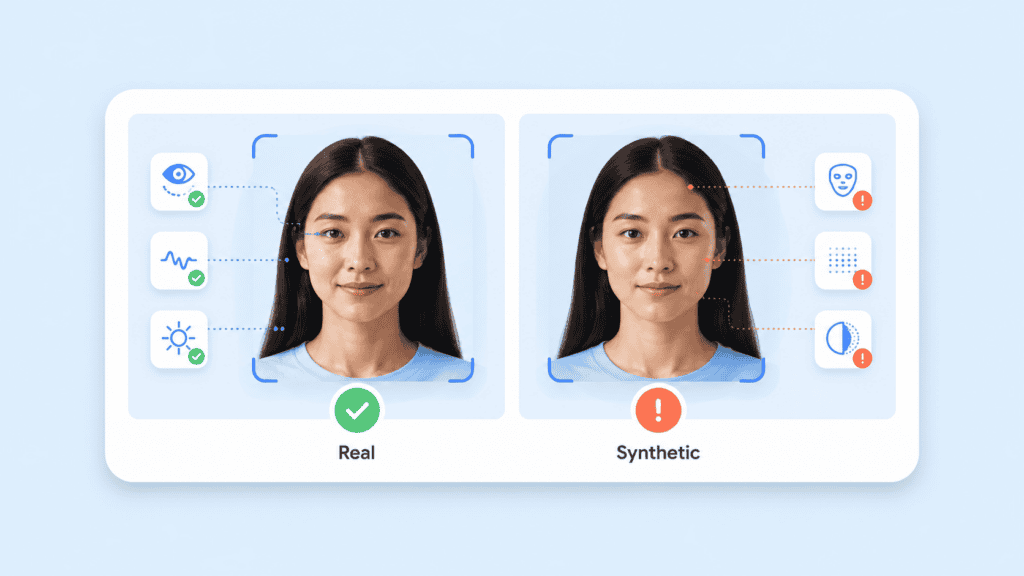
The reverse is equally important. A low detection score does not prove that a file is authentic. Compression, screen recording, cropping, filters, and repeated uploads can remove signals that a detector expects to find.
The National Institute of Standards and Technology describes synthetic-content risk reduction as a combination of detection, provenance, labeling, watermarking, testing, and ongoing maintenance. Its technical overview of digital content transparency makes clear why organizations should not depend on one control.
A useful verification decision usually combines three questions:
- Is the file technically suspicious?
- Can its origin and editing history be established?
- Can the person, event, or claim be confirmed independently?
That layered approach is more reliable than asking whether a face “looks fake.”
How to detect deepfake media step by step
The following workflow works for social media clips, suspicious video calls, alleged evidence, executive voice messages, remote onboarding sessions, and manipulated profile images.
Preserve the original file
Do not begin by taking a screenshot or downloading a heavily compressed copy from a social platform. Those actions may remove metadata and reduce the quality of the evidence you need to inspect.
When possible, save:
- The highest-quality version of the media
- The full message, post, or email containing it
- The account name and profile details
- The publication time
- The original caption or surrounding claim
- Any links, attachments, or contact information supplied with it
For a suspected fraud attempt, preserve the communication before blocking the sender. A detector can inspect the media, but the surrounding request often reveals more than the face itself.
For example, imagine a finance employee receives a video message that appears to show the chief executive approving an urgent wire transfer. Minor lip-sync errors may be relevant, but the stronger warning signs are the new sender account, unusual payment destination, deadline pressure, and request to bypass the normal approval process.
Trace the source before studying the face
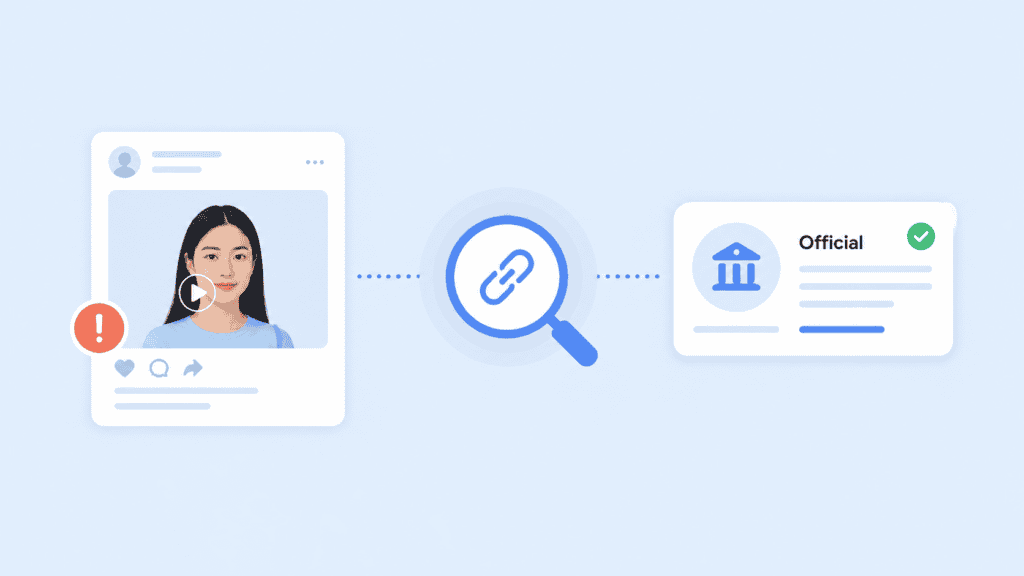
Look for the earliest available upload, not the most widely shared version. Reposts often remove context and may crop out disclaimers, platform labels, watermarks, or account information.
Check whether:
- The supposed speaker published the content through an official channel
- A longer version exists
- Reputable sources independently reported the same event
- The clip begins or ends abruptly
- The caption makes claims that the recording itself does not support
- The account has a credible history rather than a recent burst of posts
Reverse image search can also identify older photographs used to build fake profiles or fabricated proof-of-life images. Extract a clear video frame and search it separately when a normal video search produces no result.
A source mismatch is often more informative than a visual artifact. A perfectly rendered video sent from an unverified account remains unverified.
Watch the media at normal speed
Begin without pausing. Ask whether the overall event makes sense.
Listen for statements that do not fit the person’s known role, vocabulary, or circumstances. Notice whether emotional reactions match the subject matter. Look for abrupt changes in room acoustics, framing, camera quality, or background motion.
Do not treat unfamiliar behavior as proof. People can be tired, nervous, poorly lit, or recorded through a weak connection. At this stage, you are identifying areas that deserve closer review.
Review the video frame by frame
Slow the clip and inspect moments that are difficult for generation or face-replacement systems to maintain consistently.
High-value frames often include:
- Fast head turns
- Hands passing in front of the face
- Hair moving across the forehead
- Glasses reflecting changing light
- A person drinking or touching their mouth
- Strong side lighting
- Rapid speech
- Entry into or exit from the frame
A face may look convincing when viewed straight on but become unstable during partial occlusion. Check whether the jawline, ears, teeth, hair, glasses, and skin texture retain their shape across consecutive frames.
Use a media player that supports frame-by-frame movement. VLC Media Player, for example, lets you advance through individual frames with the E key on desktop systems. This is more useful than repeatedly dragging a progress bar.
Separate the audio from the video
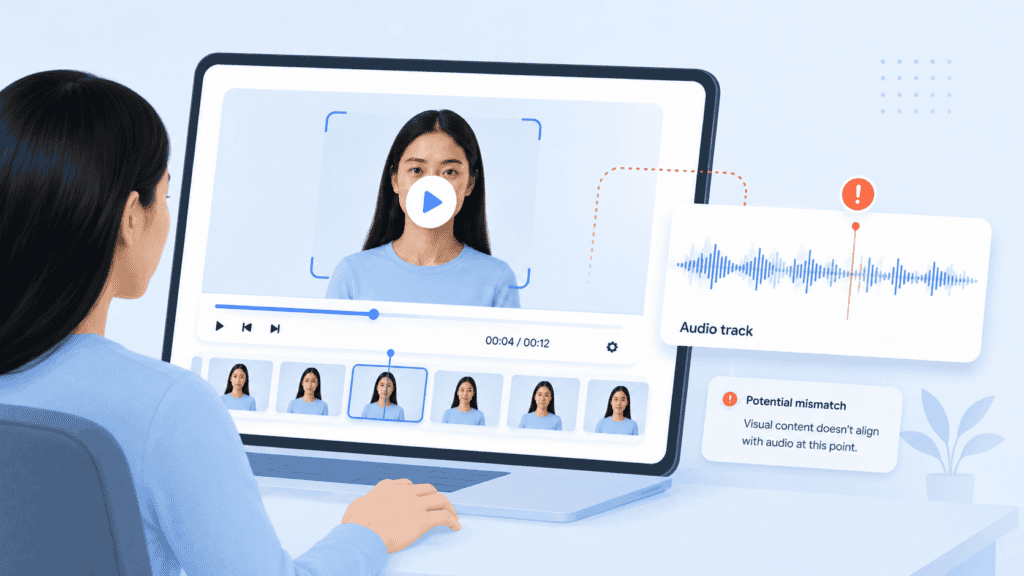
A clip can contain a real video paired with synthetic audio, or a generated face placed over authentic speech. Analyze the channels separately.
Listen through headphones and pay attention to:
- Breathing between sentences
- Background noise that stops during speech
- Changes in room echo
- Repeated vocal patterns
- Consonants that sound clipped
- Emotion that does not match the wording
- Timing differences between lip closures and sounds such as “b,” “m,” and “p”
Compare the voice with a trusted recording from a similar setting. A studio interview is not a fair reference for a noisy phone call. Compression, illness, microphones, and stress can all change a real voice.
The FBI advises users to check for call lag, unnatural movement, irregular facial details, inaccurate shadows, and unusual voice characteristics when reviewing suspected impersonation attempts. It also recommends verifying the sender through a known communication channel rather than replying through the suspicious message. See the FBI’s guidance on malicious impersonation campaigns.
Inspect metadata and provenance
Metadata can reveal the device, editing software, creation time, or export history associated with a file. Tools such as ExifTool and MediaInfo can display this information.
A basic ExifTool check uses:
exiftool suspicious-video.mp4
For video container and encoding details, use:
mediainfo suspicious-video.mp4
Missing metadata is not proof of a deepfake. Social platforms routinely strip it. Conversely, normal-looking metadata can be copied or altered.
More useful evidence may come from Content Credentials. These cryptographically signed records can document where an asset came from and how compatible software changed it. The Content Credentials verification service can inspect supported files for available provenance information.
Treat provenance as positive evidence when it is valid, not as a universal test. A file without Content Credentials may still be genuine because many cameras, editors, and publishing platforms do not yet preserve them.
Run more than one detector
When a file remains suspicious, submit it to more than one suitable detector. Do not rely on several websites that use the same underlying model or provide no explanation of their methodology.
Record:
- The detector name and version
- The file submitted
- Whether the tool examined audio, video, or both
- Its confidence score
- The regions or frames it flagged
- Any file-size or duration limits
- Whether the media was uploaded to a third-party server
Results should be treated as indicators. A 78% synthetic score is not a courtroom-grade conclusion, and two conflicting results do not cancel each other out. They indicate that the file needs stronger contextual, provenance, or identity evidence.
Sensitive biometric recordings should not be uploaded casually. Review a provider’s storage, retention, training-data, and deletion policies before submitting confidential media.
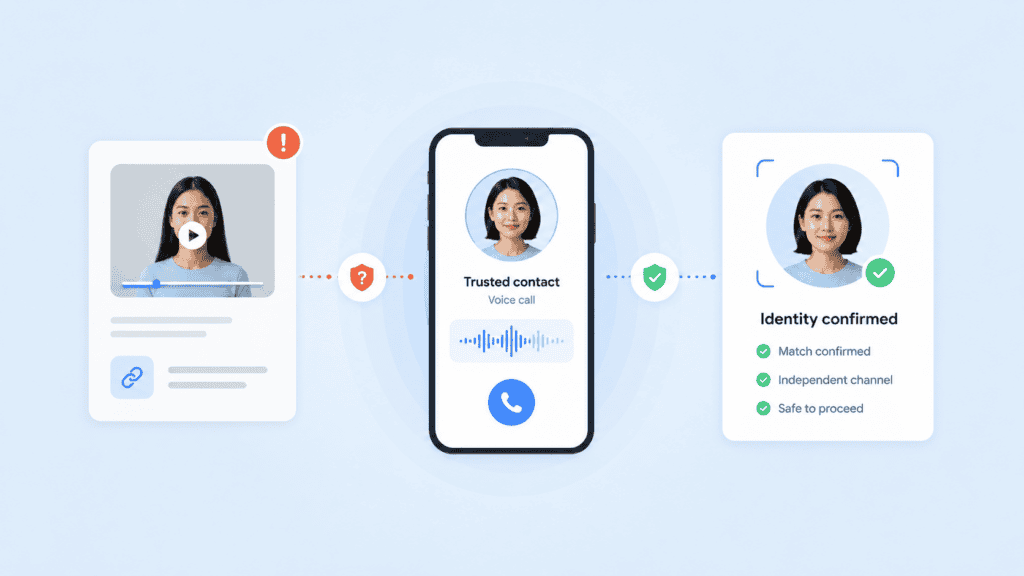
Verify the claim outside the media
The final step is often the most decisive. Contact the person or organization using a number, account, or directory entry you already trust.
For payment, account recovery, hiring, remote access, or identity verification, use a second channel. Ask the person to complete an action tied to the present interaction rather than answer a static personal question that a fraudster may already know.
Possible checks include:
- Calling a known phone number
- Confirming through an established corporate chat account
- Requiring a second authorized approver
- Asking for an unscripted live action
- Checking a transaction through the normal internal system
- Verifying identity through an approved authentication workflow
This is the difference between media inspection and actual verification.
Warning signs in video, images, and audio
Visual warning signs remain useful, but they should be interpreted as a pattern. One odd frame can result from compression. Several inconsistencies that appear around the face, voice, source, and request deserve more attention.
Signs that may help identify deepfake video
Look for facial details that change from one frame to the next. Teeth may merge, earrings may disappear, glasses may warp, or the shape of an ear may shift during a head turn.
Other possible signs include:
- Lip movement that trails or leads the speech
- Skin texture that changes around the mouth
- A sharp or blurred boundary around the face
- Lighting on the face that conflicts with the room
- Shadows that move in the wrong direction
- Different frame quality between the face and background
- Unnatural transitions when an object covers part of the face
Blinking alone is a weak test. Modern models can produce normal blinking patterns, while genuine video may contain unusual eye movement because of frame loss or editing.
Signs of an AI-generated face or image
When trying to detect an AI-generated face, inspect the entire composition rather than only the eyes.
Check:
- Hair strands against the background
- Eyeglass frames and lens reflections
- Earrings and other paired accessories
- Text on clothing or signs
- Fingers near the face
- Repeating background patterns
- Depth of field around shoulders and hair
- Light direction across the face and surrounding objects
Generated portraits can now appear highly polished. An image that lacks obvious defects may still depict a person who does not exist. Search for the image’s history and confirm that the person has a credible presence beyond one profile.
Signs of cloned or manipulated audio
Synthetic speech may contain unnatural pauses, overly even volume, inconsistent emotion, or clipped transitions between words. Some recordings lack the small breaths, mouth noises, and environmental interactions present in natural speech.
Telephone compression makes these checks harder. Instead of judging voice quality alone, compare phrasing, context, and behavior. A familiar voice requesting secrecy, money, passwords, or an unusual procedural exception should be verified separately.

Deepfake detection tools and technical methods
Different tools answer different questions. Choose one based on the evidence you have and the consequence of getting the decision wrong.
| Method | What it checks | Best use | Main limitation |
| Frame inspection | Facial and temporal inconsistencies | Initial review of video | Relies on visible artifacts |
| Metadata analysis | Device, export, and editing information | Preserving and examining original files | Metadata can be stripped or altered |
| Reverse image search | Earlier appearances of an image or frame | Fake profiles and recycled media | May not find newly generated content |
| Content Credentials | Signed provenance and editing records | Media created with compatible tools | Not present in every file |
| Watermark detection | Generator-specific embedded signals | Checking supported model outputs | Usually cannot detect other generators |
| Deepfake classifiers | Learned synthetic patterns | Triage and large-scale moderation | Performance varies across new models |
| Liveness detection | Whether a live person is present | Identity verification and live sessions | Must be integrated into the interaction |
| Out-of-band verification | Independent identity or claim confirmation | High-risk decisions | Requires a trusted second channel |
Google DeepMind’s SynthID takes a generator-linked approach. It embeds an imperceptible watermark in supported AI-generated images, audio, text, and video. Users can ask Gemini to check eligible media for a SynthID watermark. Google notes that this process identifies supported Google AI output rather than every possible deepfake. Its SynthID documentation explains the supported formats and verification process.
Biometric systems use a different method. Instead of analysing a finished clip after distribution, they may check whether a real person is present during capture. Liveness detection can assess motion, texture, depth, and other signals associated with printed photos, screen replays, masks, or synthetic faces.
For ongoing streams, deepfake detection for video pipelines can combine facial analysis with identity tracking across time. This is more useful for video conferencing, remote interviews, moderated streams, and access workflows than manually uploading clips after an incident.
How organizations should verify high-risk media
Consumer inspection may be enough to decide whether to share a suspicious post. It is not enough for approving a payment, granting system access, onboarding a worker, or accepting remote identity evidence.
Organizations need a defined response based on risk.
Low-risk content review
For marketing assets, ordinary social posts, or non-sensitive submissions, a reviewer may use source checks, reverse search, metadata, Content Credentials, and one or more classifiers.
The result can be routed for manual review when evidence conflicts.
Medium-risk interactions
Remote interviews, user-generated video, marketplace profiles, and account changes require stronger controls. Add live prompts, device signals, repeat-user checks, and comparison with previously verified identity information.
Avoid predictable challenges such as “turn your head left.” Recorded or generated attacks can be prepared for fixed prompts. Randomized or contextual actions provide better evidence.
High-risk identity and transaction decisions
Financial transfers, privileged access, regulated onboarding, and account recovery should not depend on a video call or voice recording alone.
A stronger workflow can combine:
- Passive or active liveness checks
- Face-to-document comparison
- Document validation
- Trusted-device information
- Passkeys or another possession factor
- Biometric deduplication
- Behavioral risk signals
- Human escalation for conflicting evidence
A privacy-conscious design also limits unnecessary biometric exposure. Processing sensitive signals on the user’s device can reduce the transfer and central storage of raw facial images. Privacy-preserving identity management can support layered verification while applying data-minimization controls.
The practical rule is simple: the more serious the decision, the less weight you should place on a single recording or detector score.
Conclusion
Knowing how to detect deepfake content starts with abandoning the idea that one visual defect or online tool will provide a final answer. Preserve the original file, trace its source, inspect each media channel, check provenance, compare detector results, and verify the underlying claim through a trusted second channel.
For high-risk interactions, move detection into the capture process. Confirm that a live, authorized person is present before access, money, or sensitive information changes hands.
FAQs
Can you detect a deepfake by looking at it?
Sometimes, but visual inspection alone is unreliable. Modern generated media may avoid familiar defects, while genuine compressed video can contain blurring, lip-sync errors, and distorted frames. Use visual clues as one part of a broader verification process.
What is the most reliable way to identify deepfake video?
The strongest approach combines source verification, frame inspection, audio review, provenance checks, multiple detectors, and independent confirmation of the person or event. For live identity workflows, liveness detection and a second authentication factor provide stronger evidence than reviewing the recording afterward.
Are free deepfake detection tools accurate?
Their accuracy varies by media type, compression level, generation method, and training data. A tool may work well on familiar deepfake models but perform poorly on new techniques. Do not treat a free detector’s score as definitive proof.
Can metadata prove that an image is AI-generated?
Metadata can reveal useful information about creation and editing, but it can be removed, modified, or copied. Signed provenance systems provide stronger evidence than ordinary metadata, although they are not available for every genuine file.
How can I detect an AI-generated face in a profile?
Inspect accessories, hair edges, reflections, background patterns, and consistency across multiple photos. Then run reverse image searches and confirm that the person has a credible history outside the profile. A flawless portrait with no independent identity evidence should still be treated cautiously.
What should I do if a video call may be a deepfake?
Do not disclose information, approve a transaction, or install software requested during the call. End the interaction and contact the person through a known number or account. For workplace requests, follow the normal approval and incident-reporting process.
Can liveness detection stop every deepfake attack?
No security control stops every attack. Liveness detection can help distinguish a live person from photos, replays, masks, and synthetic presentations, but it should be combined with identity matching, device checks, authentication factors, and risk-based review.