
 Back
Back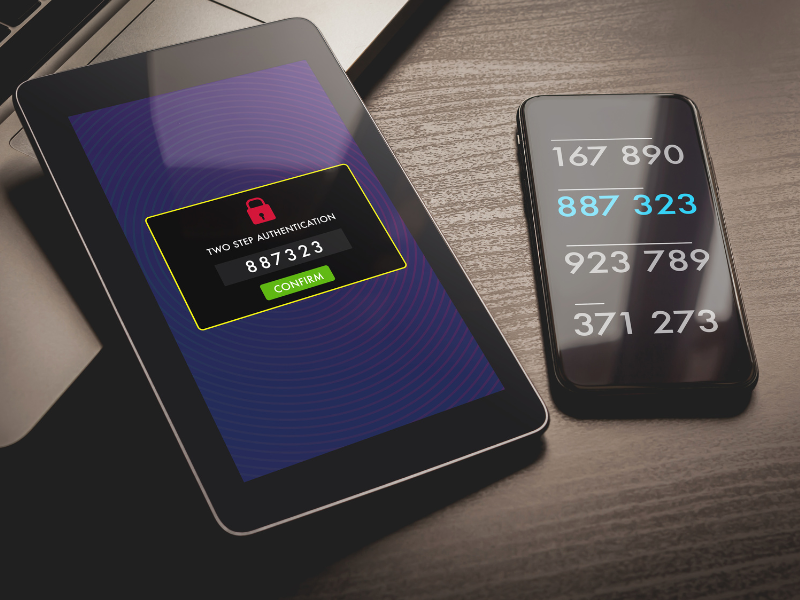
We’re constantly searching for strong ways to protect both our customers and our information, from sensitive transactions to personal conversations. SMS authentication often sits at the heart of these efforts, delivering simple yet effective identity verification for millions worldwide. But how secure and reliable is this method, really?
Let’s explore SMS authentication: how it functions, why so many organizations use it, and what you should know before relying on those tiny six-digit codes that land in our inboxes.
Key Takeaways
- SMS authentication enhances account security by requiring a one-time code sent to a user’s phone as a second verification factor.
- This method is valued for its universal accessibility, allowing organizations to reach users without the need for special hardware or apps.
- While SMS authentication provides a strong improvement over password-only logins, it remains vulnerable to risks such as SIM swapping and SMS interception.
- Best practices include generating unique, short-lived codes, monitoring suspicious activity, and educating users about potential phishing threats.
- For higher-risk or sensitive scenarios, SMS authentication should be paired with additional security measures like app-based authenticators or biometrics.
- SMS authentication continues to serve as a crucial security layer, especially for businesses prioritizing inclusivity and quick deployment.
What Is SMS Authentication?
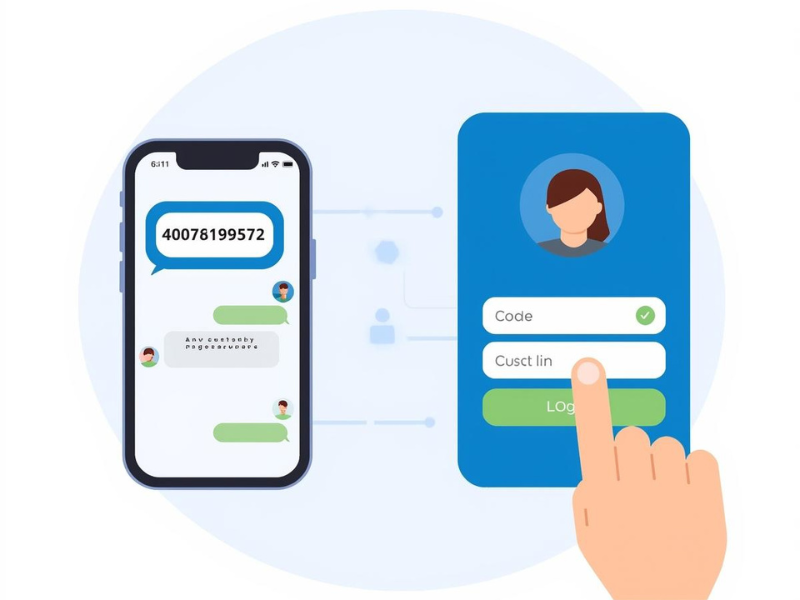
SMS authentication is a user verification process that leverages text messages as a second layer of security during login or sensitive transactions. After entering a username and password, users receive a one-time passcode via SMS. This code must be provided to gain access, confirming that the person logging in has access to the registered phone number.
In essence, SMS authentication belongs to the category of two-factor authentication (2FA), where something you know (your password) combines with something you have (your phone) to verify identity. The simplicity of this approach is its biggest appeal, almost everyone has a mobile device, and nearly every phone supports SMS. This widespread compatibility makes SMS authentication a popular solution for businesses aiming to boost user account security with minimal technical hurdles.
How SMS Authentication Works
The process behind SMS authentication is straightforward but effective. Here’s a breakdown of the typical workflow:
- Login Attempt: A user signs in to a website or app with their credentials.
- Trigger SMS: The system sends a one-time code (OTP), usually a six-digit number, to the user’s registered mobile phone.
- User Inputs Code: The user enters the code received via SMS into the provided field on the site or app.
- Verification: The service verifies if the code matches the one sent. If it does, access is granted.
Behind the Scenes
On the backend, the server generates a time-sensitive OTP, which is delivered over a secure gateway using the user’s mobile number. The validity window for these codes is typically short, often just five minutes, to reduce risk of interception. Regulations such as GDPR and CCPA also require platforms to protect the delivery and storage of such personal information, adding more layers of compliance to the process.
User Experience
For end users, SMS authentication is quick and requires no additional hardware or software on their devices. Most people are already comfortable receiving and reading text messages, which removes friction and encourages adoption.
Common Use Cases for SMS Authentication
SMS authentication has established itself in countless industries thanks to its blend of accessibility and ease of deployment. Let’s look at some of the most prevalent scenarios:
- Online Banking and Financial Accounts: Banks and fintech apps prioritize SMS authentication for logins or transfers, especially when high-value transactions or sensitive changes take place.
- E-commerce Platforms: Retailers verify both new users and transactions with SMS codes to prevent fraud and boost consumer trust.
- Healthcare Portals: Clinics and hospitals use SMS verification to ensure only authorized patients or guardians access medical records.
- Enterprise Systems: Corporate email, HR portals, and remote access tools commonly apply SMS-based 2FA as a straightforward barrier against unauthorized entry.
- Password Recovery and Account Changes: When users reset passwords or update account details, SMS codes provide an extra layer of proof to confirm their identity.
The core theme across these scenarios is risk mitigation. Wherever data sensitivity spikes, or regulations demand user identity checks, SMS authentication becomes an obvious (and quick) first line of defense.
Benefits of SMS Authentication
Why do so many businesses stick with SMS authentication, even with new technologies around? It’s all about balance, a trade-off between convenience, cost, and improved security. Here are the most compelling advantages:
Universal Reach
SMS works on any mobile device, smart or not. No internet connection required. This means organizations can validate nearly every user, regardless of location or tech savvy.
Simplicity for Users
Most people don’t want to download new apps or purchase special keys. SMS authentication requires only a phone number, something most of us already have and use daily.
Fast Deployment
Rolling out SMS-based verification is usually much faster and cheaper than more complex solutions. Developers can plug SMS APIs into websites and apps with minimal disruption.
Lower Up-Front Costs
Compared to hardware tokens or biometric devices, SMS authentication leverages existing telecom infrastructure. No additional gadgets to distribute, and no training required either.
Regulatory Acceptance
While not the most robust solution, SMS 2FA is widely recognized as a compliance-friendly step toward securing user accounts. It’s accepted by many global standards and industry guidelines as an improvement over password-only logins.
These benefits are why so many organizations adopt SMS authentication, even as part of larger, layered security strategies.
Drawbacks and Security Risks of SMS Authentication
SMS authentication, while far better than relying solely on passwords, isn’t without serious limitations. Here are the key weaknesses every organization should weigh carefully:
Susceptibility to SIM Swapping
Attackers can trick phone carriers into transferring a victim’s phone number to a new SIM card under their control. Suddenly, they receive all the target’s verification codes and can hijack accounts.
SMS Interception and Malware
Sophisticated threats can intercept SMS messages through insecure wireless protocols (such as SS7 vulnerabilities) or malicious apps that access text messages on compromised devices.
Social Engineering Tactics
Fraudsters often impersonate customer support or technical staff, convincing users to hand over their SMS codes via email, phone, or phishing websites.
Delivery Issues
SMS messages don’t always arrive promptly, especially in remote areas or during carrier outages. Delays can frustrate users and block legitimate access at crucial moments.
Compliance Limitations in High-Security Environments
Some regulations (such as updated NIST guidelines) discourage using SMS for highly sensitive or regulated applications due to its vulnerabilities.
Put simply: while SMS authentication hardens defenses against basic threats, it’s not impenetrable. For high-value targets, it’s best used with additional safeguards or as just one piece in a larger authentication puzzle.
How SMS Authentication Compares to Other Methods
With new authentication technologies emerging, it’s important to weigh SMS authentication against other popular multi-factor methods:
App-Based Authenticators (e.g., Google Authenticator, Authy)
- Pros: More secure against interception, since codes are generated on-device and not transmitted over wireless networks.
- Cons: Require users to download and manage an app, which can be a hurdle for less tech-savvy segments.
Push Notifications
- Pros: Offer a smoother user experience, users just tap to confirm.
- Cons: Depend on internet connectivity and smartphone apps, potentially excluding feature phone users.
Hardware Tokens (YubiKey, RSA SecurID)
- Pros: Extremely secure: not susceptible to remote hacking or SIM swaps.
- Cons: Can be lost or forgotten, and costly to distribute and maintain at scale.
Biometrics (Fingerprint, Face Recognition)
- Pros: Very user-friendly and difficult to fake.
- Cons: Raise privacy concerns and demand advanced hardware.
SMS Authentication’s Place
Even though the rise of advanced authentication methods, SMS remains popular for scenarios where universal accessibility and quick deployment matter most. But, for businesses that need to secure highly sensitive systems, or serve a tech-forward user base, layering with app-based authenticators or biometrics is increasingly the norm.

Best Practices for Implementing SMS Authentication
To maximize both security and user satisfaction, it’s essential to approach SMS authentication with care. Here’s what we’ve learned from industry leaders and our own experiences:
1. Require Unique, Time-Limited Codes
Ensure all SMS codes are generated uniquely and expire quickly (typically within five minutes) to reduce the window for misuse.
2. Monitor for Suspicious Activity
Look for signs of repeated failed attempts, unusual locations, or rapid-fire requests for new codes, these can indicate fraud attempts or automated attacks.
3. Educate Your Users
Clear communication is key. Let users know why extra verification is needed, how to spot phishing, and what steps to take if they receive codes they didn’t request.
4. Limit SMS Use for High-Risk Actions
For ultra-sensitive activities (like financial transfers or password changes), consider requiring stronger authentication methods or combining SMS with another factor.
5. Comply with Privacy Regulations
Make it clear how phone numbers are stored and safeguarded, and offer users guidance for managing their data according to GDPR, CCPA, or other relevant data protection standards.
6. Regularly Update and Test Your Systems
SMS infrastructure and security standards evolve. Frequently audit your process for vulnerabilities and stay alert to changing best practices in SMS delivery and fraud protection.
The Future of SMS Authentication
As digital threats become more sophisticated, the future of SMS authentication is evolving rapidly. Major organizations are already layering SMS with stronger methods, or phasing it out for high-security environments.
Regulatory bodies are urging caution, and newer alternatives, app-based authentication, U2F hardware keys, and passwordless solutions, are gaining momentum. Yet, SMS’s universal accessibility gives it staying power. For many global users and smaller businesses, it still represents a much-needed improvement over password-only setups.
Over the next decade, we expect to see SMS authentication increasingly positioned as part of multi-factor security portfolios, especially in regions with limited mobile data or less smartphone penetration. The next generation will likely blend SMS with innovations like context-aware risk scoring, AI-driven anomaly detection, and seamless user experiences.
Staying adaptive will be key, so it’s wise to review your authentication choices as your business and customer needs evolve.
Conclusion
SMS authentication has earned its role as a pivotal security feature, bridging the gap between basic passwords and the complex demands of modern identity protection. While not flawless, it remains a smart, pragmatic option for many businesses, especially where inclusivity and cost-efficiency matter.
By understanding its strengths and weaknesses, and following best practices, we can offer our users a smoother, safer digital experience. The trick is not to view SMS authentication as a cure-all, but as an essential layer in the evolving fight to keep our systems, and our users, secure.
Frequently Asked Questions About SMS Authentication
What is SMS authentication and how does it work?
SMS authentication is a type of two-factor authentication where users receive a one-time code via text message after entering their password. To gain access, they must enter this code, confirming they have the registered phone number, which helps verify their identity.
Why do businesses use SMS authentication for security?
Businesses use SMS authentication because it is simple, widely accessible, and easy to deploy. Most people own mobile phones and can receive text messages, making it a practical way to add an extra layer of security to account logins or sensitive transactions.
What are the main security risks of SMS authentication?
Major risks of SMS authentication include SIM swapping, SMS interception through network vulnerabilities or malware, social engineering attacks, and message delivery issues. While SMS authentication improves security over passwords alone, it is not immune to these sophisticated threats.
How does SMS authentication compare to app-based authenticators and biometrics?
Compared to app-based authenticators, SMS authentication is more accessible but less secure because codes are transmitted over wireless networks. Biometric methods are even more secure and user-friendly but require specialized hardware and may raise privacy concerns. SMS is preferred when universal access and low cost are priorities.
Can I use SMS authentication for all types of online accounts?
While SMS authentication can add security to most accounts, it’s not recommended for highly sensitive or regulated applications due to its vulnerabilities. For critical environments, using SMS in combination with another authentication factor, such as an app-based code or biometric scan, is advisable.
What are best practices for setting up SMS authentication?
Best practices include generating unique, time-limited codes, monitoring for suspicious activity, educating users about phishing, limiting SMS use for high-risk actions, and complying with privacy standards like GDPR and CCPA. Regularly updating your SMS infrastructure is also crucial to maintaining security.