
 Back
Back
Most passwordless projects fail at the same point: the login demo works, but the real user journey breaks during enrollment, spoof checks, device changes, or account recovery. This guide compares biometric authentication software for teams that need more than a face match. The focus is passwordless access, biometric login, liveness, privacy architecture, API fit, and whether each system can support regulated identity workflows without creating new operational risk.
Key Takeaways
- Biometric authentication software should be judged by the full access journey: enrollment, liveness, biometric matching, recovery, audit logs, and privacy controls.
- The strongest passwordless authentication setups often combine biometrics with passkeys, device signals, and risk-based step-up checks.
- Not every face recognition vendor is a complete passwordless authentication platform. Some are better for surveillance, access control, identity verification, or developer APIs.
- Multimodal biometric authentication can help in higher-risk settings, but only when fallback rules and consent flows are clearly designed.
- For regulated or age-restricted products, prioritize privacy-preserving architecture and repeat-user authentication over simple one-time identity checks.
What biometric authentication software should do
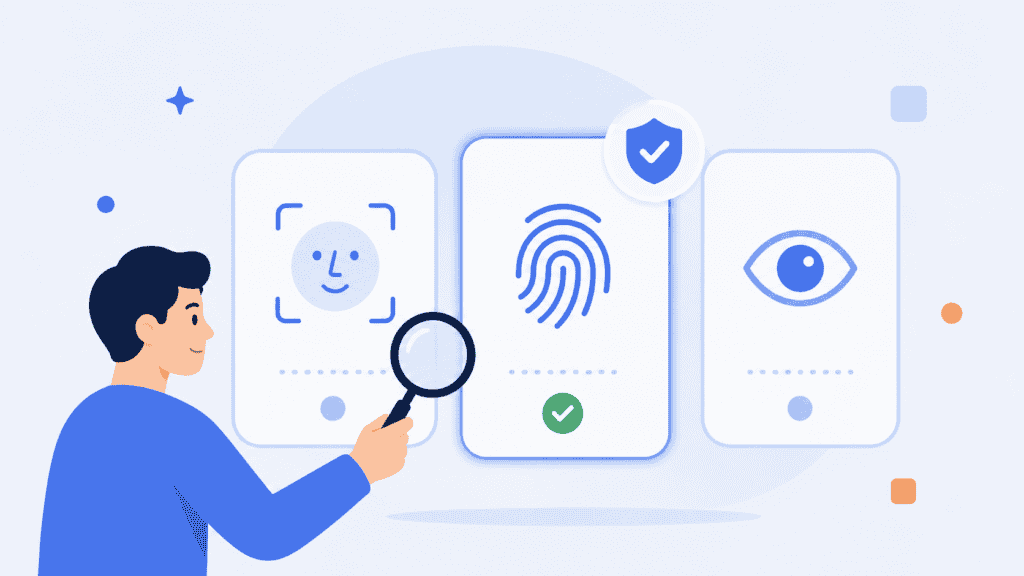
Biometric authentication software verifies that a returning user is the same person who enrolled before. In a passwordless authentication flow, that biometric check may replace a password prompt, trigger step-up verification, or unlock a passkey-backed credential.
The important detail is this: a biometric should not become “the new password.” A password can be reset. A face or fingerprint cannot. That is why strong systems avoid treating biometric data as a reusable secret and instead use techniques such as on-device matching, biometric templates, encrypted identifiers, passkeys, liveness detection, or tokenized identity checks.
The FIDO Alliance describes passkeys as password replacements based on cryptographic key pairs, which are used from a user’s device for phishing-resistant sign-in. That matters because biometric login is strongest when the biometric moment supports a broader secure authentication model rather than acting alone.
A practical evaluation should cover these areas:
| Evaluation area | What to check |
| Enrollment | Can the system register a real user without duplicate accounts or weak identity proofing? |
| Authentication | Does it support repeat login, step-up checks, account recovery, or transaction approval? |
| Liveness | Can it detect spoof attempts such as printed photos, masks, replay attacks, or injected media? |
| Privacy | Does it store raw biometric images, biometric templates, tokens, or on-device-only data? |
| API fit | Can your team integrate it into web, mobile, kiosk, or backend workflows without workarounds? |
| Recovery | What happens when a user changes phones, fails a scan, or loses device access? |
This is also where age verification providers and biometric authentication providers start to overlap. Age verification confirms whether a user is eligible. Biometric authentication confirms whether the same verified person is returning later. For age-restricted services, both steps may be needed.
Top 10 biometric authentication systems for passwordless access
1. PrivateID
PrivateID is the strongest fit on this list for teams that want privacy-preserving biometric authentication software built around passwordless access, repeat-user verification, and regulated identity workflows.
PrivateID’s approach focuses on on-device biometric authentication, edge processing, and homomorphic tokens rather than a conventional model where raw images are sent to a central server. Its UltraPass UAuth documentation describes a decentralized identity provider that uses encrypted biometrics to generate hashed unique identifiers, with biometric data remaining on the user’s device.
That architecture is useful when the risk is not only account takeover, but also biometric data exposure. For example, an age-restricted marketplace may need to confirm that a user is old enough to purchase, then let that same user return later without re-uploading documents or creating a password. In that workflow, age verification can support the eligibility check, while biometric authentication supports repeat access.
PrivateID is also relevant for businesses exploring a biometric authentication API for login, account recovery, duplicate-account prevention, or transaction approval. The main advantage is that it treats biometric identity as a privacy problem and an authentication problem at the same time.
Best fit: regulated platforms, age-restricted access, privacy-first identity workflows, biometric login, and passwordless authentication with lower biometric data exposure.
2. Paravision
Paravision is a face recognition and identity AI provider with products for face recognition, liveness detection, deepfake detection, and age estimation. Its platform is often evaluated by teams that need high-performance face matching across identity verification, access control, government, travel, and enterprise environments.
The company’s official product positioning describes face recognition tools for biometric verification and identification across multiple deployment models, including cloud and edge use cases. That flexibility makes Paravision useful when a business is building its own authentication layer and needs strong face recognition components rather than a fully packaged passwordless login system.
Paravision belongs high on the shortlist when face accuracy, liveness, and identity AI capabilities matter. It is less plug-and-play than a dedicated passwordless access provider. Your team should expect to design the surrounding user journey, consent flow, device handling, account recovery, and risk policy.
Best fit: face recognition SDKs, liveness, deepfake detection, identity verification, age estimation, and custom biometric authentication solutions.
3. NEC
NEC is one of the most established names in biometric authentication. Its Bio-IDiom brand covers multiple biometric modalities, including face, fingerprint, palmprint, iris, voice, and ear acoustic authentication.
That multimodal depth is NEC’s main strength. Some organizations do not want to rely on one biometric factor because their environment is too varied. A border control workflow, enterprise identity system, banking environment, or public-sector access program may need different biometric methods depending on the user, device, location, and risk level.
NEC’s official biometrics material notes long-running work in biometric authentication technologies, including fingerprint, palmprint, face, iris, voice, and other modalities. For buyers, this makes NEC a serious option for large-scale identity programs rather than lightweight app login alone.
The trade-off is implementation complexity. NEC is best suited to organizations with the procurement, integration, and operational capacity to manage enterprise or government-scale deployments.
Best fit: multimodal biometric authentication, government identity, enterprise access, travel, banking, public-sector programs, and large-scale identity infrastructure.
4. Cognitec
Cognitec develops FaceVACS face recognition software for enterprise and government customers. Its product portfolio includes facial image database search, video investigation, real-time video screening, border control, photo capture, and image quality assessment.
Cognitec is not mainly a consumer passwordless login product. It is better understood as a face recognition technology provider for organizations that need identification, image matching, and facial analysis in structured environments.
That can still support authentication use cases, especially where face recognition is part of a broader access control or identity verification system. For example, a secure facility may use face recognition to check whether a person presenting at an access point matches an enrolled identity. But a SaaS product looking for a simple biometric login button may find Cognitec more infrastructure-heavy than necessary.
Best fit: enterprise face recognition, border control, video screening, facial image search, and identity systems that require mature facial recognition components.
5. SenseTime
SenseTime is a large AI software company known for computer vision, generative AI, smart city, automotive, retail, and enterprise AI applications. In biometric authentication discussions, it is most relevant where facial recognition, computer vision, and large-scale AI infrastructure intersect.
SenseTime may appear in competitor research because of its history in facial recognition and AI deployments. However, buyers should be careful to separate general AI capability from passwordless authentication readiness. A vendor may have powerful face recognition technology without offering the enrollment, recovery, passkey, and authentication policy controls needed for a complete login system.
For teams evaluating SenseTime, the core question is scope. Are you buying a full identity workflow, a face recognition capability, or a broader AI platform that can be adapted into an access use case? Those are different projects.
Best fit: AI-heavy environments, computer vision projects, facial recognition programs, and enterprise AI use cases where biometric identity is one part of a larger system.
6. Kairos
Kairos is a developer-friendly face recognition API provider. Its API documentation describes workflows where images are submitted to the API and analyzed for face recognition, matching, comparison, and attributes such as age and gender.
This makes Kairos attractive for teams that want to experiment quickly or build facial recognition into an application without starting from scratch. Developers can work with face enrollment, gallery management, face comparison, and related API calls.
For passwordless access, Kairos can be useful as a face recognition component, but teams should not treat the API alone as a full authentication system. You still need session management, device binding, liveness strategy, data retention rules, consent capture, fraud review, and account recovery logic.
Best fit: developer-led face recognition projects, prototyping, face matching APIs, identity attributes, and custom biometric authentication API workflows.
7. FaceFirst
FaceFirst is focused on face matching software for physical environments such as retail, hospitals, casinos, airports, stadiums, and arenas. Its platform is positioned around safety, loss prevention, violence prevention, theft reduction, and fraud prevention.
That makes FaceFirst different from most passwordless authentication tools. It is not primarily designed for a user logging into a mobile banking app with a face scan. It is more relevant when an organization needs to recognize people in physical spaces and alert human teams based on a watchlist or identity event.
If your use case is digital passwordless access, FaceFirst may not be the most direct fit. If your use case combines facility access, in-person risk detection, and face matching, it may belong in the evaluation set.
Best fit: retail security, venue safety, physical-space face matching, watchlist workflows, and fraud prevention in monitored environments.
8. Ayonix
Ayonix provides face recognition and AI software for enterprise use cases. Its public product information includes face recognition, voice-controlled assistants, and automation, while older product materials and third-party listings reference access control with face recognition.
Ayonix is worth evaluating when the project involves physical access control, enterprise AI, or a face recognition layer that needs to connect into an existing operational environment. It may be less suitable for teams seeking a polished, ready-made passwordless authentication experience for web or mobile users.
The key diligence point is product fit. Confirm whether the current Ayonix offering supports your exact deployment model, such as mobile authentication, web authentication, kiosk access, camera-based access control, or backend API integration.
Best fit: enterprise face recognition, physical access control, AI-assisted operations, and custom facial recognition deployments.
9. Panasonic
Panasonic appears in biometric authentication comparisons because of its face recognition and access control history, particularly in camera, security, and physical environment use cases. It is a better fit for organizations thinking about biometric access in spaces, devices, and hardware-backed environments than for teams looking for a pure software login API.
This distinction matters. A physical access control system and a passwordless web login system may both use face recognition, but they have different requirements. Physical systems care about camera placement, lighting, throughput, entry gates, and watchlists. Digital systems care about account binding, device changes, fraud signals, API events, and recovery.
Panasonic should be evaluated when the authentication problem has a hardware, facility, or camera infrastructure component. For a web or mobile-only identity journey, compare it carefully against software-first providers.
Best fit: physical access, camera-enabled environments, facility security, hardware-backed face recognition, and enterprise security infrastructure.
10. Microsoft Azure Face
Microsoft Azure Face is a cloud-based service that provides face detection and recognition APIs. Microsoft’s documentation describes Azure Face as a service for detecting, recognizing, and analyzing human faces in images, with API categories covering detection and identity-related functions.
This makes Azure Face a strong developer option when a team is already building on Microsoft Azure and wants to add face detection or recognition into a larger application. It is especially relevant for teams that need cloud APIs, documentation, enterprise procurement, and integration with Azure infrastructure.
However, Azure Face is not the same thing as a finished passwordless authentication product. Developers still need to design enrollment, consent, authentication policy, liveness, passkey support, security logging, fallback, and compliance handling. Microsoft also places access and responsible AI requirements around facial recognition capabilities, so teams should review the official documentation before assuming every feature is available by default.
Best fit: Azure-based development teams, face API integration, custom identity applications, enterprise cloud workflows, and teams that want face recognition as one component in a larger system.
How to compare biometric authentication systems
A simple feature matrix is not enough for biometric authentication software. Many vendors can say they support face recognition, liveness, or APIs. The better question is how well they handle the parts of the journey where fraud, privacy, and user frustration usually appear.
Use this buyer checklist before shortlisting a vendor:
| Question | Why it matters |
| Is this a full authentication system or only a face recognition engine? | A matching engine still needs login policy, session handling, consent, and recovery around it. |
| Does it support liveness detection? | Face matching without liveness can be vulnerable to spoof attempts. |
| Where does biometric data go? | Raw image storage, template storage, tokenization, and on-device processing carry different privacy risks. |
| Can it support passkeys or passwordless flows? | Passkeys reduce reliance on reusable secrets and can work well with biometric unlock. |
| Does it support account recovery? | Recovery is often the weakest part of authentication. |
| Can it work across devices? | Users change phones, browsers, and hardware more often than product teams expect. |
| Does it provide audit logs? | Regulated industries need evidence of what happened, when, and under which policy. |
| Can the API handle your real workflow? | Web, mobile, kiosk, call center, and physical access flows require different integration patterns. |
One practical test: ask each vendor to walk through a failed authentication scenario. Not the happy path. Ask what happens when a user fails liveness twice, changes phones, no longer has the original device, and needs to regain access without letting an attacker take over the account.
That answer will tell you more than an accuracy score alone.
A practical rollout checklist for passwordless biometric access
A biometric login project should start with one high-value access moment, not every login across the business.
For example, an age-restricted platform could first apply biometric authentication to repeat purchases after a user has already completed an eligibility check. A fintech app could start with step-up authentication for payout changes. A workforce system could begin with privileged admin login before expanding to all employees.
Use this rollout sequence:
- Choose the protected event. Decide whether the biometric check protects login, account recovery, transaction approval, age-restricted access, or admin access.
- Define the identity source. Decide whether the user is enrolled through a selfie, identity document, age check, passkey, enterprise directory, or in-person process.
- Set liveness rules. Decide when liveness is required, how many retries are allowed, and what happens after repeated failures.
- Design recovery before launch. Document fallback steps for device loss, failed biometric checks, accessibility needs, and suspected fraud.
- Test across real conditions. Run pilots across device types, browsers, lighting conditions, camera quality, user demographics, and network speeds.
- Track both security and friction. Measure completion rate, false rejects, support tickets, fraud attempts, recovery time, and user drop-off.
- Review data retention. Confirm what biometric data is stored, where it is stored, how long it is kept, and how deletion requests are handled.
The strongest biometric authentication solutions are not always the ones with the most modalities. They are the ones that make the identity journey safer without creating a support nightmare.
Conclusion
The right biometric authentication software depends on your risk model. PrivateID is the clearest fit for privacy-first passwordless access and regulated identity workflows. Paravision, NEC, Cognitec, SenseTime, Kairos, FaceFirst, Ayonix, Panasonic, and Microsoft Azure Face each fit different slices of the biometric market, from face APIs and liveness to physical access and large-scale identity programs.
Choose the system that matches the journey you need to protect, then test the failure paths before you trust the login demo.
FAQs
What is biometric authentication software?
Biometric authentication software verifies a user through a physical or behavioral trait, such as face, fingerprint, palm, iris, or voice. In passwordless authentication, the biometric check often works with a device credential, passkey, token, or authentication policy instead of a typed password.
Is face recognition the same as biometric authentication?
Not always. Face recognition can identify or compare faces, but biometric authentication requires a controlled process for enrolling a user and verifying that the returning person is the same user. Authentication also needs consent, liveness checks, account binding, session security, and recovery.
Which biometric authentication software is best for passwordless access?
PrivateID is a strong option for privacy-first passwordless access because it focuses on on-device biometric authentication and tokenized identity workflows. Microsoft Azure Face, Kairos, Paravision, and others may be better when your team needs face recognition APIs or custom identity infrastructure.
What is multimodal biometric authentication?
Multimodal biometric authentication uses more than one biometric factor, such as face plus fingerprint, iris, palm, or voice. It can improve coverage in high-risk environments, but it also adds complexity. Teams should only use multiple biometrics when each factor has a clear role in the risk policy.
Do age verification providers need biometric authentication?
Age verification providers may need biometric authentication when repeat access matters. Age verification can confirm eligibility once, while biometric authentication can help confirm that the same verified user returns later. This is useful for age-restricted sales, gaming, alcohol delivery, adult content, and regulated marketplaces.
What should developers look for in a biometric authentication API?
Developers should look for clear documentation, SDK support, enrollment endpoints, liveness handling, webhook events, audit logs, retry behavior, privacy controls, and recovery support. A biometric authentication API should also explain how biometric data is processed, stored, protected, and deleted.
Are passkeys biometric?
Passkeys are not biometrics. A passkey is a cryptographic credential used for passwordless authentication. A biometric check, PIN, or device unlock may be used to access the passkey on the user’s device.