
 Back
Back
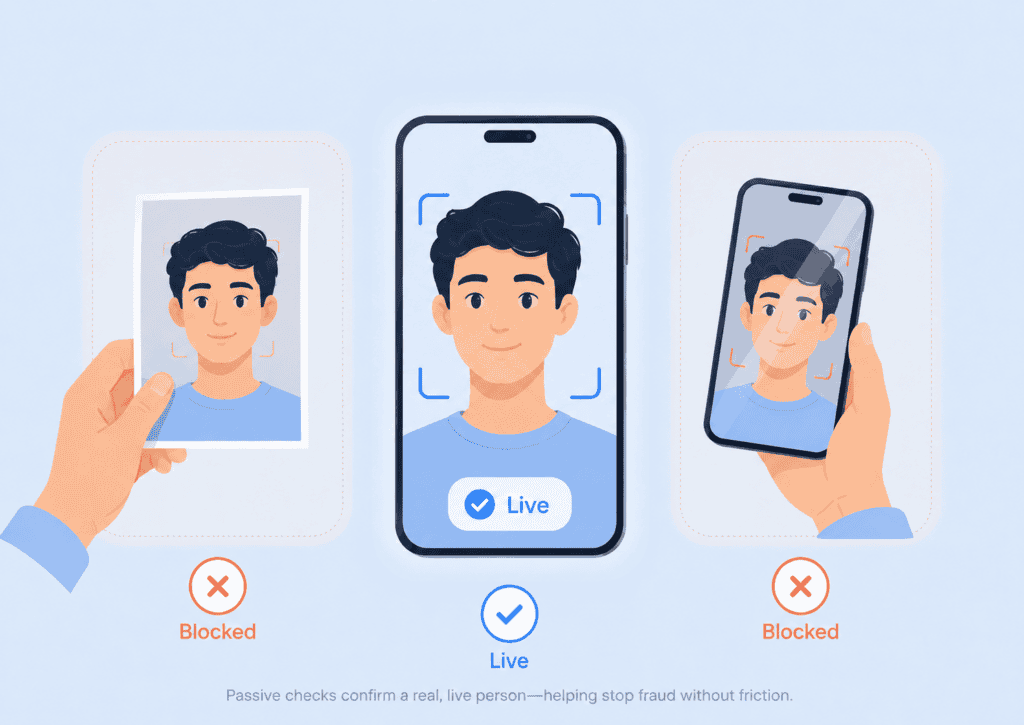
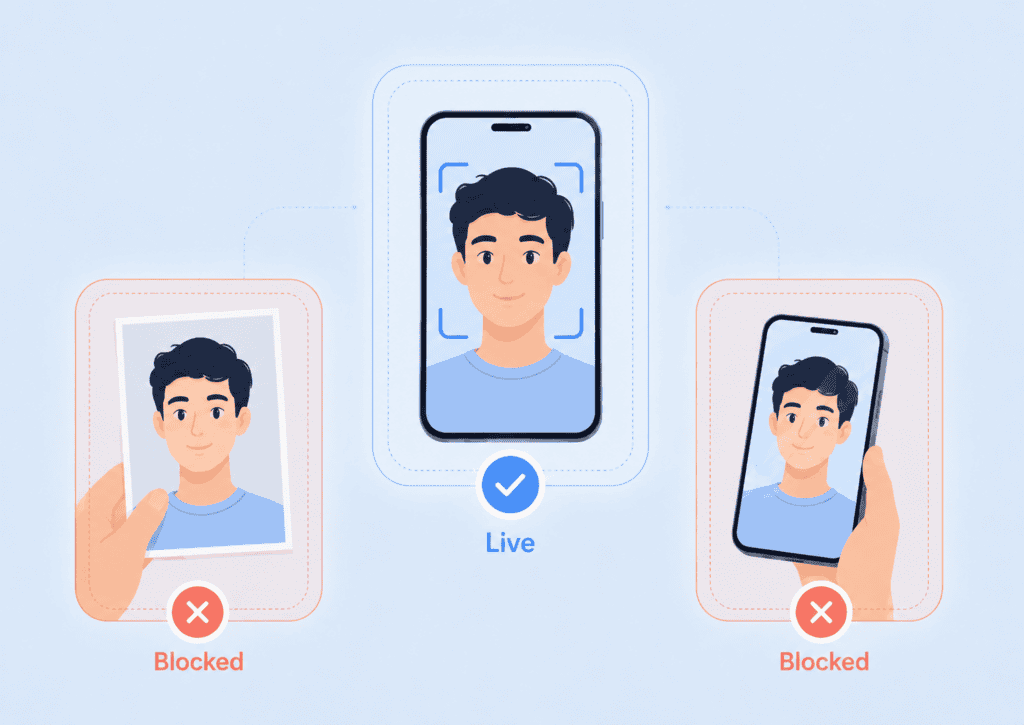
A selfie can prove what someone looks like. It cannot, by itself, prove that a live person is holding the camera. An attacker may present a printed photograph, replay a video, display a synthetic face, or place a mask in front of the sensor.
Passive liveness detection addresses that gap without asking the user to blink, turn their head, read numbers aloud, or complete another visible challenge. It evaluates the capture in the background and determines whether the camera is seeing a genuine person in real time.
This article focuses on the practical role of passive liveness as a capture-integrity control: how the technology works, what it can detect, where it fits in an identity workflow, and how organizations should evaluate it.
Key takeaways
- Passive liveness verifies that biometric input comes from a live person without giving the user an action to complete.
- It is different from facial recognition. Liveness checks whether the capture is real, while face matching checks whose face it is.
- A strong passive liveness check considers multiple visual, temporal, sensor, and session signals rather than relying on one feature.
- Low-friction capture can improve completion rates, but security still depends on attack testing, thresholds, fallback rules, and workflow design.
- Passive liveness should be treated as one layer within identity proofing or authentication, not as a complete fraud-prevention system.
What passive liveness detection means
Passive liveness detection is a form of biometric presentation attack detection, or PAD. It examines a face image or short camera sequence to decide whether the biometric sample came from a live person present at the sensor.
The defining feature is the absence of a user challenge. A person usually looks at the camera or takes a normal selfie. The system performs its analysis without requiring a scripted movement.
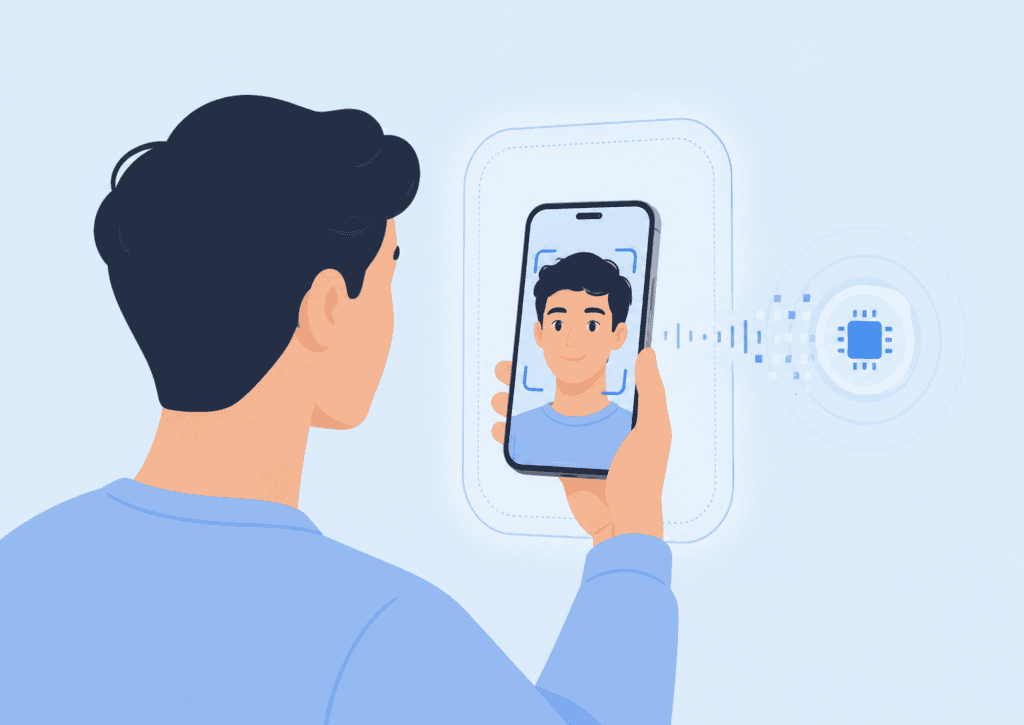
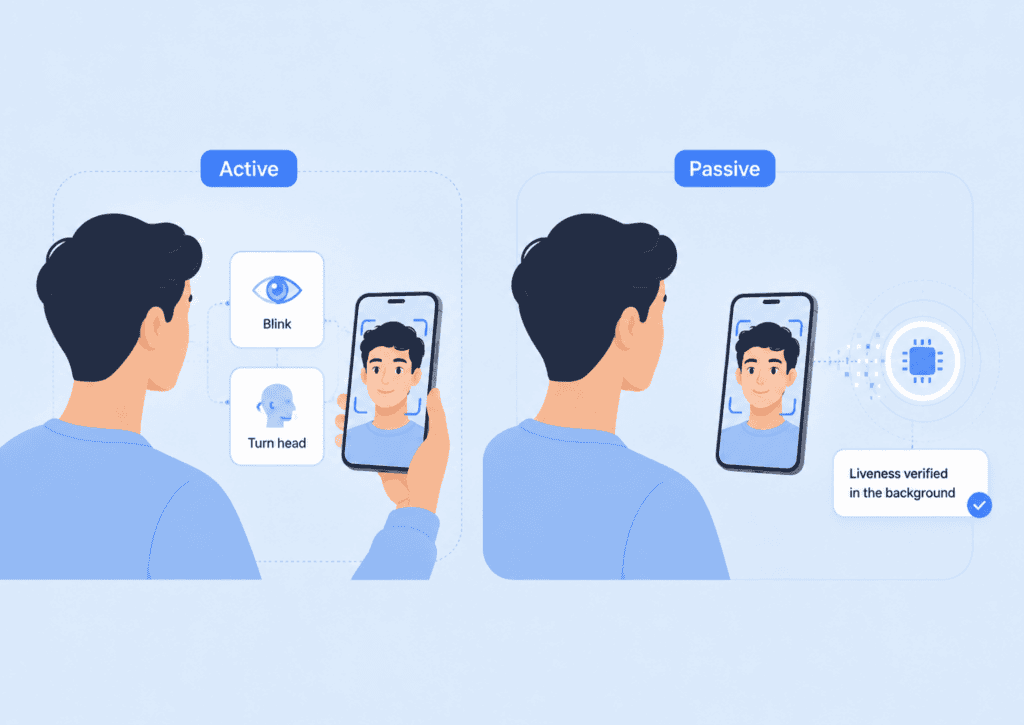
This makes a passive liveness check different from active methods that ask the user to:
- Blink on command.
- Turn their head in a certain direction.
- Smile or open their mouth.
- Follow a moving object on the screen.
- Read a randomly generated phrase.
- Move closer to or farther from the camera.
Active challenges can provide useful evidence, especially when an application needs additional assurance. They also create visible friction. Users may misunderstand the instruction, move outside the frame, struggle with accessibility requirements, or abandon the session after repeated failures.
A passive biometric check moves that work behind the interface. The user sees a familiar capture step, while the software evaluates whether the face and capture environment behave as expected.
Passive liveness is not facial recognition
Liveness detection and facial recognition answer different questions:
| Control | Question it answers |
| Passive liveness detection | Is this biometric sample coming from a live person at the camera? |
| Face matching | Does this face match the enrolled user, ID photo, or account record? |
| Identity proofing | Is there sufficient evidence that the applicant owns the claimed identity? |
| Device risk analysis | Is the device or session showing signs of tampering or abuse? |
A system can produce a highly accurate face match against a photograph shown on another phone. The match may be correct, but the capture is fraudulent.
That is why liveness detection in biometric systems should occur at or immediately after capture, before the application trusts the image for matching, enrollment, or authorization.
How passive liveness detection works
A passive face liveness system does not look for one universal sign of life. It usually combines several signals and uses a trained model to determine whether the overall capture resembles a genuine person or a presentation attack.
The exact model, input requirements, and decision logic vary between providers. A typical process includes five stages.
1. The camera captures an image or short sequence
The application opens a phone, laptop, kiosk, or embedded camera and collects one or more frames. Some implementations use a still image. Others inspect a brief stream to observe changes over time.
The capture layer matters because poor input can weaken both usability and security. Extreme blur, severe underexposure, glare, face obstruction, or an unusually small face may prevent the system from collecting enough information.
A production workflow should distinguish between a poor-quality capture and a suspected attack. Telling a genuine user to improve the lighting is different from silently allowing repeated attempts after a high-risk spoof result.
2. Quality controls check whether the input is usable
Before the passive liveness model returns a decision, the system may assess:
- Face size and position.
- Lighting and contrast.
- Motion blur.
- Camera focus.
- Occlusion from hands, hair, glasses, or masks.
- The number of faces in the frame.
- Whether the input came from the expected camera source.
This step is not the liveness decision itself. It prevents unusable input from being mistaken for either a genuine face or an attack.
A useful implementation returns separate reason codes. For example, FACE_TOO_SMALL, LOW_LIGHT, and PRESENTATION_ATTACK_SUSPECTED should not all produce the same generic “verification failed” response.
3. The model examines evidence of genuine capture
Passive liveness technology may assess several categories of evidence.
Texture and surface characteristics can reveal differences between skin and printed paper, display pixels, mask materials, or laminated surfaces. A photograph may reproduce a face accurately while introducing printing patterns or losing natural skin detail.
Reflection and illumination patterns can show how light behaves across the face. Screens, glossy prints, and artificial surfaces may reflect light differently from three-dimensional human skin.
Depth and facial geometry cues help distinguish a real face from a flat presentation. Some systems infer depth from standard two-dimensional imagery, while others use cameras with dedicated depth or infrared capabilities.
Temporal and motion signals examine how features change across consecutive frames. Natural movement contains small variations that may be difficult to reproduce through a static photograph or basic replay.
Display and reproduction artifacts may include pixel grids, moiré patterns, refresh effects, edge rippling, resampling artifacts, or inconsistencies introduced when one camera records another screen.
Context and sensor integrity signals can help determine whether the session is trustworthy. These may include camera metadata, virtual-camera detection, rooted or jailbroken device indicators, emulator signals, or evidence that frames were injected rather than captured normally.
No single signal is reliable against every attack. A high-quality print may reduce obvious texture clues. A video replay can reproduce blinking and movement. A three-dimensional mask may provide depth while failing other material or reflectance checks.
This is why layered analysis matters.
The National Institute of Standards and Technology evaluation of passive software-based PAD found meaningful variation between algorithms and attack types. “Passive” describes the user experience, not a guarantee that every passive system performs equally well.
4. The system produces a score or decision
After analysis, the model may return:
- A binary live or not-live result.
- A confidence score.
- A risk category.
- A failure reason.
- Additional capture-quality or device-integrity indicators.
The application then applies its own policy. It might accept a high-confidence result, request another capture for an inconclusive result, or use an active challenge when the risk falls within a defined review band.
This separation is important. The model detects patterns, but the business decides what happens next.
A bank authorizing a high-value transfer may require a stricter threshold than a low-risk application confirming that one person is present during account setup. Using one threshold for every event can produce unnecessary false rejections in low-risk flows or insufficient protection in sensitive ones.
5. The result enters the wider identity workflow
Once the passive face liveness decision is available, the application may:
- Compare the live selfie with a photo ID.
- Match it against an enrolled account holder.
- Check for duplicate identities.
- Combine the result with document, device, behavioral, and fraud signals.
- Approve the user, request another factor, route the case to review, or stop the transaction.
Organizations can also combine passive liveness with biometric authentication for passwordless login, account recovery, or step-up approval.
Liveness strengthens confidence in the sample. It does not prove the validity of an identity document, establish account ownership on its own, or confirm that the user is acting voluntarily.
Why passive checks matter
The security benefit of passive liveness is straightforward: it makes it harder to submit a face without presenting the real person.
Its operational value is equally important. A security control that creates too much friction often causes users to abandon the flow, contact support, or look for a weaker fallback route.
It removes predictable challenges
Active prompts reveal the task that an attacker must reproduce. If every user is asked to turn left and blink, an attacker can prepare media that performs those actions.
Randomized challenges reduce predictability, but they also demand more user attention. Passive systems can examine the capture without announcing which signals they are testing.
That does not make passive liveness invulnerable. Attackers can study deployed systems, test repeated submissions, and develop presentation instruments designed to exploit model weaknesses. The advantage is that the application does not provide a simple visible script.
It reduces friction during high-volume onboarding
Consider a remote account-opening flow:
A genuine customer has already photographed an identity document. The application then asks for a selfie. Under an active process, the customer may need to hold the phone at eye level, fit their face inside an oval, turn left, turn right, and blink.
If one action is missed, the entire sequence may restart.
With frictionless liveness detection, the customer takes a standard selfie or briefly looks into the camera. The analysis runs in the background. The visible interaction remains familiar even though the system is checking for print, replay, mask, and injection attacks.
That difference is especially valuable on lower-end devices, unreliable connections, kiosk deployments, and workflows used by people with limited mobility or vision.
It supports more accessible biometric experiences
Some users cannot perform a requested gesture consistently. Others may not understand instructions because of language, cognitive, or interface barriers.
Passive face liveness reduces dependence on precise head movement, speech, blinking, or timed actions. It does not remove every accessibility concern. Camera positioning, lighting guidance, face framing, and retry messages still require careful design.
A strong workflow should also offer a non-biometric alternative where appropriate. Accessibility should not depend on repeatedly forcing the same capture method.
It can limit unnecessary biometric transmission
Passive analysis can run in the cloud or on the device. The distinction affects latency, privacy, and data exposure.
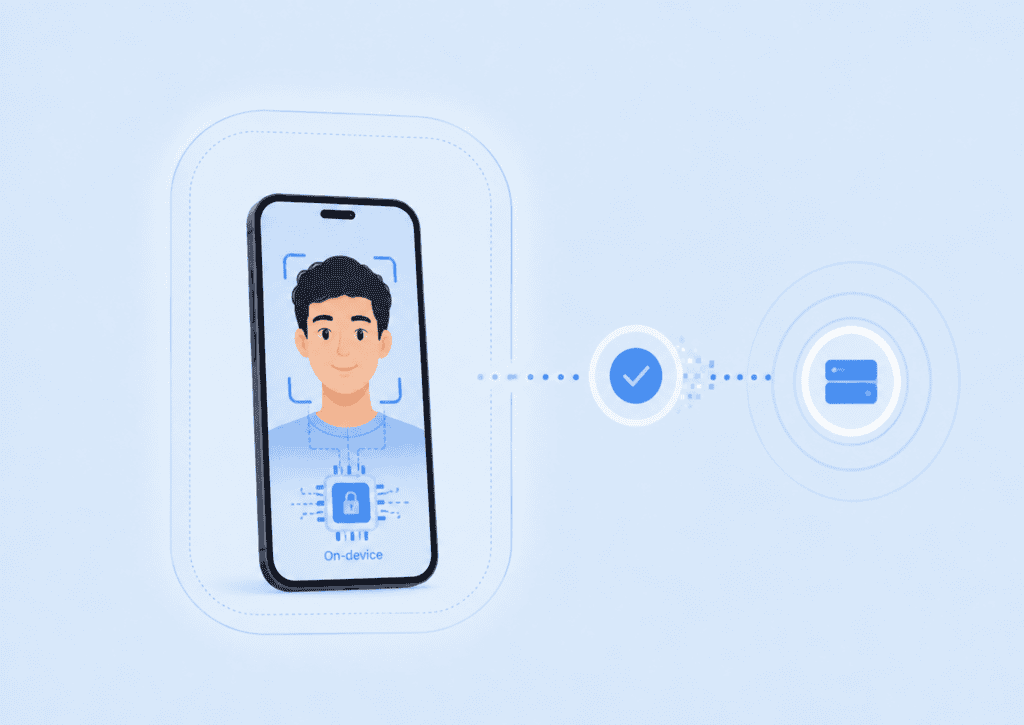
With on-device processing, the application can evaluate the camera input locally and return only the liveness result or risk signal. Raw images do not need to leave the device solely for PAD analysis.
The PrivateID liveness detection architecture uses passive, on-device processing so liveness and anti-spoofing checks occur at the edge. This model can reduce the amount of sensitive biometric data transmitted through backend infrastructure.
On-device processing does not automatically resolve every privacy obligation. Organizations still need to understand what they collect, create, retain, and log across the complete identity workflow.
Where passive liveness fits in identity verification
Passive liveness is most effective when placed close to the moment of biometric capture. It protects the transition between the physical person and the digital image.
Common use cases include:
- Remote identity proofing and customer onboarding.
- Selfie-to-ID comparison.
- Passwordless authentication.
- Account recovery.
- Transaction authorization.
- Age assurance.
- Employee or contractor enrollment.
- Kiosk and venue access.
- Duplicate-account prevention.
- High-risk step-up verification.
The following example shows why workflow position matters.
A user opens a new financial account and uploads a valid stolen identity document. They then display the document owner’s social media photograph on another screen.
Without liveness, the selfie-to-ID comparison may report a close match. Document validation may also pass because the stolen document is genuine.
A passive liveness check at capture can detect that the “selfie” is a screen presentation rather than a live person. Device signals may also identify virtual-camera use or frame injection. The application can stop the flow before treating the face match as trustworthy.
Even then, liveness should not be the only control. The attacker might recruit a live accomplice, manipulate a genuine user, or use a synthetic identity assembled from valid and fabricated information. Those threats require additional identity evidence, fraud analytics, duplicate detection, and policy controls.
NIST’s current Digital Identity Guidelines for identity proofing and enrollment treat biometric comparison as one part of a wider process involving evidence validation, verification, fraud management, privacy assessment, and exception handling.
How to evaluate passive liveness technology
A smooth demonstration is not enough to judge a passive liveness system. Evaluation should cover attack resistance, genuine-user performance, privacy, device coverage, and policy integration.
Check for independent PAD testing
Ask which presentation attack detection standard or testing framework was used.
ISO/IEC 30107-3:2023 defines principles for testing and reporting the performance of biometric PAD mechanisms. It gives buyers a common basis for reviewing how a system was assessed rather than relying only on vendor-created attack demonstrations.
Request enough detail to understand:
- Which attack instruments were tested.
- Whether the testing covered prints, screen replays, masks, and other relevant methods.
- Which cameras and environments were used.
- Whether the tested version matches the deployed version.
- How unsuccessful attacks and genuine-user failures were measured.
- Whether testing was conducted by an independent laboratory.
A result against one attack class should not be treated as proof against every future spoof.
Review both attack and genuine-user error rates
Security teams often focus on whether attacks pass. Product teams focus on whether genuine users fail. Both measurements matter.
Common PAD measures include:
- Attack Presentation Classification Error Rate (APCER): the proportion of attack presentations incorrectly classified as genuine.
- Bona Fide Presentation Classification Error Rate (BPCER): the proportion of genuine presentations incorrectly classified as attacks.
- Failure to Acquire: cases where the system cannot obtain a suitable sample.
Thresholds influence the balance between these outcomes. Tightening a threshold may block more attacks while also rejecting more legitimate users.
Evaluation should use the organization’s actual device mix, lighting conditions, demographics, capture interfaces, and expected attack profile. A laboratory result cannot fully predict performance inside a particular mobile app or unattended kiosk.
Test the conditions users will encounter
A realistic test set should include:
- Older and lower-cost phones.
- Laptop and kiosk cameras.
- Indoor and outdoor lighting.
- Bright backlighting.
- Glasses and common face coverings.
- Different skin tones and age groups.
- Slow processors and limited memory.
- Unstable network connections.
- Users with limited ability to position the camera.
- Legitimate virtual-camera use, where the application permits it.
Testing only on recent flagship devices can hide genuine-user problems that appear after deployment.
Examine the architecture and data flow
Ask where each operation runs and what leaves the device.
A useful data-flow review should identify:
- What camera frames are captured.
- Whether raw images are transmitted.
- Whether the system creates biometric templates or derived features.
- Where temporary data is processed.
- What the backend receives.
- What gets logged.
- How long each data type is retained.
- Whether data is used to retrain models.
“Passive” says nothing about storage. “On-device” says nothing about unrelated identity evidence collected elsewhere in the workflow. Each claim should be mapped to a specific data element and system component.
Define fallback and retry rules before launch
A common implementation mistake is treating every failed check the same way.
A better policy separates outcomes:
| Outcome | Possible response |
| Poor lighting or framing | Give specific capture guidance and allow a retry. |
| Inconclusive liveness score | Request one retry or step up to another method. |
| Strong presentation attack signal | Stop the flow, limit retries, and record a fraud event. |
| Unsupported camera or device | Offer an approved alternative channel. |
| Repeated genuine-user failure | Route to accessible support or supervised verification. |
Unlimited retries can help attackers learn the system. Immediate permanent rejection can block legitimate users because of a temporary capture problem.
The right policy depends on transaction risk, user population, fraud exposure, and available fallback methods.
Plan for model updates and new attacks
Presentation attacks change as cameras, displays, generative media, and injection tools improve. Evaluation cannot end after procurement.
Organizations should monitor:
- Changes in genuine-user rejection rates.
- Attack patterns seen in production.
- Results by device and operating-system version.
- Repeated attempts from the same account or device.
- Sudden increases in inconclusive outcomes.
- Vendor model or SDK updates.
- Regression-test results before each deployment.
Passive liveness technology is a maintained security control, not a one-time feature.
Passive liveness should protect the capture, not complicate it
Passive liveness detection solves a precise problem: determining whether biometric input was captured from a live person without requiring that person to complete a visible challenge.
Its value comes from the combination of stronger capture integrity and lower interaction cost. The best implementation is not simply the one with the fewest prompts. It is the one that has been tested against relevant attacks, performs reliably for genuine users, limits unnecessary biometric exposure, and feeds a clear risk policy.
A frictionless interface can feel simple. The controls behind it should be anything but superficial.
FAQs
What is a passive liveness check?
A passive liveness check analyzes a face image or short camera sequence without asking the user to perform a specific action. It looks for evidence that the input came from a live person rather than a photograph, replay, mask, or injected media.
How is passive liveness different from active liveness?
Active liveness requires a challenge, such as blinking, speaking, or turning the head. Passive liveness runs in the background while the user takes a normal selfie or looks at the camera.
Can passive liveness detect deepfakes?
Passive liveness may detect visual, temporal, camera, or injection artifacts associated with synthetic media. Performance depends on the model, deployment environment, attack method, and whether the system also evaluates device and session integrity.
Does passive liveness require a special camera?
Some passive systems work with ordinary two-dimensional cameras, while others use depth, infrared, or additional sensors. Buyers should verify minimum resolution, browser and device support, processing requirements, and performance on their actual hardware.
Is passive liveness more secure than active liveness?
Neither method is automatically more secure in every situation. Passive methods reduce predictable user challenges and interaction friction, while active methods can add evidence when risk is high. Some workflows use passive analysis by default and introduce an active step only when the result is uncertain.
Can passive face liveness replace identity verification?
No. Passive face liveness verifies the integrity of the biometric capture. It does not validate an identity document, prove legal identity by itself, or address every form of account fraud.
What happens when a passive liveness check fails?
The response should depend on the reason. Poor image quality may justify a guided retry, while a strong spoofing signal may require the application to stop the flow, limit further attempts, or route the event for fraud review.